


Participant
September 3, 2024

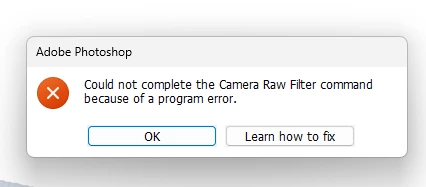
“Could not complete the Camera Raw Filter command because of a program error”
  • September 3, 2024
  • 98 replies
  • 18035 views

i m facing issue in letest photoshop..
i try all the ways, like reinstallation, older version, but still not working 

any buddy knows solution ???
please Help me...
Bhargav


[subject renamed for clarity]


98 replies

Participant
November 17, 2024

Buona sera, ho lavorato per circa un mese senza problemi, poi improvisamente Photoshop apre solo file PSD, non NEF e nemmeno JPEG. L'idea che mi sono fatto e che non carichi correttamente Camera RAW. Ho provato anche con Camera Raw 16 e 16.5 ma da lo stesso problema. Ho disinstallato Photoshop e reinstallato, poi ho rimesso Camera Raw 17 ha funzionato per quanche ora e poi dopo aver spento il pc e riacceso non ha piu funzionato.

D Fosse
Community Expert
Community Expert
November 17, 2024
jane-e
Community Expert
Community Expert
November 17, 2024


@Kjell_Marmlind wrote: "in Photoshop Beta everything still work as normal"


Photoshop Beta is for finding and reporting bugs so the developers can fix them before they go to the released version. If it's working there, one possibility is that they have found a fix that will be in an upcoming release.


There might be details on the Photoshop beta forum:

https://community.adobe.com/t5/photoshop-beta/ct-p/ct-photoshop-beta


Jane


D Fosse
Community Expert
Community Expert
November 17, 2024

I've never installed any beta so I don't know.


But I do believe the actual problem is in Photoshop, not ACR, since version 25.9 still works perfectly (I still have it installed). It's only version 25.11 and later.

Participant
November 17, 2024
  • When Photoshop is freshly launched, everything works as it should. - This is not the case for me, it stoped working a couple of days ago in Regular Photoshop. But in Photoshop Beta everything still work as normal. They both use the same Camera raw arent they?
D Fosse
Community Expert
Community Expert
November 17, 2024

Thank you, Jane 🙂


I'll try to watch this and direct new cases here.


Here's the problem description:

  • When Photoshop is freshly launched, everything works as it should.
  • After a while, exact timing seems to vary, a few minutes to a half hour, ACR will no longer open, and you get the error message shown in the OP here.
  • This started in Photoshop 25.11. Version 25.9 and earlier are unaffected by this.
  • This affects both the ACR raw processor and the ACR Filter in Photoshop.
  • When the ACR filter is called by an action, without calling the interface, it seems to work normally.
  • Edit in Photoshop from Lightroom Classic, also not calling the interface, works normally.


jane-e
Community Expert
Community Expert
November 17, 2024


@D Fosse wrote: Could a moderator merge these two for a start?


I've merged the two posts

Jane

D Fosse
Community Expert
Community Expert
November 17, 2024
D Fosse
Community Expert
Community Expert
November 17, 2024

I've had this since 25.11 and up, not before. It happens when PS has been running for a while, not immediately when opening.


I'm pretty sure this is a bona fide bug and someone shoul collect these threads and merge them. There's been a few. The rather curious observation I've made so far, is that it only seems to happen to users outside the English language zone. Yeah, I know 😉


Oh, and resetting ACR (or PS) preferences doesn't do anything.

Participant
November 17, 2024

I have the same problem. But it works fine from Photoshop Beta. 

Participant
November 17, 2024

Hello, since this morning my Adobe Photoshop won't open photos anymore due to program error but I can't find where it comes from. Does anyone have any tips?

D Fosse
Community Expert
Community Expert
November 17, 2024

Please show a screenshot of the error message.


What type of file, how are you opening.

Participant
November 17, 2024

By Raw files