


AG_Ps_100
Inspiring
May 13, 2019
Question

Skew Smart Object Edges to Fixed Locations

  • May 13, 2019
  • 1 reply
  • 1176 views

Hello everyone,

I'll try to explain with pictures what I'm trying to achieve.

I have this blue smart object:
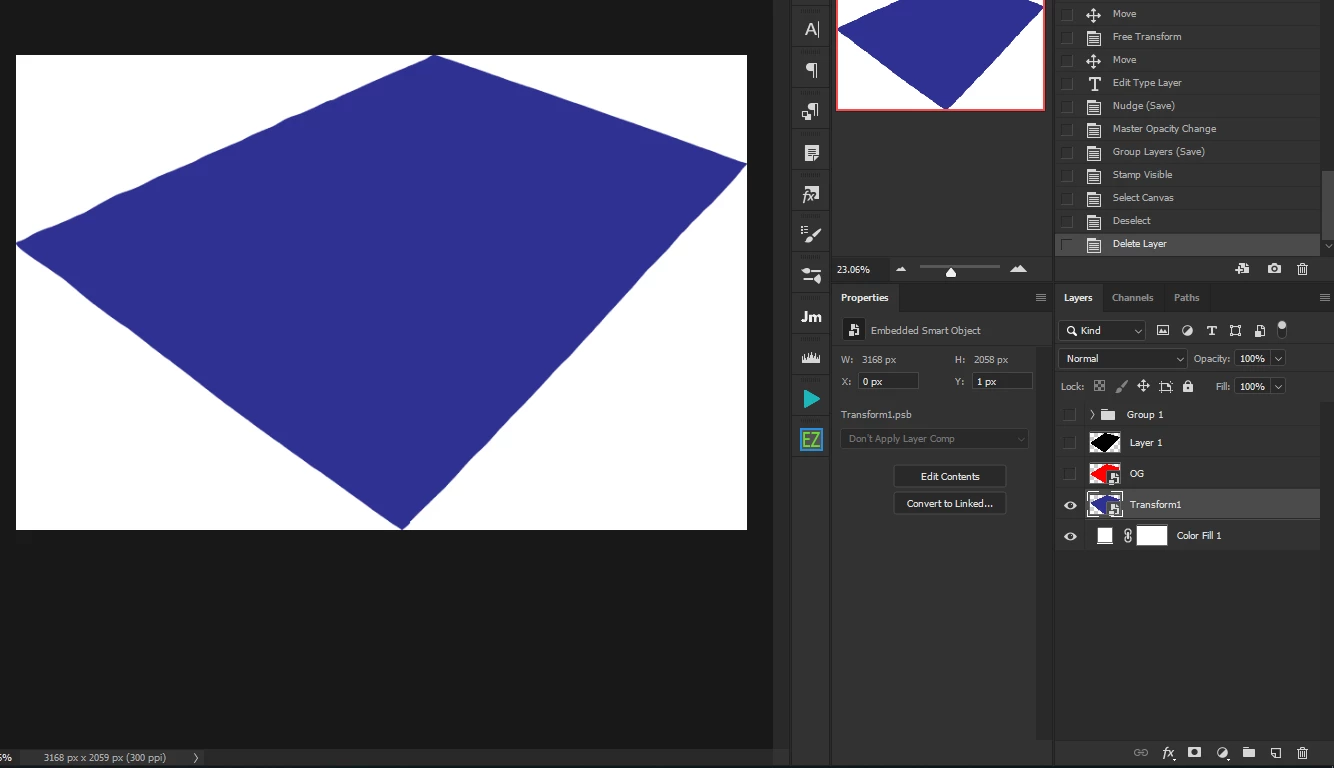
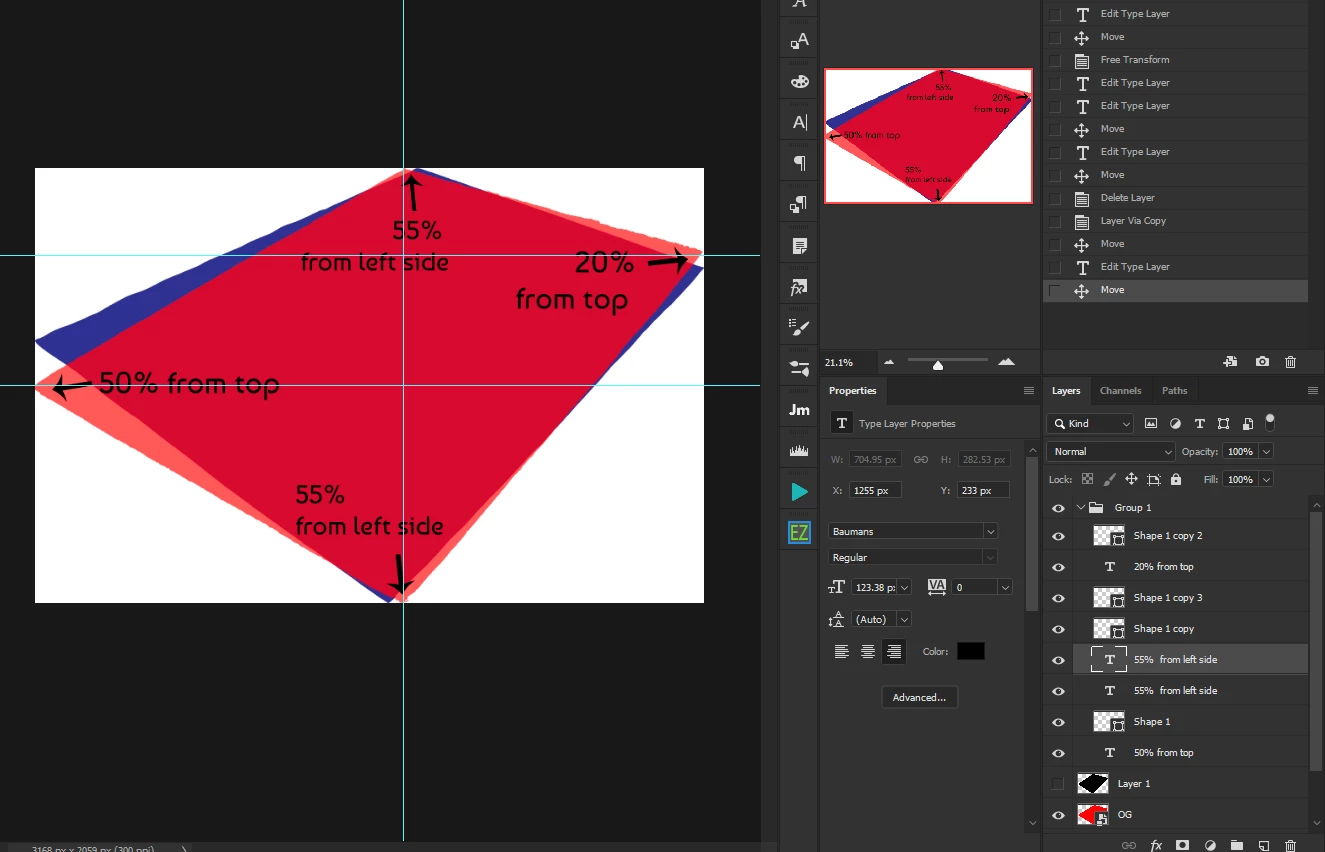
and i want the blue layer edges to be same as the red ones edges.

the resolution is always the same: 3168x2059 and i also mentioned the exact percent of the red that I want.

the red in the picture is perfect. I manually adjusted it exactly like I want. I just need to automate it.

if it's not clear enough:
This topic has been closed for replies.

1 reply

c.pfaffenbichler
Community Expert
Community Expert
May 14, 2019

I suspect if you already have a Smart Object that’s transformed as intended it would be easier to (New Smart Object Via Copy and) Replace Contents.

JJMack
Community Expert
Community Expert
May 14, 2019

I think that may not even work. From the images posted its looks like their blue smart objects has been scaled, rotated,  and distored so the layer associated has changes the object appearance. You do not even know if the object has a rectangle shape or if the content has transparency around any edge.  They gave pixels width and height as resolution that is not resolution and replace content uses Photoshop Place which will resize an image  based on the document's and image file's print resolutions. If you open the object and it open in Photoshop the work document will have a rectangle canvas. If you fill it with an image or color it may well be a different shape than the contents of the original object. When the layer's smart object is updated. The updated smart object layer may not match the blue object's appearance.

JJMack
c.pfaffenbichler
Community Expert
Community Expert
May 14, 2019
I think that may not even work.

I guess AG_Ps_100  should provide the file so we can see for ourselves what the state of the elements. is.