

Answered
The embedded ICC profile cannot be used because the ICC profile description is invalid. Ignoring the profile
Hello,
I recently replaced my old laptop with a Dell XPS 15 laptop with 4K display.
After installing Adobe Light Room and Photoshop CC 2018 on it - I started encountering issues exporting photos from Light Room to Photoshop. Specifically, when I attempt to export an image from Light Room to Photoshop - I receive the following error "The embedded ICC profile cannot be used because the ICC profile description is invalid. Ignoring the profile". When I click "Continue", Photoshop loads the image but the color is messed up and looks awful.
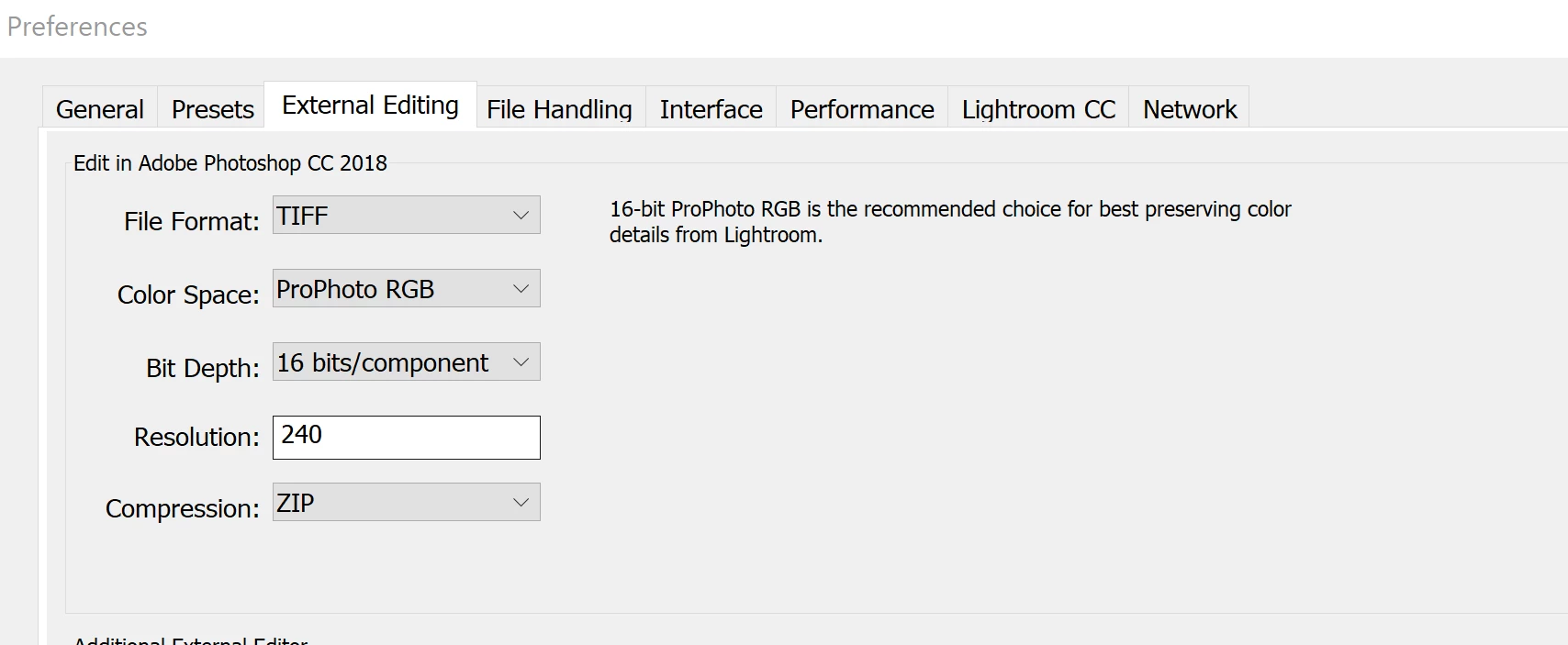
My current Light Room preferences are shown below:
I checked around on the web and can't find any instructions on how to fix this.
Does anyone know of a way to resolve this issue?
Thank you!
Patrick
 AdChoices