


This topic has been closed for replies.
Correct answer Greg_S.

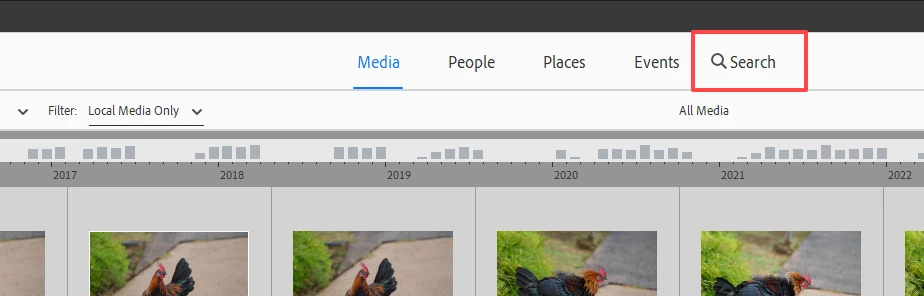
What criteria do you want to search by?  The Search button has been moved to what I thought was a more visible position in the Elements 2024 Organizer:
3 replies

Greg_S.
Greg_S.Correct answer
Community Expert
February 19, 2024

What criteria do you want to search by?  The Search button has been moved to what I thought was a more visible position in the Elements 2024 Organizer:

thisisirrational
Inspiring
February 19, 2024

I am never going to get over being angry at Photoshop Elements 2024! What you are showing me - I just saw now - NOT YESTERDAY when I did not see it and wrote my piece here about "where is it"! It is showing today but did not show yesterday. Also, I am STILL having a major problem with elements 2024 freezing up!!! It did it three times today within one hour! I think Adobe needs to return my money or give me an updated and corrected version of the software, this one has too many problems.

Walter_H
Brainiac
February 19, 2024

@thisisirrational, In the Organizer, click Find on the Menu bar.

--Walter in Davie, FL
thisisirrational
Inspiring
February 19, 2024

I do not know the filename. I have seen the word "search" at the top of the screen in the past but now it is not showing.

hatstead
Inspiring
February 19, 2024

Please post a screen shot so that we may visualize what appears on your screen.

hatstead
Inspiring
February 19, 2024

In the Editor, click on the Advanced tab, then go to File menu>open.  Point to where your picture file is on your computer.

thisisirrational
Inspiring
February 19, 2024

thank you but that does no good if the file is a year old, it will not show.
