


Photoshop Elements 12 Install Issue Windows XP SP3
I've spent the better part of a day trying to install PSE 12 on my Windows XP SP3 computer. (Please, no comments that XP is old, upgrade to Win7 or Win10 ETC yada yada yada. I have good reasons to still use XP.)
I still use XP because my film scanner has no drivers beyond WinXP SP3 and my camera tethering software doesn't work beyond Windows XP either. I also use it for music recording hardware that likewise have no Win7 & up drivers.
I purchased a NOS copy of PSE 12 that was still factory sealed. I selected PSE 12 because it is the last version of PSE that will run under WinXP SP3. Per Adobe's website:
Photoshop Elements system requirements shows that PSE 12 is compatible with WInXP SP3:
Photoshop Elements 12.0
Windows
- 1.6 GHz or faster processor (including single-core support)
- Microsoft® Windows® XP with Service Pack 3, Windows Vista® with Service Pack 2, Windows 7, or Windows 8 & 8.1 (Note: Limited Camera Raw functionality on Windows XP)
So it *should* work fine under XP.
My CPU is an Intel Quad Core Q9650 3.00GHz, has 4 GB RAM (actually has 8GB but 32bit WinXP only sees 4GB) , and a 2 TB hard drive with plenty of space on it like 600GB. Monitor is a 1920x1080.
The factory box that PSE 12 came in also states that it is compatible with WinXP SP3
My issue:
=======
When I try to install PSE 12 in WinXP from the original DVD the serial number fails.
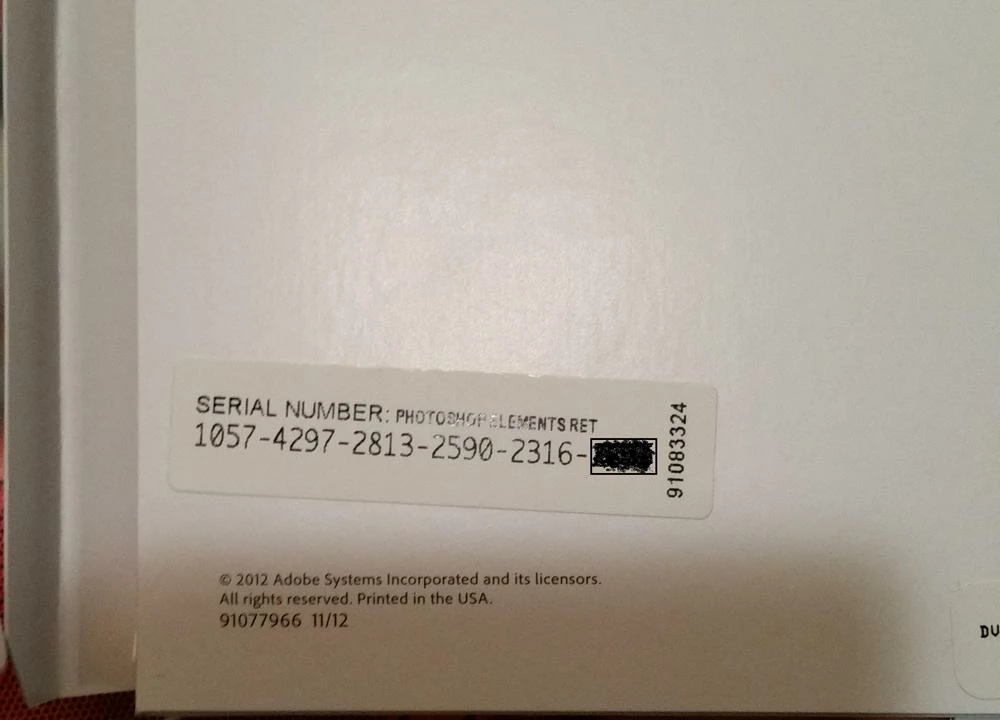
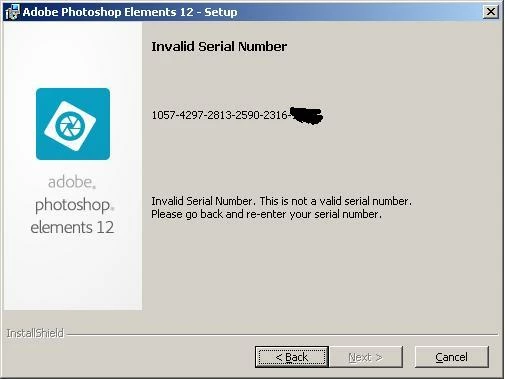
I spent a lot of time in a chat session with Adobe Support. Per Adobe support the serial number is valid and is registered to my account. The chat support person had me download PSE 12 from Adobe and install from the downloaded files. Same issue. Doesn't like the serial number under WinXP.
I then took the DVD to a Win7 computer in my home office and PSE 12 installs just fine. The serial number is accepted as valid and it's working. Great, but I need it running on a WinXP box not Win7.
How do I get PSE 12 to install under WIndows XP SP3?
Thanks for your help!
 AdChoices