


Participant
December 28, 2020
Answered

Print just one open tab without clicking remove on all other open tabs

  • December 28, 2020
  • 1 reply
  • 892 views

Hello! If I have multiple file tabs open in Elements can I print just one of the files without having to click "remove" on all the other files in the print dialogue box? Thank you for your help!
This topic has been closed for replies.
Correct answer Walter_H

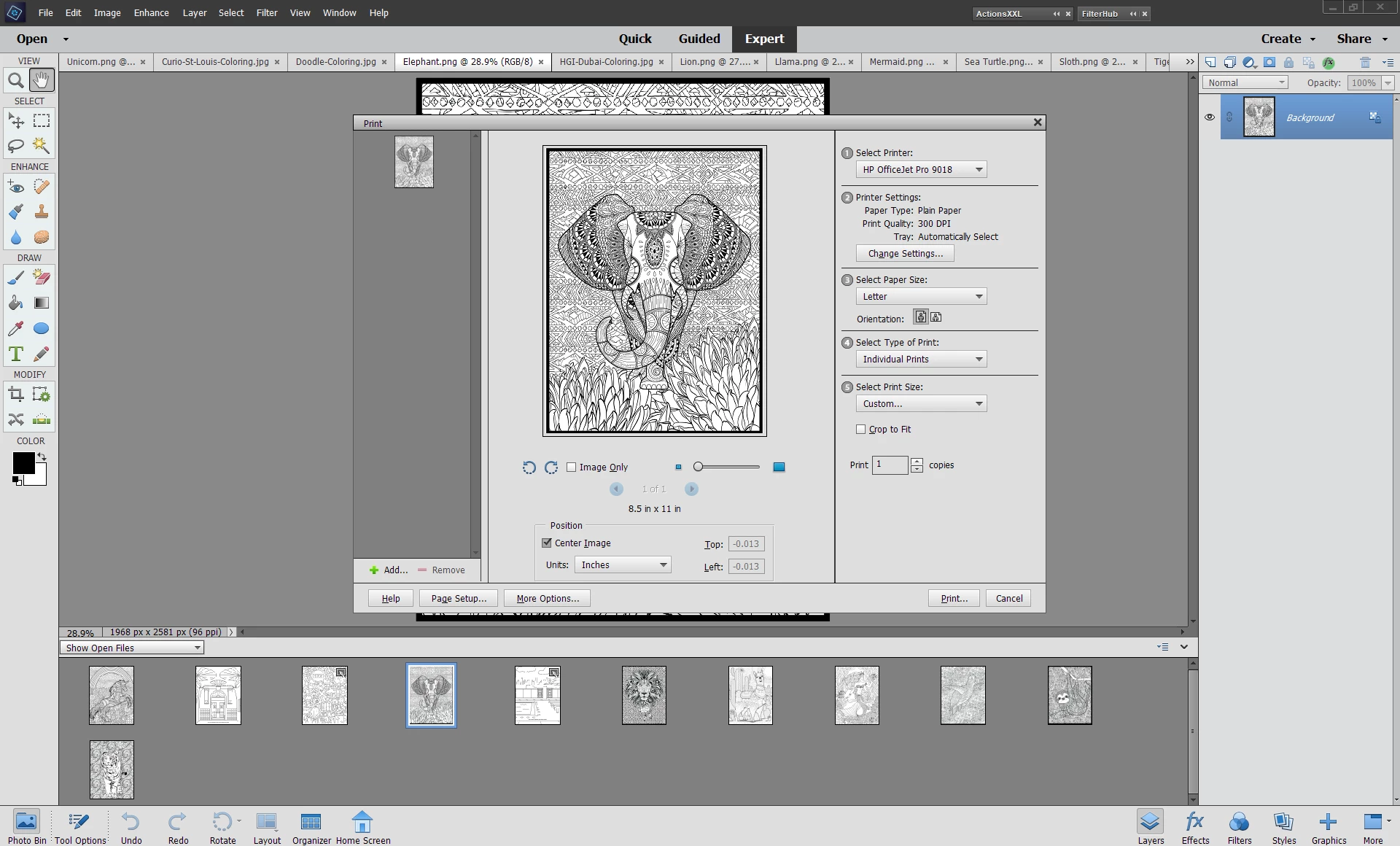
@Sam21836517vap6, Have you selected the file you want to print in the Photo Bin? I am using PSE 2020 in Windows 10 and don't have your problem. What version of PSE and OS are you using. In the attached screenshot, I have 11 photos open. I select one of them to print and do a CTRL-P on the keyboard and that's the only photo that shows in my Print dialog.


1 reply

Adobe Employee
January 8, 2021

Hi @jonathan5FCD 


Thanks for reaching out to us.


Yes this is doable. Please refer to this Print feature help for more details.

https://helpx.adobe.com/in/photoshop-elements/using/printing-photos.html#print_dialog_box_options


"Remove" will not close your current open tabs, but will just remove that file from the print dialog. 


Thanks.

Participant
November 19, 2021

This does not answer the question..

If I have 10 image tabs open and only want to print one, I have to 'remove' all the other from the print dialog.

Is there a shortcut to open the print dialog with only 1 image?

Walter_H
Walter_HCorrect answer
Legend
November 19, 2021

@Sam21836517vap6, Have you selected the file you want to print in the Photo Bin? I am using PSE 2020 in Windows 10 and don't have your problem. What version of PSE and OS are you using. In the attached screenshot, I have 11 photos open. I select one of them to print and do a CTRL-P on the keyboard and that's the only photo that shows in my Print dialog.


--Walter in Davie, FL