



Walter_H
Braniac
January 23, 2020
Answered

Problem Cropping To a Specific Size

  • January 23, 2020
  • 3 replies
  • 1222 views

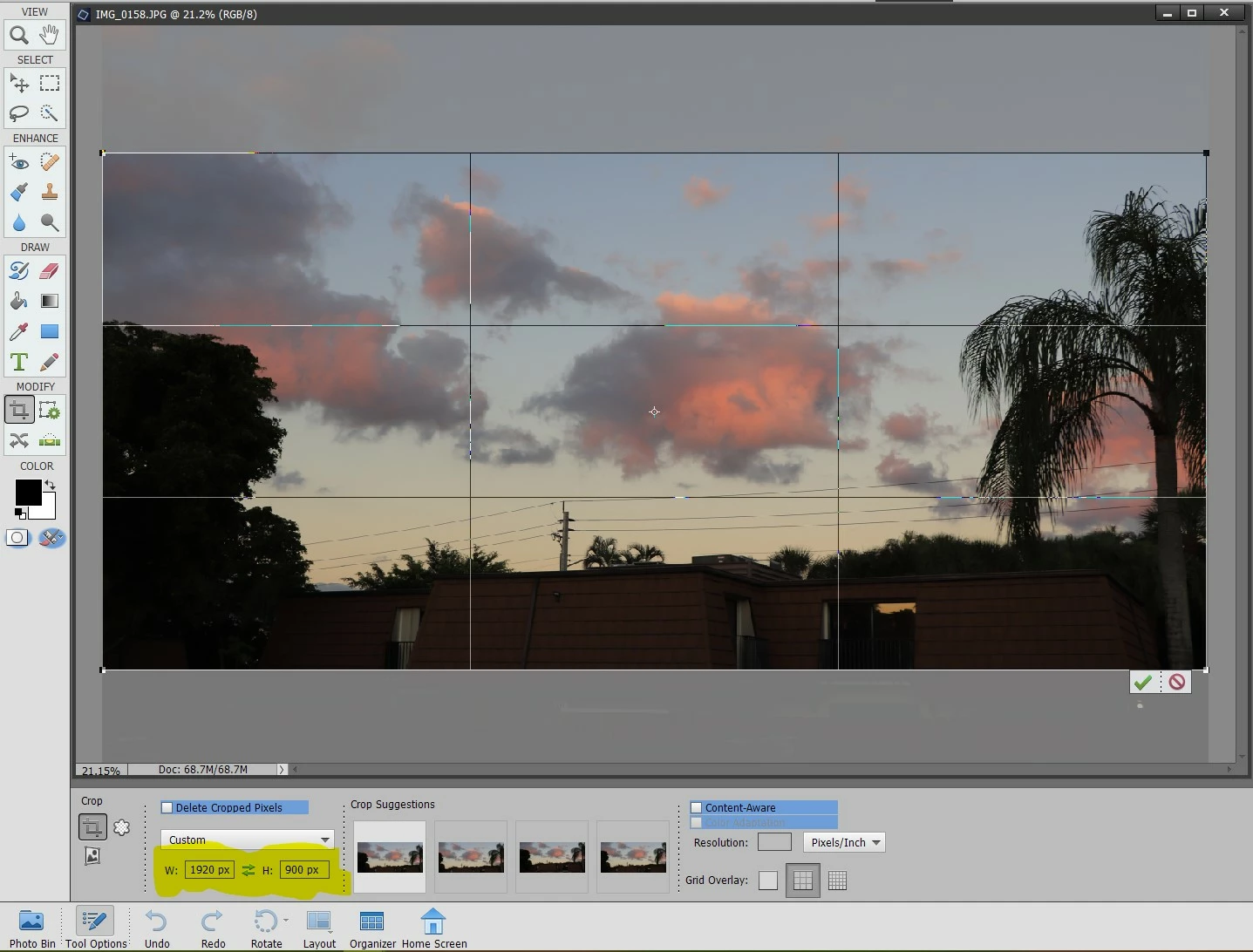
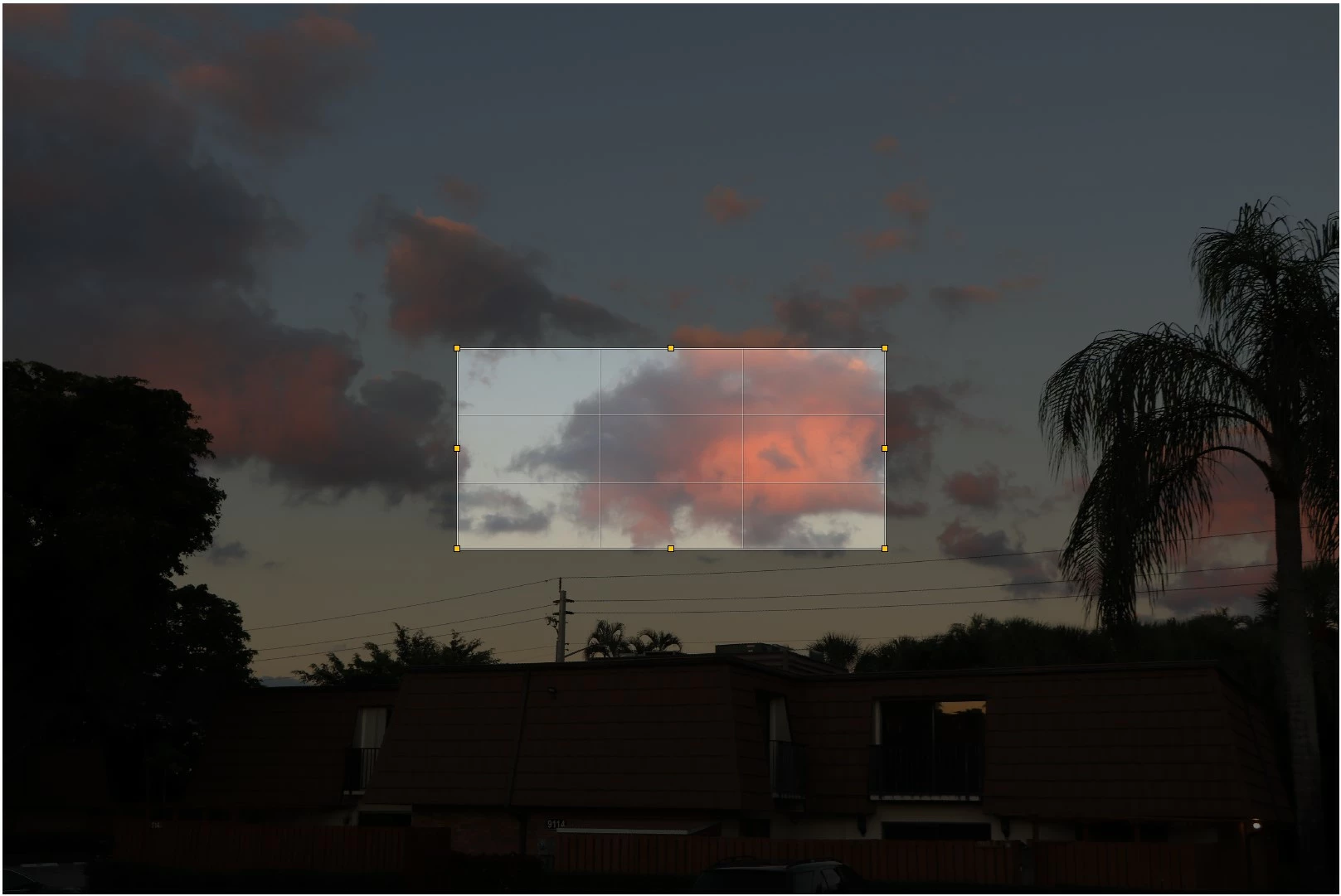
I am using PSE 2020 on a Windows 10 Pro PC. I am attempting to crop a 6000x4000 pixel photo down to a 1920x900 pixel center part of the original. It seems as if Elements does a resize down to 1920 width and then crops that down to 900 high.


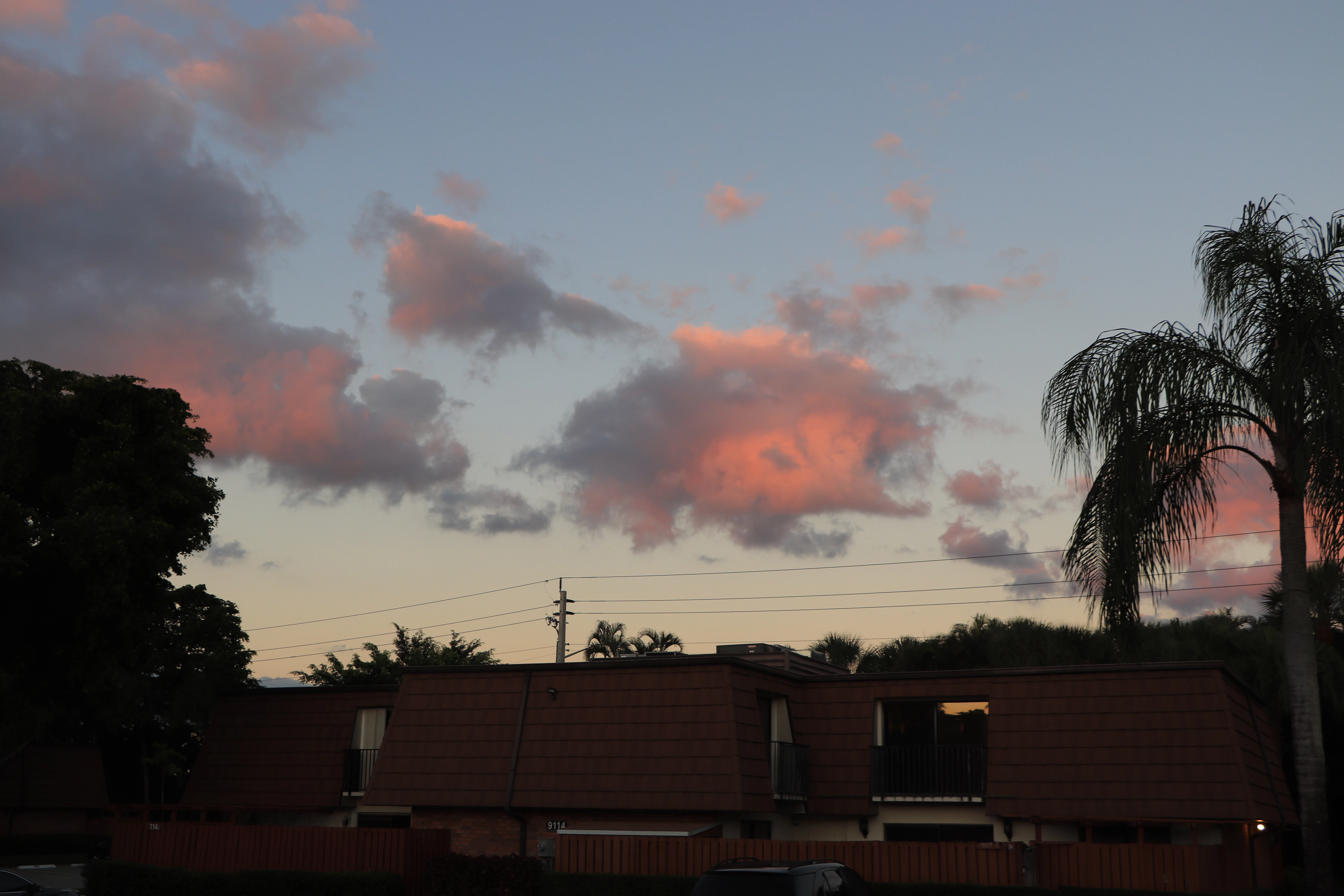
This is the original photo:
This what the Elements crop gives me:
This is what I'm trying to do: (I did this with ACDSee)
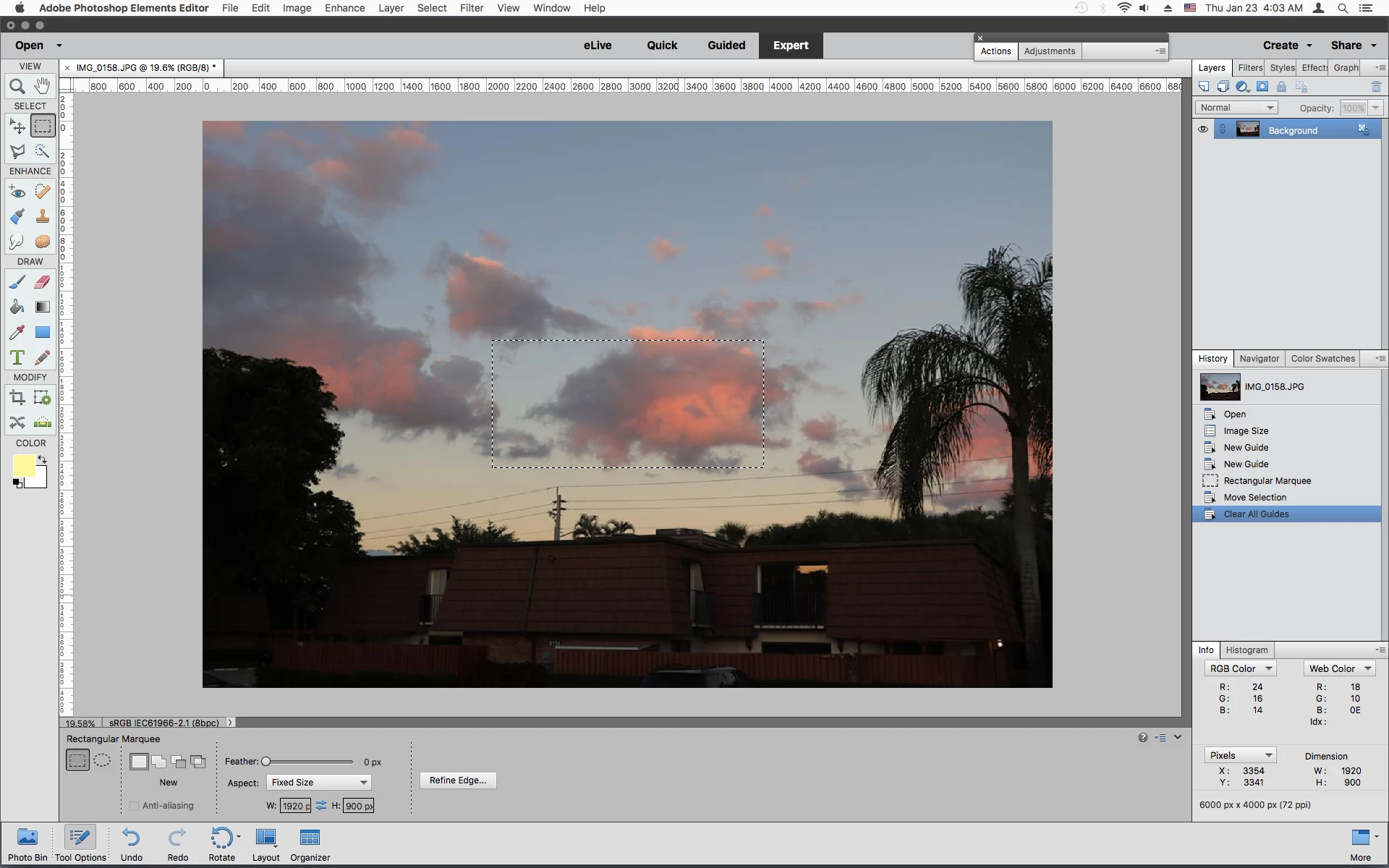
Am I doing something wrong? How do I do this in PSE2020?
This topic has been closed for replies.
Correct answer Jeff Arola

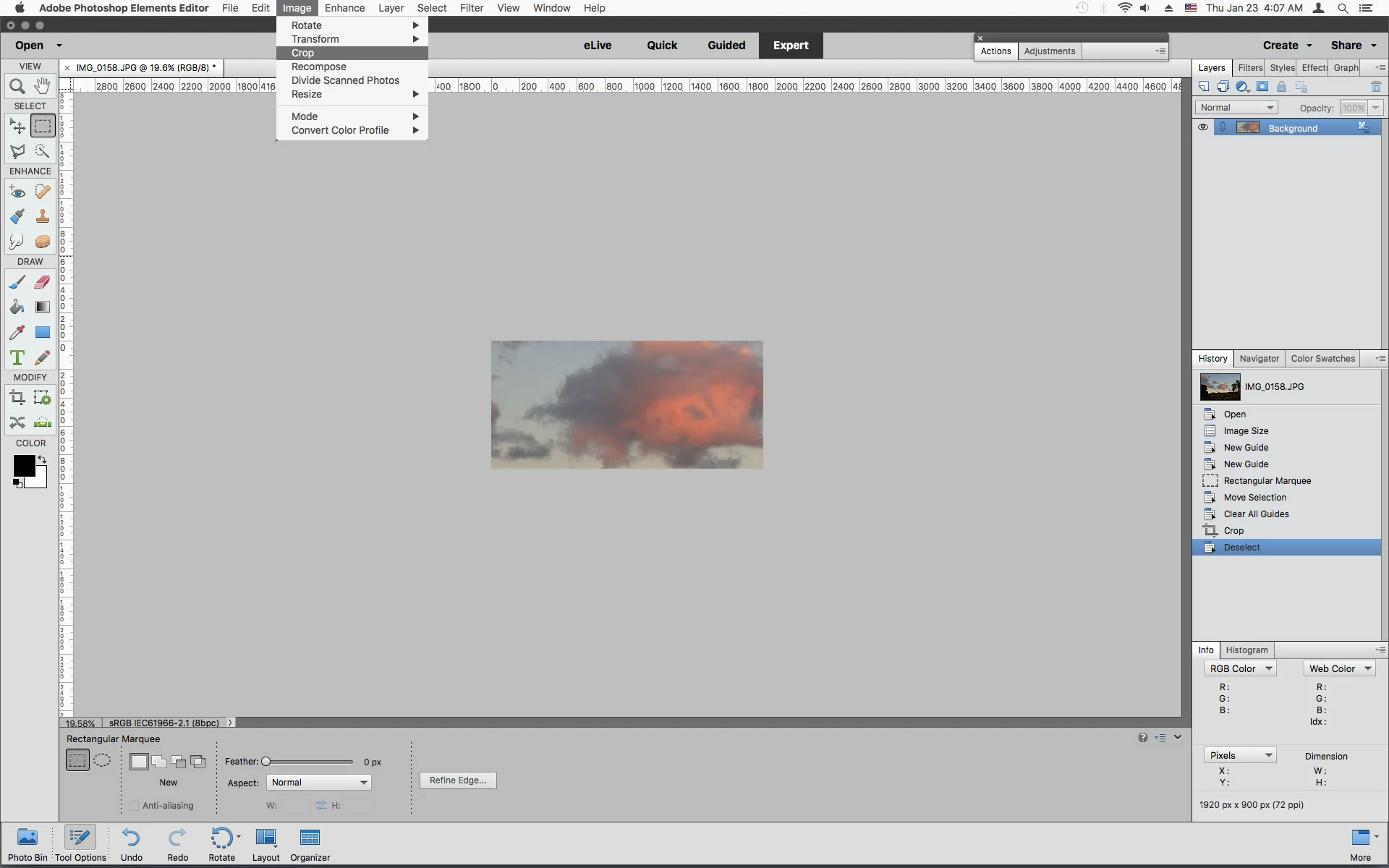
Use the Rectangular Marquee Tool set to Fixed Size 1920 px x 900 px, then click on your photo, drag inside the selection into place and then Image>Crop.


3 replies

Jeff Arola
Jeff ArolaCorrect answer
Braniac
January 23, 2020

Use the Rectangular Marquee Tool set to Fixed Size 1920 px x 900 px, then click on your photo, drag inside the selection into place and then Image>Crop.


Walter_H
Walter_HAuthor
Braniac
January 23, 2020

Thank you 99jon, Greg, and Jeff,


That turned out to be much easier than I imagined it would be!

--Walter in Davie, FL
Greg_S.
Braniac
January 23, 2020

. . .  or click and drag a marquee around the area you want to crop.

99jon
Braniac
January 23, 2020

Before clicking the green checkmark, drag the corner points so that the crop shield covers the area you need.