



imjack2
Inspiring
October 30, 2020
Question

Problem uploading images from PC to iPhone

  • October 30, 2020
  • 2 replies
  • 697 views

One of the nice features of PhotoElements was the possibility to upload into your iPhone PhotoElements Albums using iTunes:
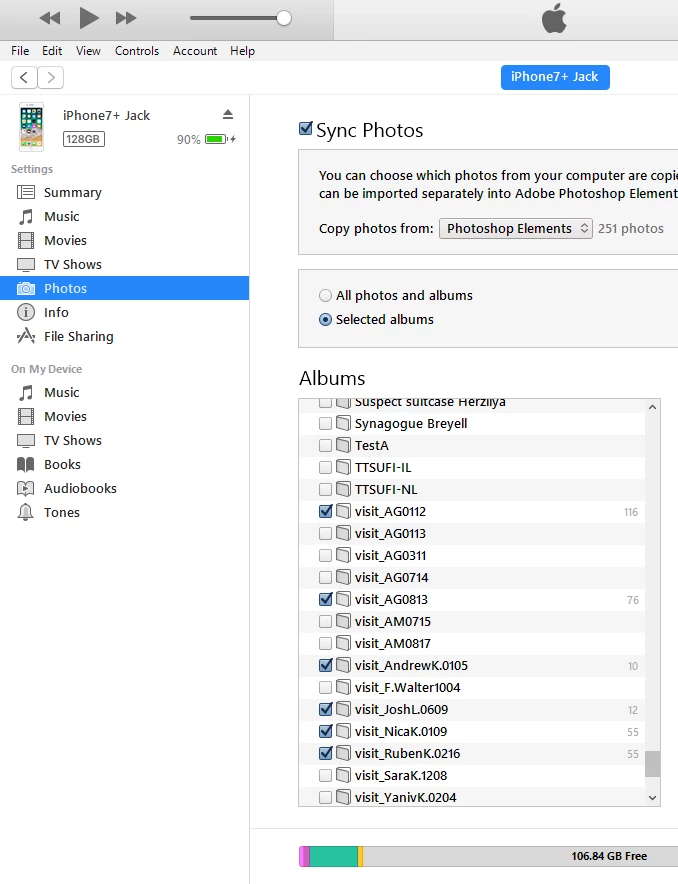
 

Using PhotoElements and iTunes, I have more than 30.000 images on my iPhone neatly catalogized in PhotoElements Albums, so I can find a certain image quite quickly amongst those 30k images.

Today I installed PhotoElements 2020 and by coincidence, my iPhone 7+ was updated with iOS 14.1

But now iTunes does not recognize anymore images in PhotoElements Albums:
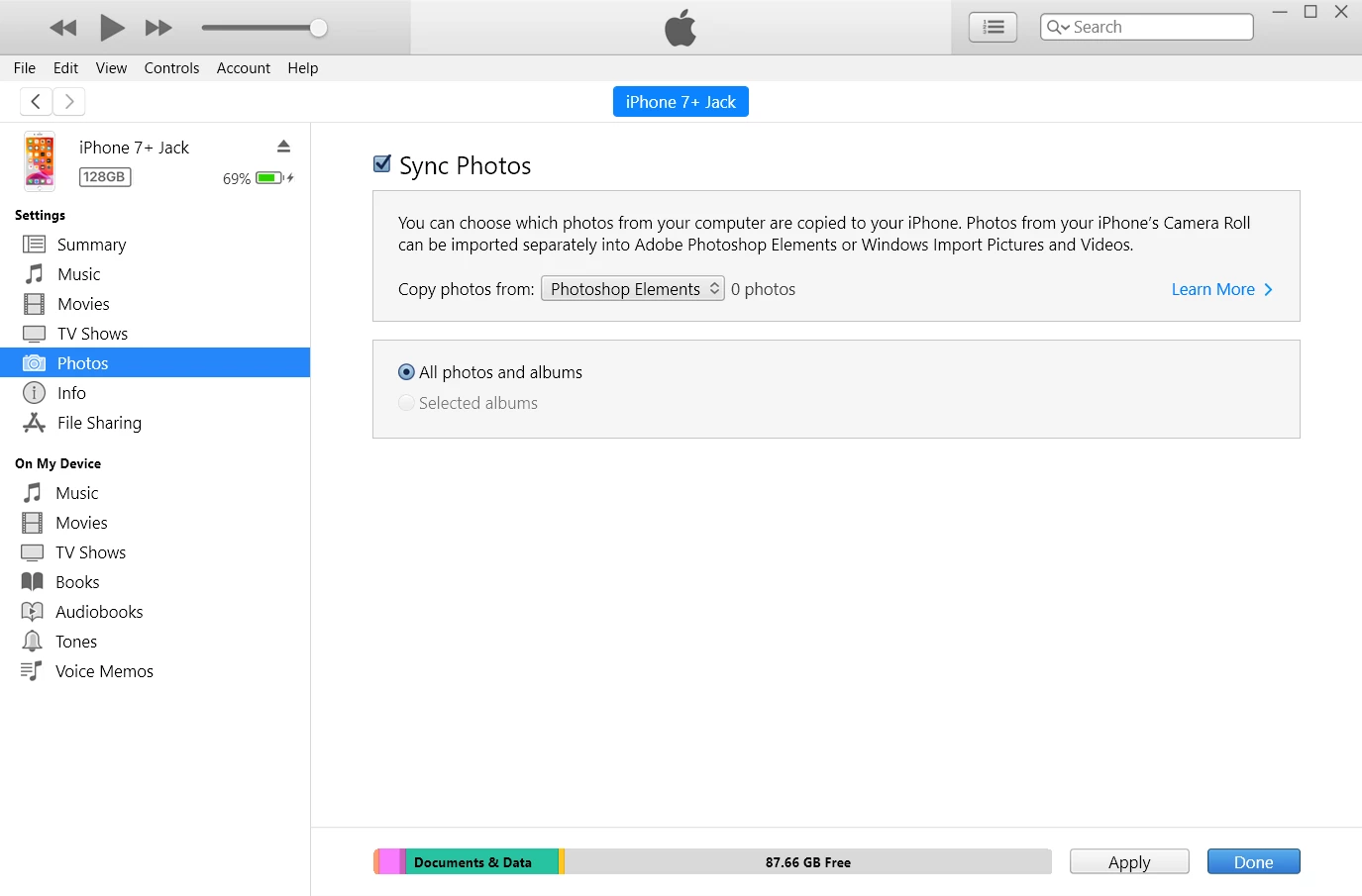
 

Has anyone else encountered this problem? Could it be a bug in PSE2021? What solutions/workaround are known?

This topic has been closed for replies.

2 replies

imjack2
imjack2Author
Inspiring
December 28, 2020

My iPhone was  today updated to iOS 14.3 and behold, the upload of photos to the iPhone from my PC is again working!!

imjack2
imjack2Author
Inspiring
December 31, 2020

Although the upload of photos to the iPhone from my PC is now possible, I discovered that iTunes was using the old PSE2020 catalog and not my current PSE2021 catalog!!

Somehow the information which albums in PSE should be imported into the iPhone is "hardwired" and is using this path and file:
C:\ProgramData\Adobe\Elements Organizer\Catalogs\Jack2020\catalog.pse18db instead of using:
C:\ProgramData\Adobe\Elements Organizer\Catalogs\Jack\catalog.pse19db


As a workaround I did copy the catalog.pse19db file into the Jack2020 directory and renamed catalog.pse18db into catalog.pse18db-old and catalog.pse19db into catalog.pse18db.
(in order for this renaming to be possible, I had to end the task of the Elementsautocreations2021 service in the Task Manager)


Has anyone an idea who is to blame here? Apple for not looking at the right place or Adobe for not suppliying the correct information?


New Participant
January 7, 2021

You are not alone as I have spent the last couple of days trying to resolve the same frustration. I don't have a solution!

Greg_S.
Community Expert
October 30, 2020

I think it is more of a problem with iTunes than Elements.  I just tried it with Elements 2021 and it took me a lot of fiddling around in iTunes to get it to work.  If you have a lot of photos then it takes a while for iTunes to refresh to see them.  At first, I couldn't see the Photos tab for my device in iTunes.  After clicking on the device icon a couple of times, the full iPhone settings screen opened up with the Photos tab showing.  When I clicked on the Photos icon, the dialog opened and after enabling Synch Photos, the Photoshop Elements dropdown became active.  I was then able to click on the Albums button and my albums showed up. BUT, the only album I created in 2021 does not show up.  So, I don't know where iTunes is looking to find the Albums.  I thought that several versions ago, Elements stopped synching with iTunes.  I will try to investigate further with Adobe (unless somebody else has a better answer than I can give.)

Can you please try to toggle the Synch Photos checkbox in iTunes on and off and see if it makes any difference for you.

imjack2
imjack2Author
Inspiring
November 3, 2020

Thanks Greg for your time and effort investigating this odd behavior.

I have tried of course to toggle the Synch Photos checkbox but that did not help. Neither did a restart of the iPhone and a reboot of the PC.
I have tried using an earlier version of iTunes but got the same results.
Downgrading the iOS 14.1 to an earlier version of the iOS 13 family failed because I may have have a compromised iOS system on my PC which my iPhone did not want to use for its "version update". 

Tonight I will try another way of downgrading the iOS by using the DFU mode of the iPhone. Some people believe that that is the way to go about of downgrading an iOS.

I'll keep you informed...

Greg_S.
Community Expert
November 3, 2020

ISTR reading that you cannot downgrade iOS 14 to 13, once it has been installed.  I expect there are hacks around it.