New Participant
December 12, 2020
Answered

Remove object

  • December 12, 2020
  • 3 replies
  • 1187 views

I am useing Adobe Photoshop 2019 Ver. 17

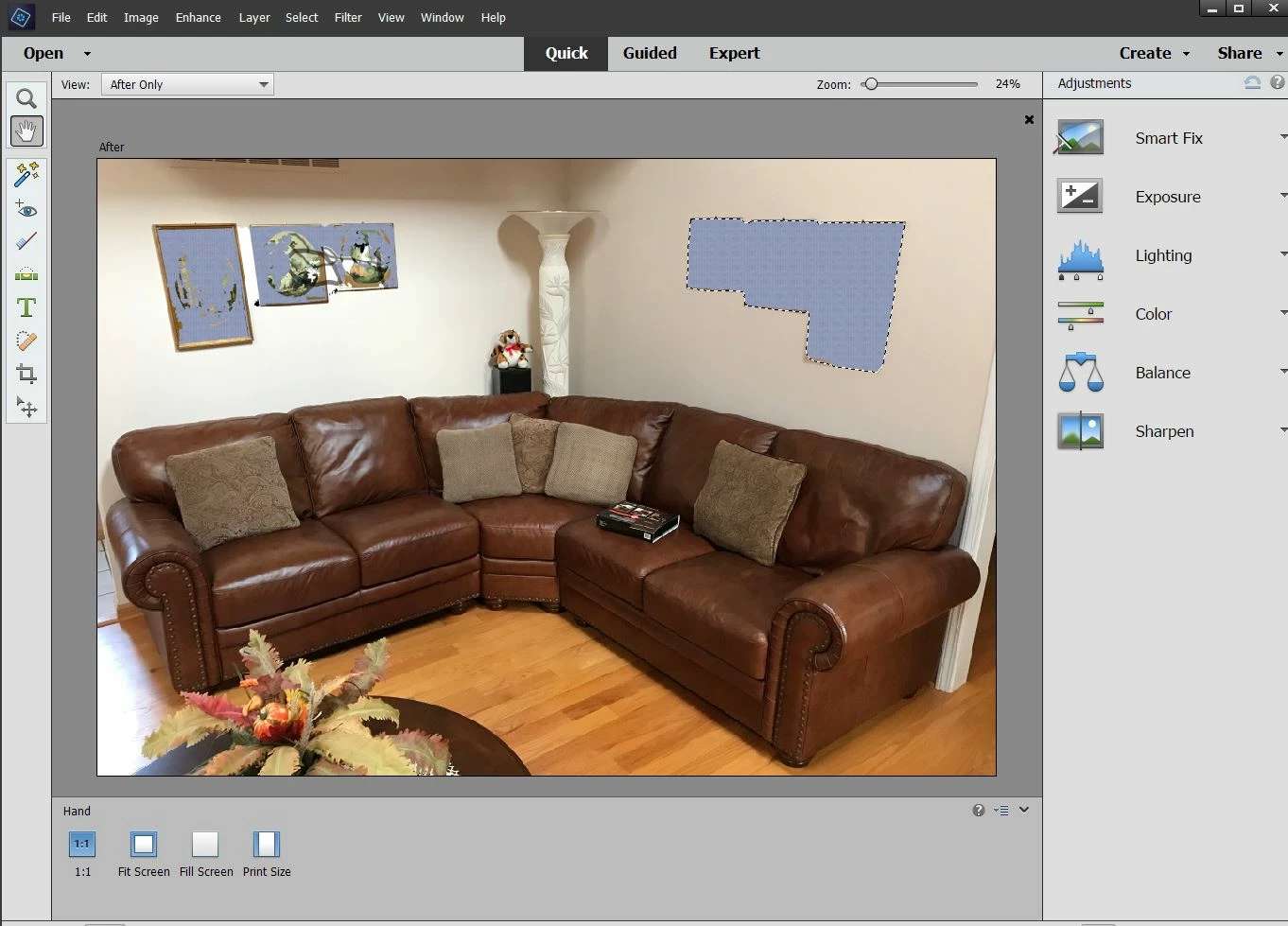
in this photo sample I need to remove objects on the wall

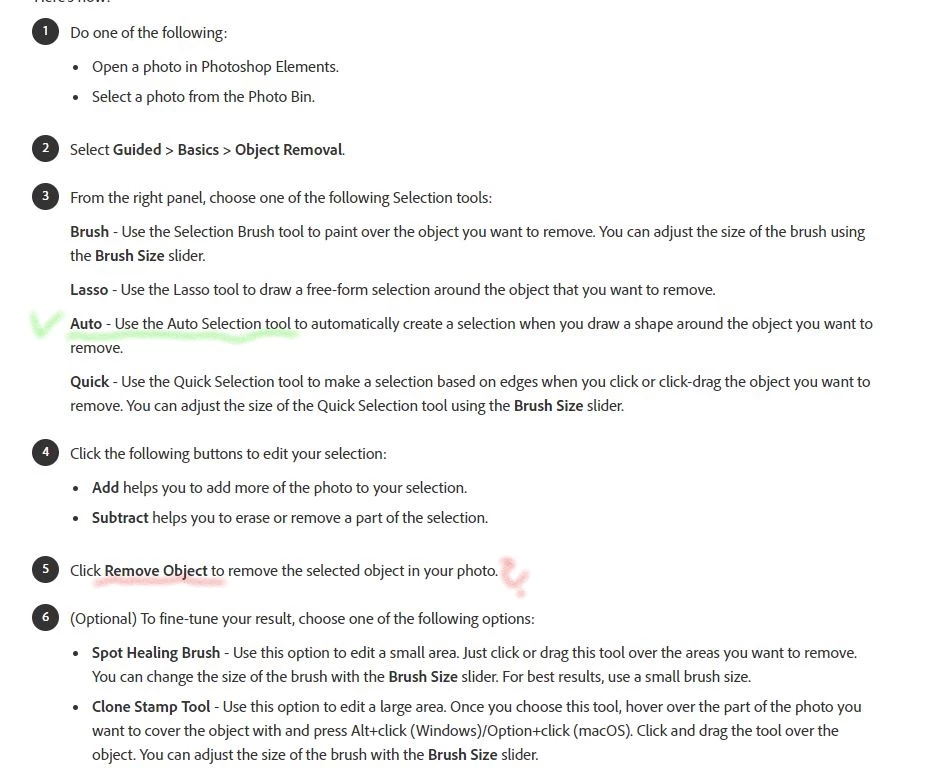
I did use Auto Selection tool and then I tryed  to find Remove Object icon, where is it hiding ?

As the Help section suggests in Guided>Basics>Object Removal I could not find it

Please help, all I need is to remove object on the wall


This topic has been closed for replies.
Correct answer Jeff Arola

Object Removal Guided Edit was new to photoshop elements 2020 Ver 18.


https://helpx.adobe.com/photoshop-elements/using/whats-new-2020.html

3 replies

Jeff Arola
Jeff ArolaCorrect answer
Brainiac
December 12, 2020

Object Removal Guided Edit was new to photoshop elements 2020 Ver 18.


https://helpx.adobe.com/photoshop-elements/using/whats-new-2020.html

Greg_S.
Brainiac
December 12, 2020

You are in Quick Mode.  You need to be in the Guided Edit mode and chose the Obejct Removal Guided Edit from the Basics tab:

Once you start the Guided Edit, you will see a panel that guides you through the process:


Alternatively, you should be in the Expert Mode.  Since you have already selected the object, you can go to the Edit menu and choose Fill Selection.  Make sure the dialog is set to Use: Content Aware and click OK:

I drew a plain rectangle selection around the grouping on the right of your image and it did a good job:

However the grouping on the left is a little more complex and the removal tools may not work too well because of the lighting and color shades on the wall.  You may be better off using the Clone tool.

New Participant
December 12, 2020
I did try Guided Edit mode in Basics tab and
Object Removal panel does not exist there; What happened to that panel?
where can I find it? That's what the Help guide indicates but I do not see
it. What wrong am I doing?
Thank you
jane-e
Brainiac
December 12, 2020

Hi

Since your question refers to Photoshop Elements in the "instructions", I have moved this from the Photoshop forum where you posted to PS Elements.

~ Jane

New Participant
December 12, 2020
Thank you Jane