


Question
Something prevented the text engine from being initialized, PSE 15
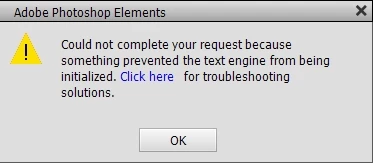
I recently upgraded my Photoshop Elements to version 15. I am currently using Windows 10 After completing this I am no longer able to insert Text. The error message that comes says: "Could not complete your request because something prevented the text engine from being initialized". I have attempted one solution, but found that there is no Adobe folder in the subdirectory where I was directed to go to. There must be someone who knows how to resolve this issue, yet after many hours of search and research on solutions to this issue, I have come to a dead end. The file directory C:\Users\[username]\AppData\Local\Adobe\TypeSupport as defined here does not exist on my computer.
 AdChoices