


New Participant
January 29, 2022
Question

Thumbnails Not Displaying in Elements 2022 Organizer

  • January 29, 2022
  • 2 replies
  • 2188 views

I am running Photoshop Elements 2022 on Windows 10 (64 bit).  When I open the organizer, thumbnails do not appear for the majority of my pictures.  I have pictures and videos going back to 2003 and none of them dispaly a thumbnail in the organizer.  If I double click on a picture to open it, the same thing.  This is for pictures or videos.  Now I do have a very small number of photos that do display the thumbnails.  A screem show below of what I see in the Organizer along with my system info below that..  How can this be fixed?  Thanks!
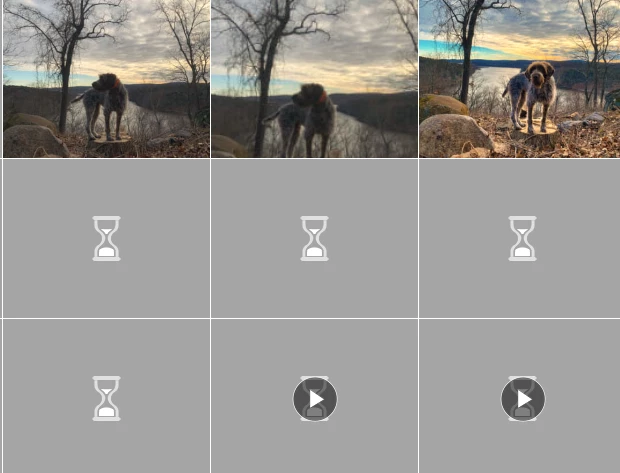
 

Elements Organizer 20.0.0.0
Core Version: 20.0 (20210907.Git.master.dc62918)
Language Version: 20.0 (20210907.Git.master.dc62918)

Current Catalog:
Catalog Name: Wysor Family Catalog 1 1
Catalog Location: C:\ProgramData\Adobe\Elements Organizer\Catalogs\Wysor Family Catalog 1 1\
Catalog Size: 243.2MB
Catalog Cache Size: 798MB

System:
Operating System Name: Windows 10
Operating System Version: 10.0
System Architecture: AMD CPU Family:15 Model:1 Stepping:0 with MMX, SSE Integer, SSE FP, SSE2
Built-in Memory: 15.9GB
Free Memory: 4.1GB

This topic has been closed for replies.

2 replies

Greg_S.
Community Expert
April 26, 2023

@Fernando5FE3 said:  I have used the 75497472 level but the thumbnails are still grey


You have increased the maximum size to only 72 MP.  If you are using the 108MP capacity of the Samsung phone, then you need to set the size to 113,246,208 (if my math is correct).

Participating Frequently
April 27, 2023

It works! I was doing it bad. I did not modified the right Organizer key in the Registry. Thanks you very much

MichelBParis
Community Expert
January 30, 2022

The thumbnails are real 'previews' of your edited files in very low resolution (max 240 and 360 pixels). That means that they are not simple thumbnails stored in the metadata section of the files. The files have to be opened, rendered and saved. For big files, layered ones and especially raw files, that means a conversion. Creating those previews takes time. The process is optimized to run in the background while giving the priority to the page you are viewing. You don't need to wait for all thumbnails to be created to browse and organize your files.


The normal way to start a full update of the thumbnails is to 'optimize' your catalog. You may encounter a situation when you have different background tasks competing and slowing down thumbnail generation.

A more radical way to enforce the creation is to find your catalog folder (menu Help > System Info) and to delete the file 'thumb.5.cache' and to let it be rebuilt from scratch (preferably as a night job).


In your preferences, you have to check if you want the video previews made automatically or on demand.

The shortcut to enforce creation of thumbnails for a selection is a right click and 'update thumbnail'.

Participating Frequently
April 20, 2023

I am usingPhotoshop Elements 2022 and I have noted that Organizer does not show thumbnails from pictures taken with a Samsung Galaxy in 4/3 and 108 MP setup. What to do?

MichelBParis
Community Expert
April 20, 2023

I have seen a similar question with the same type of 108 MP images.

The problem for the photos is that there is a limit in the size in pixels in the organizer.

https://helpx.adobe.com/photoshop-elements/kb/maximum-image-size-limits-photoshop.html

See the suggested workaround if this is your problem.

For videos, check your preferences to see if the files ones have the option to automatically generate thumbnails.