




Discuss: Captions Validation: Overflow & Line Length
Premiere Pro Beta now has real time captions validation to check for overflow and line length errors in active and non-active captions tracks!
For subtitles (popular for YouTube), the overflow validator will return errors if the caption is overflowing past the captions bounding
For all other captions captions (including broadcast formats such as 608, 708), the line length validator will return errors if the caption line length is too long for the captions track Here are the line length constraints per format: Australian OP-47 = 37; CEA-608 = 32; CEA-708 = 42; EBU Subtitle = 37; Teletext - 37
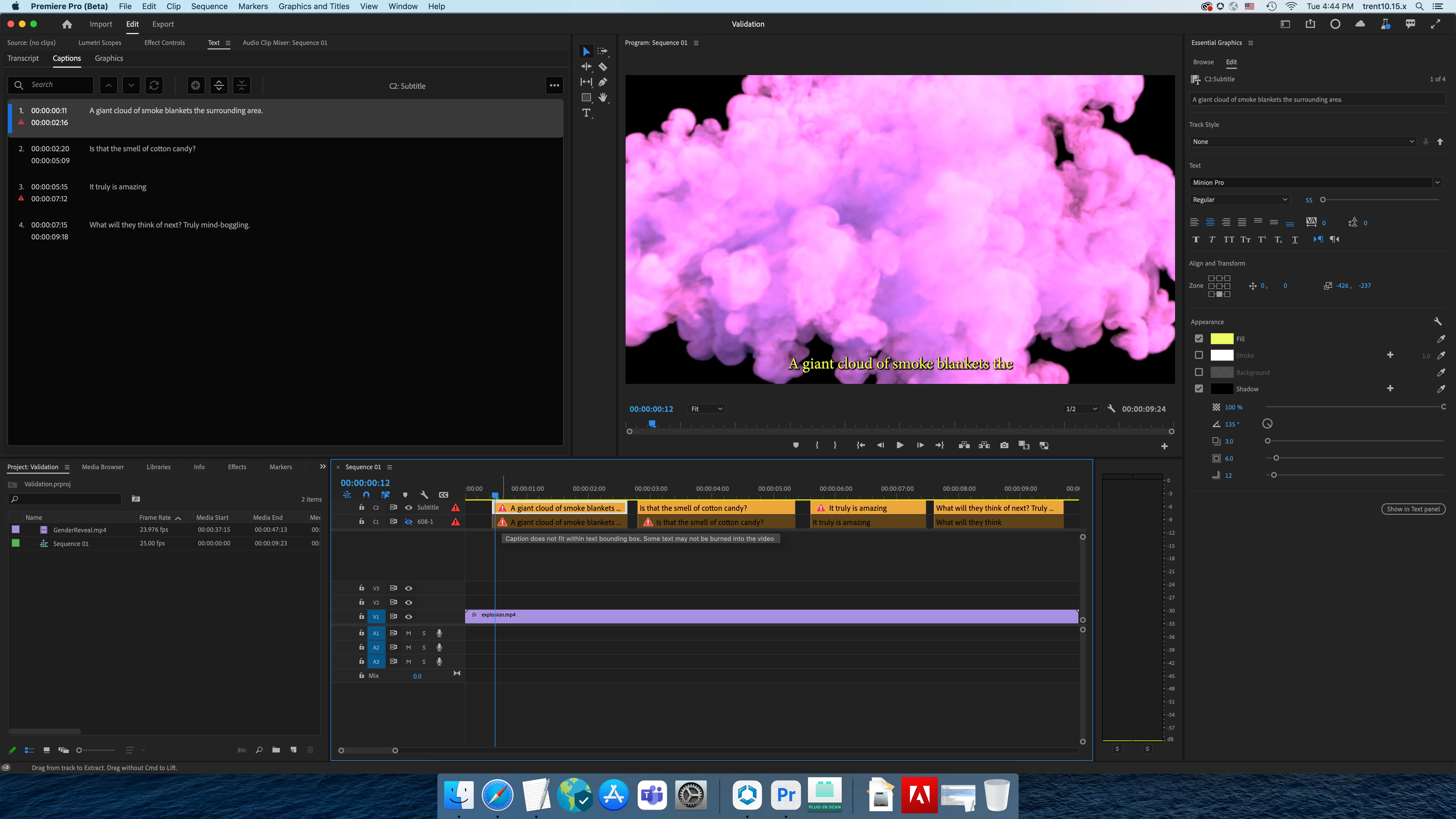
Both types of captions errors are identified and flagged with a cautionary triangle in the captions track header and in the text panel and a white cautionary triangle in the Caption track segment. Upon hovering on the error in the text panel or segment, the tool tip provides an error explanation in both the timeline and the text panel.
Fixing Errors
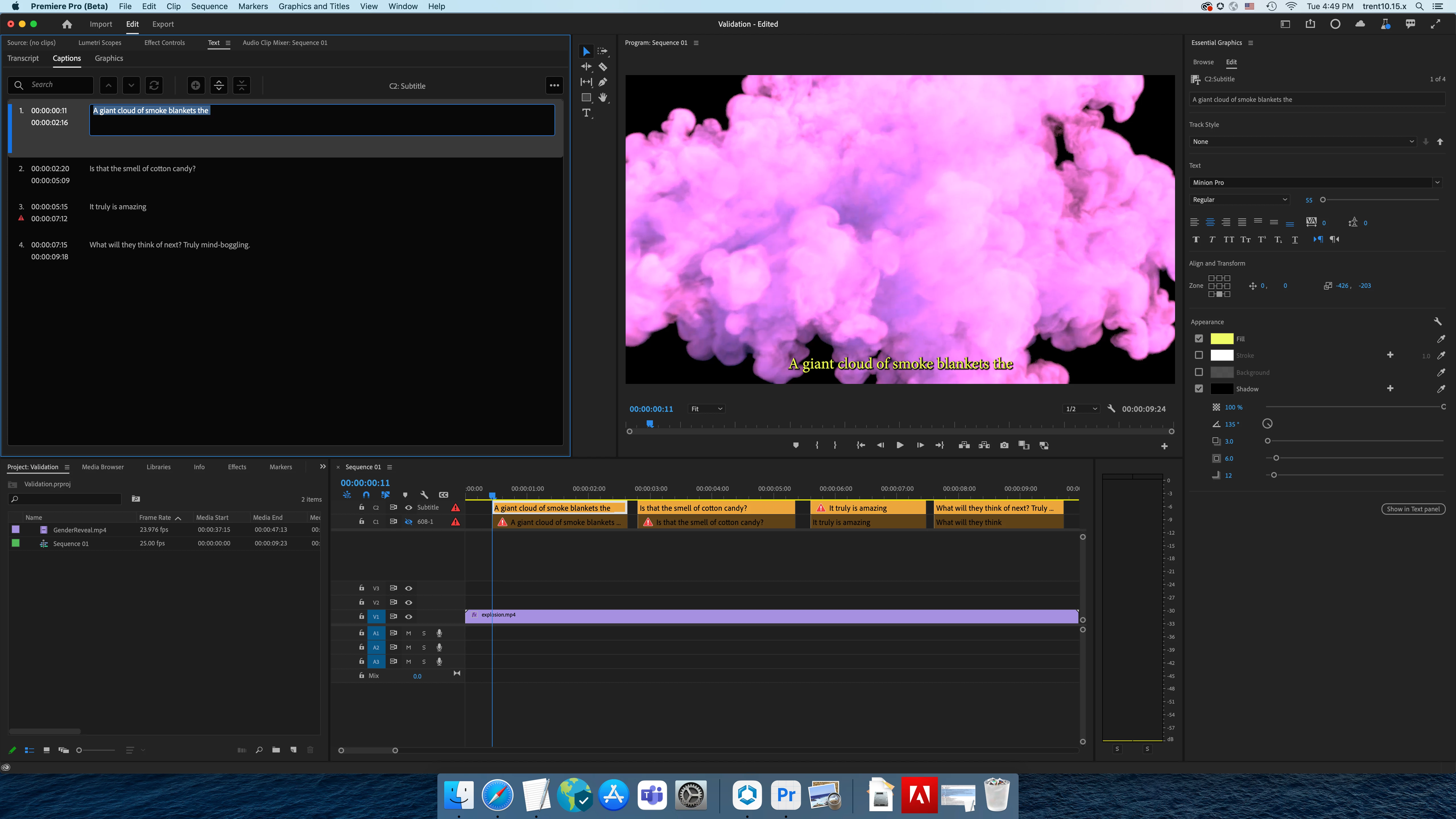
Double click on the captions to fix the error in the text panel or program monitor.
Error Filtering
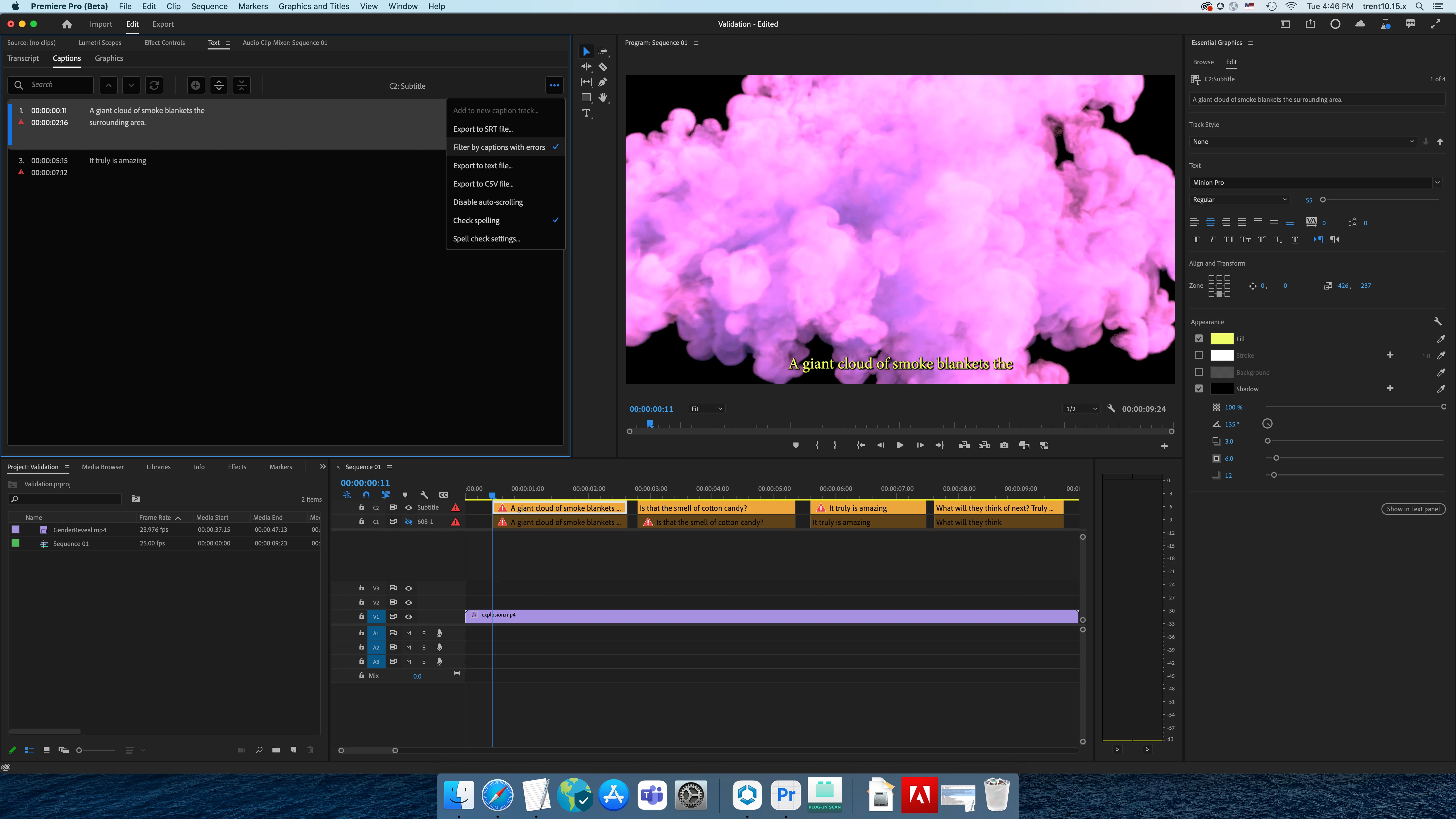
Looking to see all your captions validation errors in one place? The text panel allows for filtering for caption blocks with errors.
Navigation of Errors in the Timeline
For navigation, it is provided by clicking on the warning badge in the Caption track header. Click will move playhead forward to next segment’s In point with error and auto-select the segment. Alt/Opt-click will move playhead backwards to previous segment’s In point and auto-select segment. Forward & Backward navigation will “wrap-around”. eg: at last warning segment and you click track header badge = goes to first warning segment. Navigation only applies to the Caption track segments that you click the track header badge for. If there is only one segment with warning, then still moves playhead forward to segment’s In point with error and auto-selects the segment. Clicking track header badge again doesn’t do anything, just keeps Playhead location and segment selection.
Turn on and Off
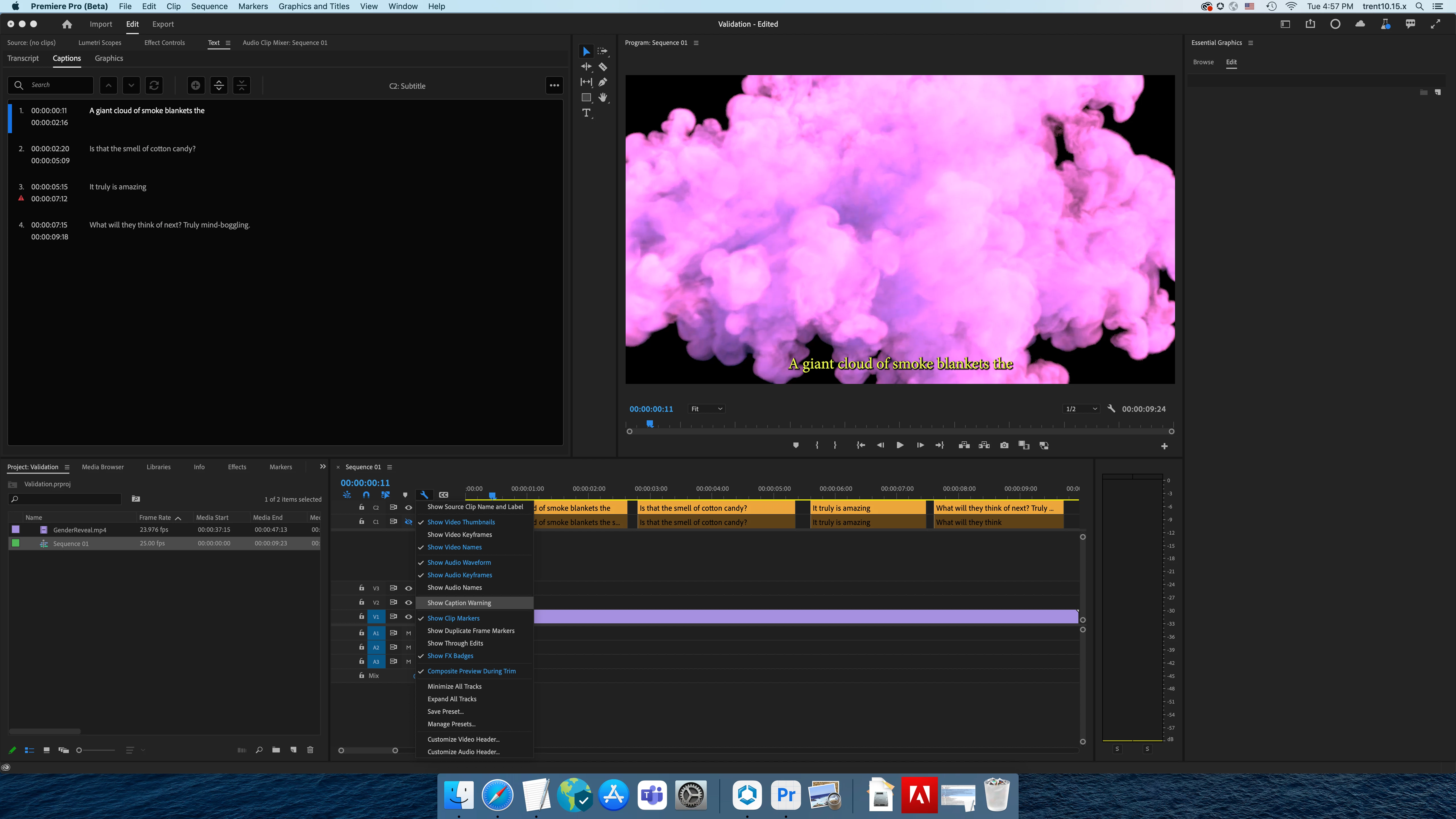
Easily turn off the validation errors in the timeline to minimize visual distractions.
Feedback
Are there other captions state for which validation would be useful for (i.e. number of characters, spacing, number of lines, font, background color)?
We want to know what you think. Please join the conversation below.
 AdChoices