Exit
  • Global community
    • Language:
      • Deutsch
      • English
      • Español
      • Français
      • Português
  • 日本語コミュニティ
  • 한국 커뮤니티
1

Hardware encoding not available when trying to encode 10 bit HLG export

Community Beginner ,
Jan 07, 2025 Jan 07, 2025

Hi folks, Happy New Year!
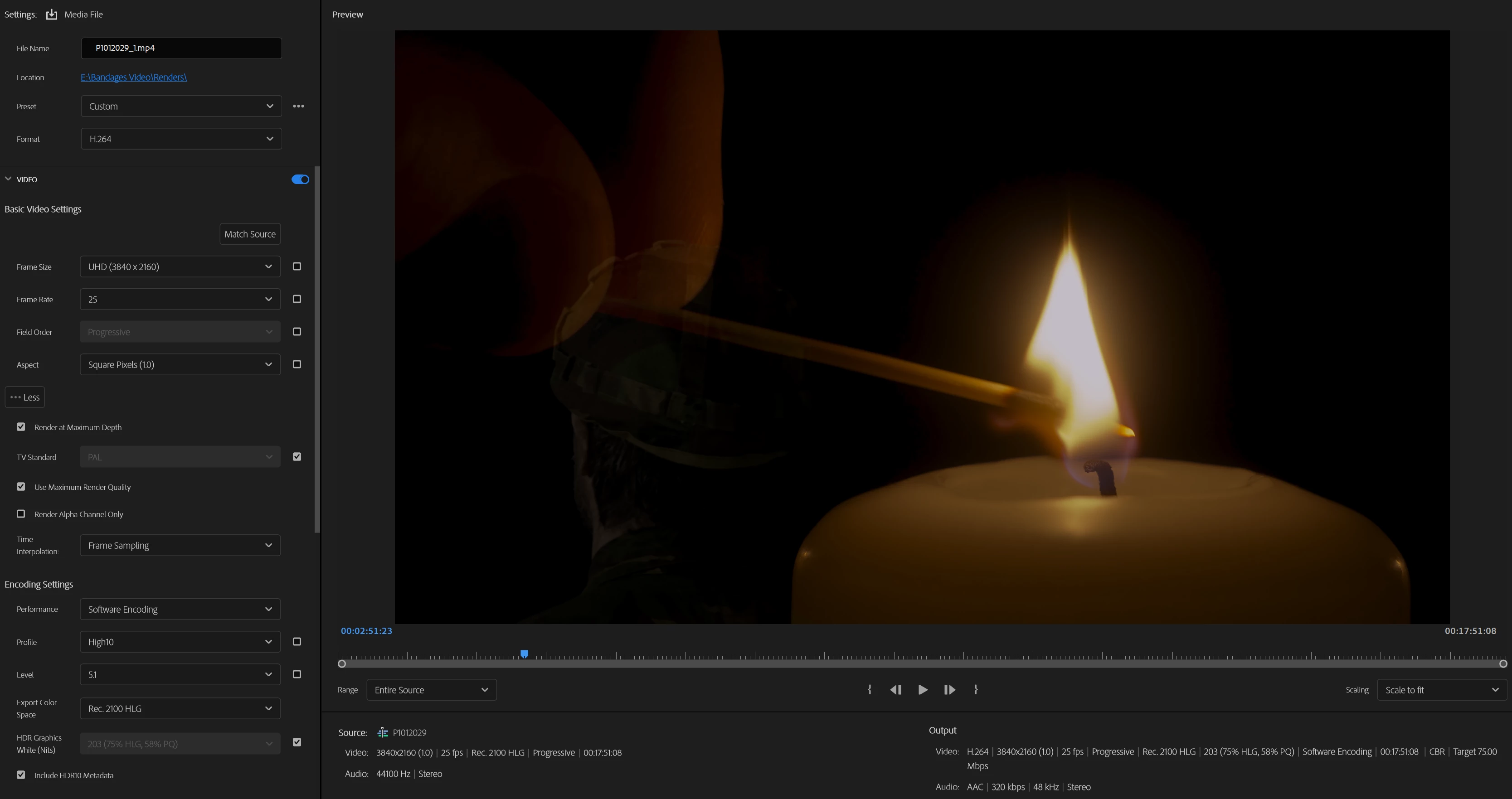
In Premiere Pro 2025 Beta, I'm trying to export HLG footage using Hardware encoding but get the error message - 
"Your system's hardware does not support hardware acceleration for the current settings".

I'm using the RTX 4070, and have hardware acceleration ticked in preferences for encoding and decoding.
The original footage is HLG, and I'm working in 

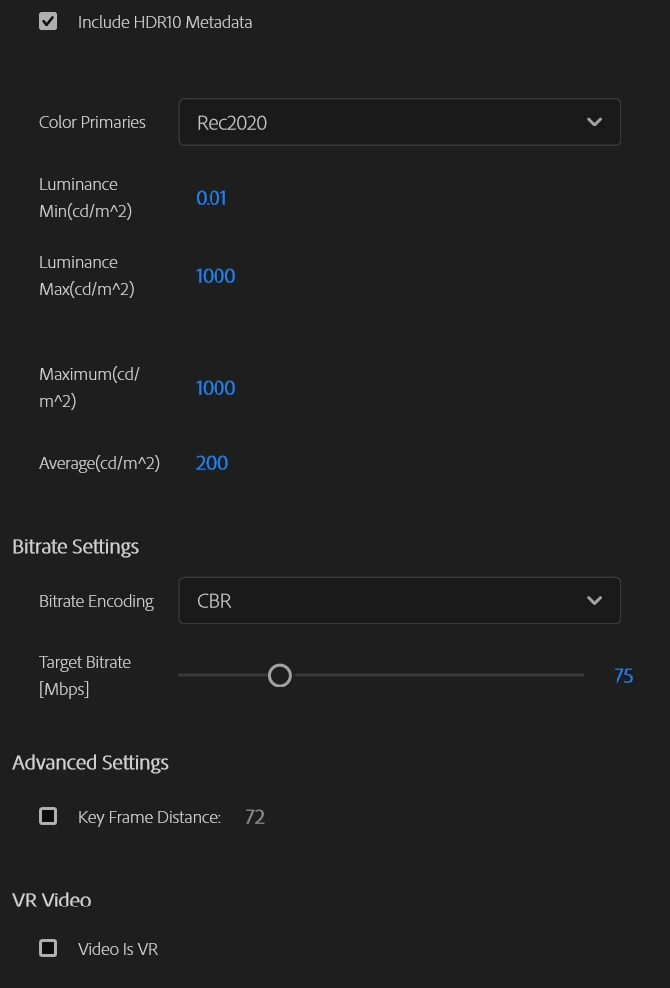
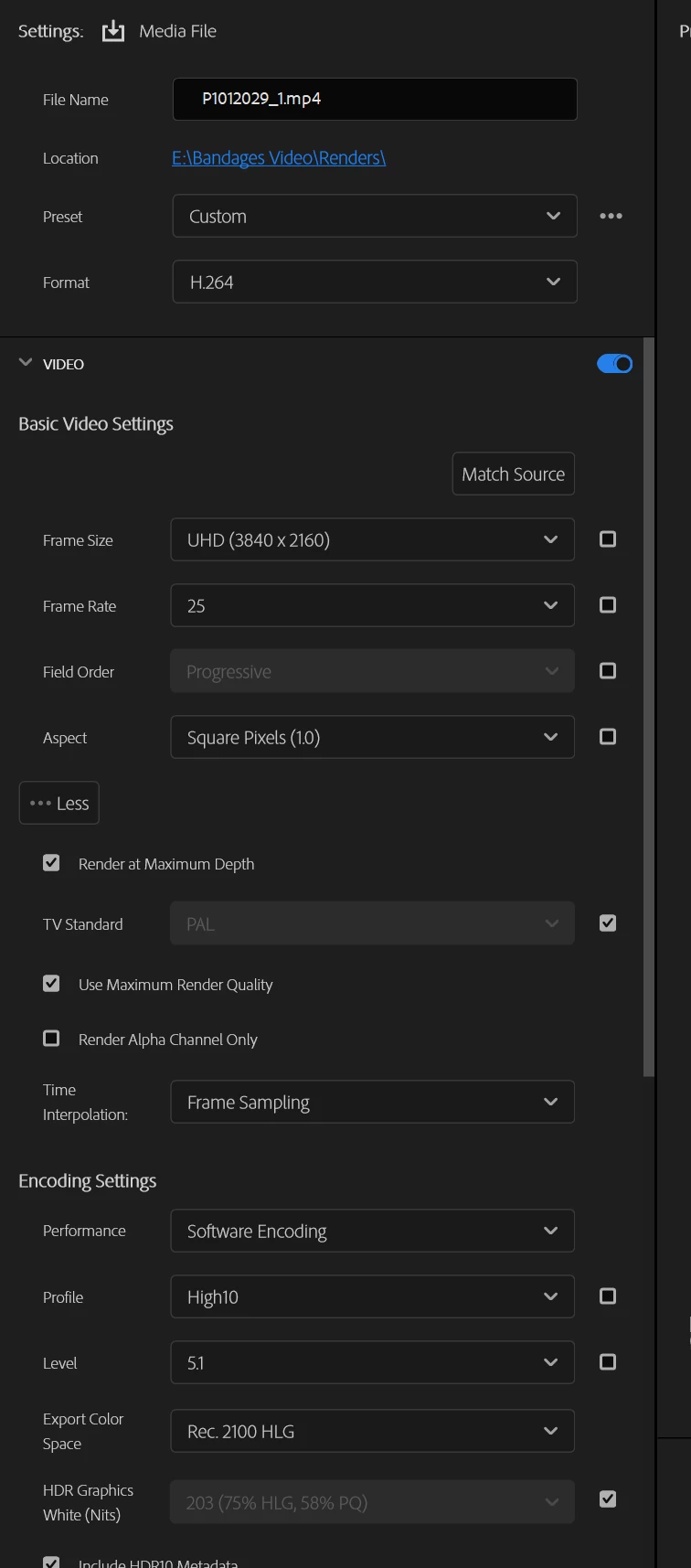
Have attached my settings, just can't figure out the issue.

Have attached settings pics.

My first time using this community, I usually trawl through Google, trying to find info that is actually up to date or not just plain wrong......... 

Maybe here is the future? 


Screenshot 2025-01-07 115214.pngScreenshot 2025-01-07 115251.pngScreenshot 2025-01-07 115325.png

1.1K
Translate
Report
Community guidelines
Be kind and respectful, give credit to the original source of content, and search for duplicates before posting. Learn more
community guidelines

correct answers 1 Correct answer

Explorer , Jan 07, 2025 Jan 07, 2025

oh and you should use late codecs like H.265 for HDR.
althought legacy sounds comfortable and H.264 still support HDR even unstably but there'll be no major update at H.264
I've didn't trust H.265 too but its capacity and rendering speed changed my mind XD try it!

Translate
Explorer ,
Jan 07, 2025 Jan 07, 2025

You checked HDR10. That can't support Hardware Accelerated. Try to normal HDR again and talk to me if does work! 🙂

Translate
Report
Community guidelines
Be kind and respectful, give credit to the original source of content, and search for duplicates before posting. Learn more
community guidelines
Explorer ,
Jan 07, 2025 Jan 07, 2025

there'll be confussion with "normal HDR" term: Should uncheck checkbox, not High10 dropdown

Translate
Report
Community guidelines
Be kind and respectful, give credit to the original source of content, and search for duplicates before posting. Learn more
community guidelines
Community Beginner ,
Jan 07, 2025 Jan 07, 2025

Have unchecked "Include HDR10 metadata", same issue.

Translate
Report
Community guidelines
Be kind and respectful, give credit to the original source of content, and search for duplicates before posting. Learn more
community guidelines
Explorer ,
Jan 07, 2025 Jan 07, 2025

H.265'll support Hardware Accelerated. Can you change the codec and try again?

Translate
Report
Community guidelines
Be kind and respectful, give credit to the original source of content, and search for duplicates before posting. Learn more
community guidelines
Community Beginner ,
Jan 07, 2025 Jan 07, 2025

First of all thanks for quick reply!!
You mean the "HDR 10 metadata" box? Have unclicked and same issue.


Translate
Report
Community guidelines
Be kind and respectful, give credit to the original source of content, and search for duplicates before posting. Learn more
community guidelines
Community Beginner ,
Jan 07, 2025 Jan 07, 2025

Or did you mean "High" rather than "High 10"?

Translate
Report
Community guidelines
Be kind and respectful, give credit to the original source of content, and search for duplicates before posting. Learn more
community guidelines
Explorer ,
Jan 07, 2025 Jan 07, 2025

oh and you should use late codecs like H.265 for HDR.
althought legacy sounds comfortable and H.264 still support HDR even unstably but there'll be no major update at H.264
I've didn't trust H.265 too but its capacity and rendering speed changed my mind XD try it!

Translate
Report
Community guidelines
Be kind and respectful, give credit to the original source of content, and search for duplicates before posting. Learn more
community guidelines
Community Beginner ,
Jan 07, 2025 Jan 07, 2025
LATEST

Actually ignore that it was an audio thing.
Thanks so much for your help!!!!

Translate
Report
Community guidelines
Be kind and respectful, give credit to the original source of content, and search for duplicates before posting. Learn more
community guidelines