




[Now Released]: RGB channels viewer now available in Premiere Pro
Note: This feature was released with Premiere Pro v24.4.
In Adobe Premiere Pro 24.4 beta, users will get option to view individual color channels (red, green, and blue) in gradient grayscale.

Composite Video view of a frame of sample media in Program monitor
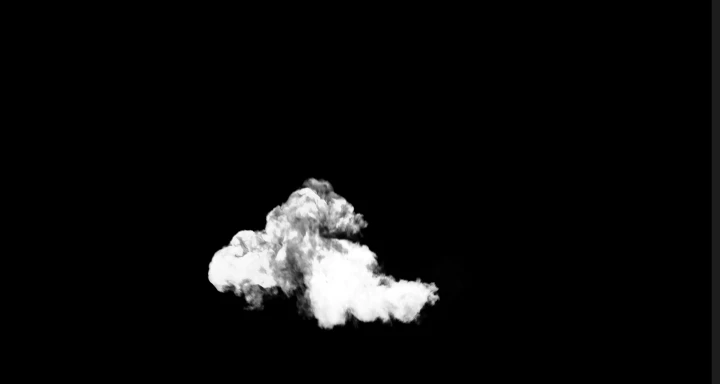
Corresponding Red channel view of same frame of sample media in Program monitor
While adding value for all users in general, this will be super helpful for colorists, compositing artists, and final stage editors when they need to perform trouble shooting to evaluate specific video channels for noise compression artifacts, clipping, and camera sensor problems that are channel specific. Hence, it will definitely help the users to make better calls while making changes to individual color channels in the clips.
RGB channels viewer is available across Program monitor, Source monitor, and Reference monitor. To switch to individual channels view, users can use multiple options such as:
Option 1:
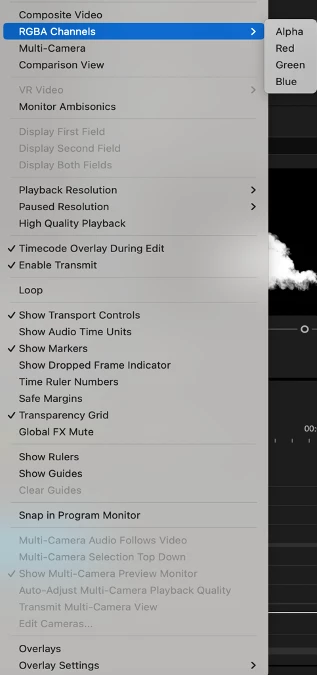
Click on Settings icon 🔧 available at bottom right of monitor and then choose RGBA Channels > Red/Green/Blue channel based on requirement.
Option 2:
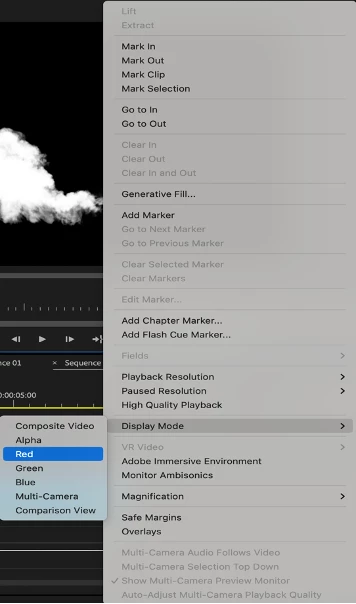
Perform Right click within monitor window and then choose Display Mode > Red/Green/Blue channel based on requirement.
Option 3:
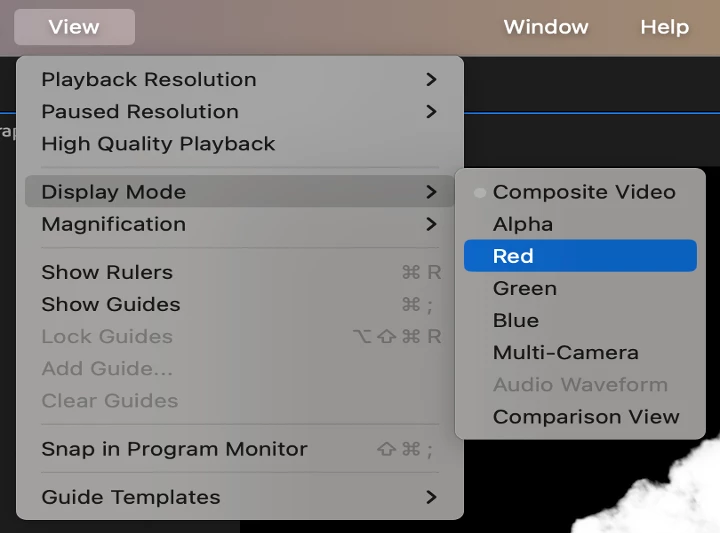
Keep the relevant monitor window in focus, navigate to top menu bar, and then choose View > Display Mode > Red/Green/Blue channel based on requirement.
 AdChoices