


Participant
July 9, 2023

Essential graphics template search/filter function not working

  • July 9, 2023
  • 7 replies
  • 2991 views

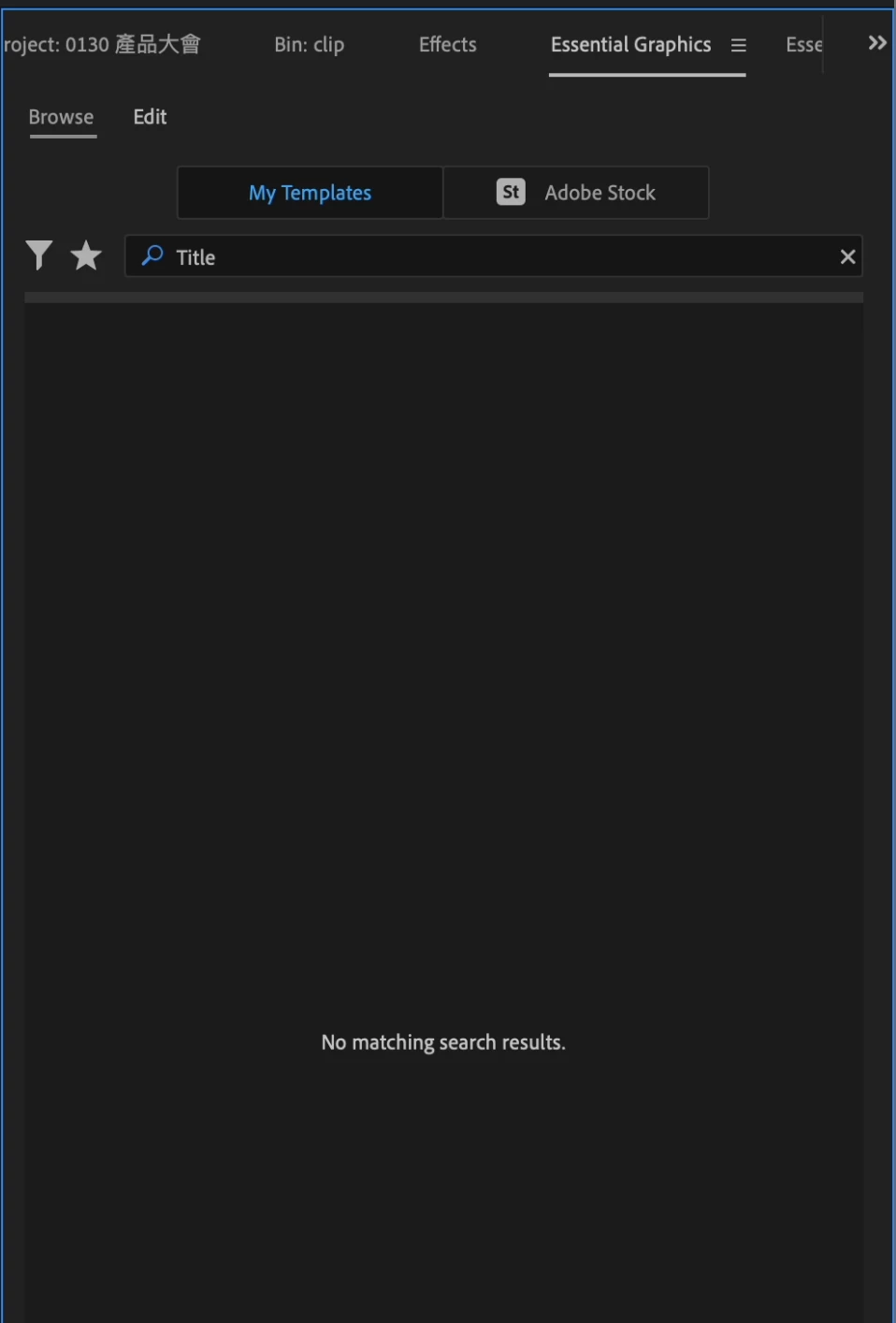
When I use the search/filter funtion in Essential Graphics, it does not work.

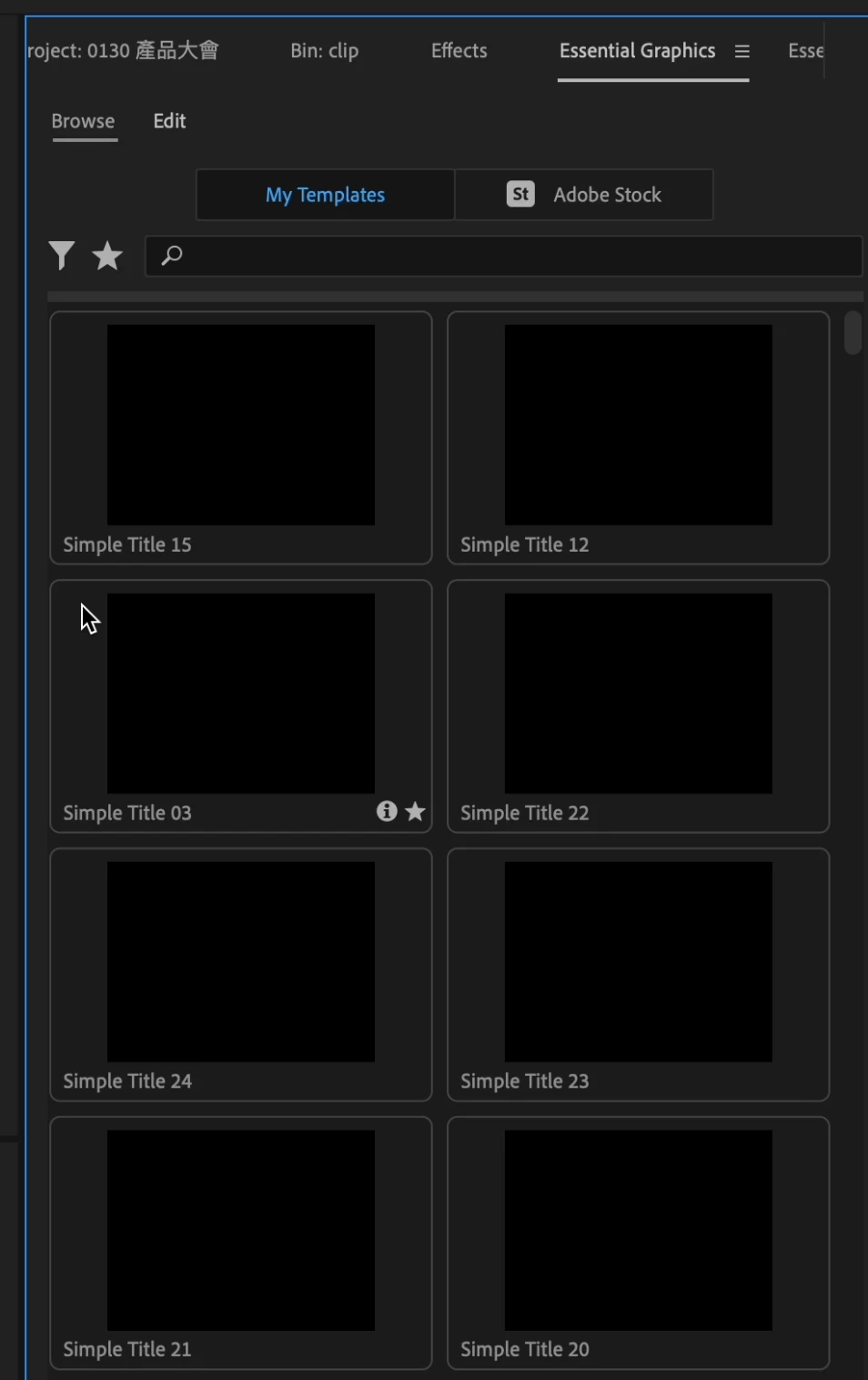
In the attachments, you can see I have multiple MOGRT preset with the name including "Title", but when i search "Title" nothing shows up.


Sure I can still use the MOGRT preset, however since I have a lot of presets installed, I dont want to be scrolling for a long time to fine the one I want to use.

Has anyone encountered the same issue? If so, how did you solved this?

Thanks a ton!
7 replies

Theresa Rostek
Community Manager
Community Manager
February 6, 2024

Hi @Bryantseng_SHOPLINE,


This is a known issue. Some characters in the Windows user account cause a conflict in the filepath that Premiere uses for the mogrt thumbnails.


Try downloading the Premiere Pro beta and see if the issue clears up.


If it doesn't fix the issue, could you please DM me what your Windows User Account is? 


Thanks,

Theresa

Participant
January 18, 2024

도대체 이 문제는 언제 해결이 가능한 것인가????
드라이버 업데이트 했고, 프리미어의 버전을 낮춰도 보았고!

환경 재설정도 진행하였고!!!!

개인 사용자이고 얼마전에 학교에 들어가서 학생 사용자로 변경하였고...

삭제 했다가 다시 설치도 해보고, 심지어 윈도우 자체를 완전 포맷해서 처음부터 다시 설치도 했는데...

심지어 다른 PC와 노트북에서도 같은 증상을 보이고 있다! 모두 최신의 고사양 PC들이다!


답변이라고는 알 수 없다! 뿐.....

젠장!! 이것때문에 영상작업 효율이 엄청 떨어지고 시간이 많이 걸린다!!!

이거 어떻게 고쳐주든가! 아니면 보상을 해라!!


--------------------------------------------------------------------------

"Why on earth isn't this issue resolved yet??? I've updated the drivers, even tried downgrading Premiere's version! I've done a reset of the settings too!!!!

I'm a personal user, and I recently joined a school, so I switched to a student account...

I've tried uninstalling and reinstalling, and I even completely formatted Windows and reinstalled everything from scratch...

Even on other PCs and laptops, the same issue is occurring! They are all high-spec, up-to-date computers!

And all I get for answers is 'unknown'! Damn it!! This is seriously affecting my video editing efficiency and taking up so much time!!!

Fix this somehow! Or compensate me!!"

Community Expert
January 18, 2024

It is not univesally broken.   This is predominently a user forum where no one can fix it or process refunds.  If it were me I would start an online "chat" with Adobe and let them take over your computer.   


My screen shot shows it is working.  


Participant
January 7, 2024

As in description, preview of titles from essential graphics window not working (blank)

Latest version of Premiere PRO: 24.1.0 (build 85)

Please help me, this is very important. Attaching screenshot. Not working also with stock titles.

Best Regards

kglad
Community Expert
Community Expert
January 7, 2024

in the future, to find the best place to post your message, use the list here, https://community.adobe.com/

p.s. i don't think the adobe website, and forums in particular, are easy to navigate, so don't spend a lot of time searching that forum list. do your best and we'll move the post (like this one has already been moved) if it helps you get responses.


<"moved from using the community bugs">
Participant
January 7, 2024

Thanks for information, can anybody help me or send this ticket to customer service?

Participant
December 10, 2023

Since a windows update I think, essential graphics preview will not show thumbnail or motion preview in the list(Adobe originals and third party ones). I deleted all .mogrt files and replaced them but still not shown preview. 

Theresa Rostek
Community Manager
Community Manager
December 12, 2023

Hi @Felix34172337zg0t,


Sorry that's happening to you. Can you tell me the following:

  • Premiere Pro version number
  • Operating system with version number
  • Does the mogrt load correctly in the Program monitor after applying it to the timeline?
  • Do you have enough memory on disk?


Next steps:

  • Check if your GPU driver needs to be updated
  • Try deleting the media cache


Thanks!
Theresa

Eyedrone
Participant
October 23, 2023

Hi all,


installed 24 (build 58) on PC Windows. Everything works fine except for the preview of thumbnails in Essential Graphics. The strange thing is that I can't see them in 'My Thumbnails,' but they work perfectly in Adobe Stock thumbnails. I've also tried uninstalling and reinstalling Premiere Pro 24, but the issue persists. They were working in the previous version. Any ideas on how to solve the problem? I have many mogrts that I've created with AE for my projects, and not having visual previews slows down my workflow significantly. Thanks in advance for any valuable advice on this.

Kartika Rawat
Community Manager
Community Manager
December 15, 2023

Hi there!

Sorry about the trouble. Which version of AE did you use to create graphics? For testing, can you try creating a new template with the latest version of AE and see if that can be seen in thumbnails?


Let us know how it goes.

Thanks,

KR

Participant
September 8, 2023

Hello,


I cannot preview ready-made templates in the Essential Graphics section of the Premiere Pro program.

Kevin-Monahan
Community Manager
Community Manager
September 8, 2023

Can you show us a screenshot of this issue, @Deniz321626535m2p? Hope we can help!


Thanks,
Kevin

Kevin Monahan - Sr. Community &amp; Engagement Strategist – Pro Video and Audio
Participant
September 11, 2023

Hello Kevin,


Of Course , I added


Thank you

Deniz

Participant
July 9, 2023
No previews in the essential graphics section of premiere pro 
How can I fix


Ged_Traynor
Community Expert
Community Expert
July 9, 2023

@Ömer30968449mpj9 this is the Photoshop forum, try the Premiere Pro forum

jane-e
Community Expert
Community Expert
July 9, 2023

Moved to Premiere Pro.


Jane