
_nicdean
Community Expert
Community Expert
January 30, 2024

P: MOGRT: ALL CAPS bug random lower-case letters

  • January 30, 2024
  • 14 replies
  • 3165 views

There is a long-standing bug with the faux-style ALL-CAPS (TT) option in Font Properties for text layers. This bug affects both Premiere Pro graphic Text Layers and text inside MOGRTs.


When user applies ALL-CAPS, the text randomly displays upper/lowercase characters instead of all-caps characters. 
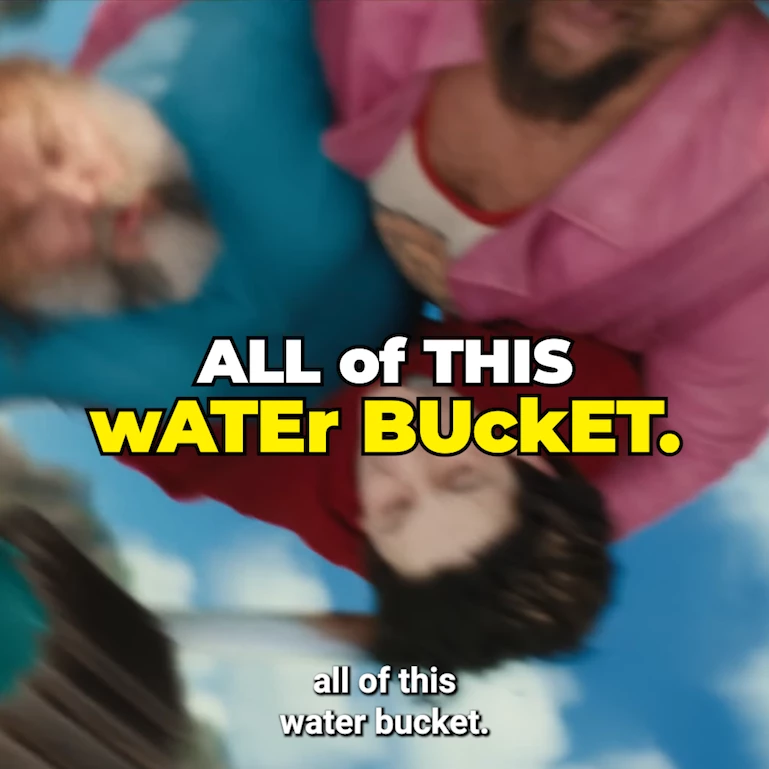
 

The fix is to manually type the capital characters (a -> A) instead of using the all-caps button.


Sometimes, these also work as a temp fix for the bug:

  1. Uninstall/reinstall font
  2. Manually clear all Media Cache files
  3. Restart Premiere Pro


This bug disproportionately affects plugins that use MOGRTs for text templates (such as Mr Horse Animation Composer, Captioneer, etc)


Here are many user reports of this issue:

  1. https://www.reddit.com/r/premiere/comments/134pyqe/random_letters_are_lowercase_when_all_caps_is/
  2. https://community.adobe.com/t5/premiere-pro-discussions/mogrt-titles-render-uppercase-lowercase-randomly/m-p/15399924
  3. https://community.adobe.com/t5/premiere-pro-bugs/all-caps-and-faux-italic-bug/idi-p/14970178
  4. https://community.adobe.com/t5/premiere-pro-discussions/random-upper-and-lowercase-letters-in-previously-exported-video-will-not-stay-all-caps/m-p/12609694
  5. https://community.adobe.com/t5/premiere-pro-discussions/text-bugs/m-p/14391297

14 replies

yash-lucid
Inspiring
July 3, 2025

I have a mogrt that I made, very simple lower third intro, and set to be all caps in after effects.

Sometimes premiere will render just one character lowercase for reasons beyond me.
Font is Sherika


  • Intel Core i9-14900HX

  • NVIDIA GeForce RTX 4060

  • 64GB DDR5 RAM

  • 1TB SSD

  • All latest Adobe/Win11Pro/and video drivers


I re-rendered this time not via AME but PPRO Export, and got this


Community Manager
July 4, 2025

Hi yash-lucid,


I'm sorry to hear about this. Is this happening with any specific font or with all of them? Did Peru Bob's suggestion of reinstalling the font help resolve this issue?


Thanks,

Sumeet

yash-lucid
Inspiring
July 4, 2025

I can't use another font as this is the brand related font, and I didn't try reinstalling - I just retyped all caps in the boxes instead of trusting adobe to apply the all caps setting and that workaround worked for me.

Participating Frequently
January 7, 2025
Issue:
Intermittent text formatting and font application errors when rendering After Effects projects using aerender when multi-frame rendering option enabled.
 
Adobe After Effects version number:
Tested with 24.4 and 24.6.3. This issue did not occur in 2023 versions but began with the 2024 version.
 
Operating System:
Windows Server (AWS EC2 instances) and macOS Sequoila.
 
Steps to Reproduce:
  1. Unzip the provided file.
  2. Install provided fonts.
  3. Update the basePath in the script to reflect the location of the project.
  4. Run the script.
  5. Check the rendered videos and observe that some of them have issues.


Expected Result:
The rendered output should be the same during multiple renders and should match the preview
 
Actual Result:
  • In approximately 5% of renders on Windows (and 15% on macOS), random characters fail to apply proper text formatting (e.g., uppercase transformations not applied for certain characters).
  • Fonts are inconsistently applied to some characters, even though the fonts are correctly installed and configured.
  • These errors occur randomly—on the same machine and with the same inputs, some renders succeed while others have incorrect output.
  • If we disable multi-frame rendering option, the results look good.


Additional Context:
  • We are rendering AE projects on AWS Windows EC2 instances using the aerender script. Also confirmed this behaviour on Mac machine.
  • The issue occurs with bold fonts and has been observed across multiple bold font types.
  • This issue did not occur in the 2023 version of After Effects but began with the 2024 version. We understand that the 2024 update included changes to font manipulation, which may be related.


Optional Testing Details:
  • We tested this on MacOS with AE version 24.4, where the failure rate increased to approximately 15%. On Windows EC2 instances we tested it with AE version 24.4 and AE version 24.6.3 and the failure rate is approximately 5%.
  • We tested it with the latest AE version on MacOS and the issue still perstists.


We would appreciate your help in diagnosing and resolving this issue. Please let us know if additional files, logs, or screenshots would assist in your investigation.
 
Thank you!

Screenshots and links to the project are provided below.
 
    .     
 
Link to the video where frames are inconsistent throughout the video.
Link to the zip file containing the project and script to reproduce the issue.
Participating Frequently
January 7, 2025

Hi, I am the author of the post. Could a moderator or someone with access please edit the post title and change 'Inconsistend' to 'Inconsistent'? Apologies for the inconvenience, and I would really appreciate it!

nishu_kush
Community Manager
Community Manager
January 7, 2025

Thanks for writing in and sorry for your issue.

Is it happening with a specific font or any font you try to use? Do you see the issue in the After Effects composition panel? There's a similar issue that has been logged as a bug and the product is working on a fix.

As per your request, the title of the post has been edited.


Thanks,
Nishu

Participating Frequently
November 8, 2024

Hello,
I have been having this issue with Premiere 2024 and still in the 2025 at the moment.
I would Add all caps to a text or faux italic. Out  of nowhere it would change back to regular or have every other letter looking different than it supposed to like in the attached screenshot....

No matter if I used a mogrt or the regular text layer in premiere it messes it up.

I tried resetting premiere, clearing cache, nothing worked.


I'm using Inter Font (Google) I even removed the font and re-added it from Adobe Fonts.

Still same issue...

Anyone else having this problem or knows how to fix this?

Thank you!


kglad
Community Expert
Community Expert
November 8, 2024

in the future, to find the best place to post your message, use the list here, https://community.adobe.com/

p.s. i don't think the adobe website, and forums in particular, are easy to navigate, so don't spend a lot of time searching that forum list. do your best and we'll move the post (like this one has already been moved) if it helps you get responses.


<"moved from using the community bugs">
Participating Frequently
November 8, 2024

Thank you! I googled the issue no luck...

Participant
January 30, 2024

this is the second time it happens with another project, when I open the project there are some graphic captions that have the "all caps" option on, they appear with random lowercase letters like "MaKE suRE" and doesn't change when I turn the "all caps" option off and on again, I fixed it by simply closing and opening premiere pro again, additional thing is that the track was locked and unlocked it as soon as I opened the project in the second time.

another problem is after I used the hepta slap font that I got from google fonts is while I'm writing "before" the "e" appears as "a" so it becomes "befora" but when I type "after" the "e" appears right, I couldn't fix this, no matter what I do, if I write "e" after "r" the "e" becomes "a"

this is on premiere pro 2024 V24.1, windows 10

Ishan Y
Community Manager
Community Manager
January 31, 2024

Hey Talib,

Sorry for the issue. I'm moving this thread to the Discussions section to collect more information. Could you try clearing the media cache if you haven't already (https://adobe.ly/3SGRSWV)? If the problem persists, please share a screen recording. That will help us better understand the problem.


Thanks,

Ishan

Participant
May 9, 2025

I'm also facing this issue for about a year now and never found a permanent solution to this problem. clearing media cache works often but not a permanent solution as if my project crash or I manually reopen that project, most of the fonts will again go crazy like random letters are small and random are capital. I reinstalled my software many times, this is not just happening with Mister Horse text, mostly with their mogrt files but also with premiere pro default text graphic.
Please fix this bug as this is very irritating, can't checkout full video each time I export for clients. mostly exported videos have those random capital letters so I have to clear cache or sometimes change fonts completely to fix them and render again.