


Participating Frequently
February 1, 2024

P: Unable to select text or add new text with Type Tool

  • February 1, 2024
  • 75 replies
  • 20527 views

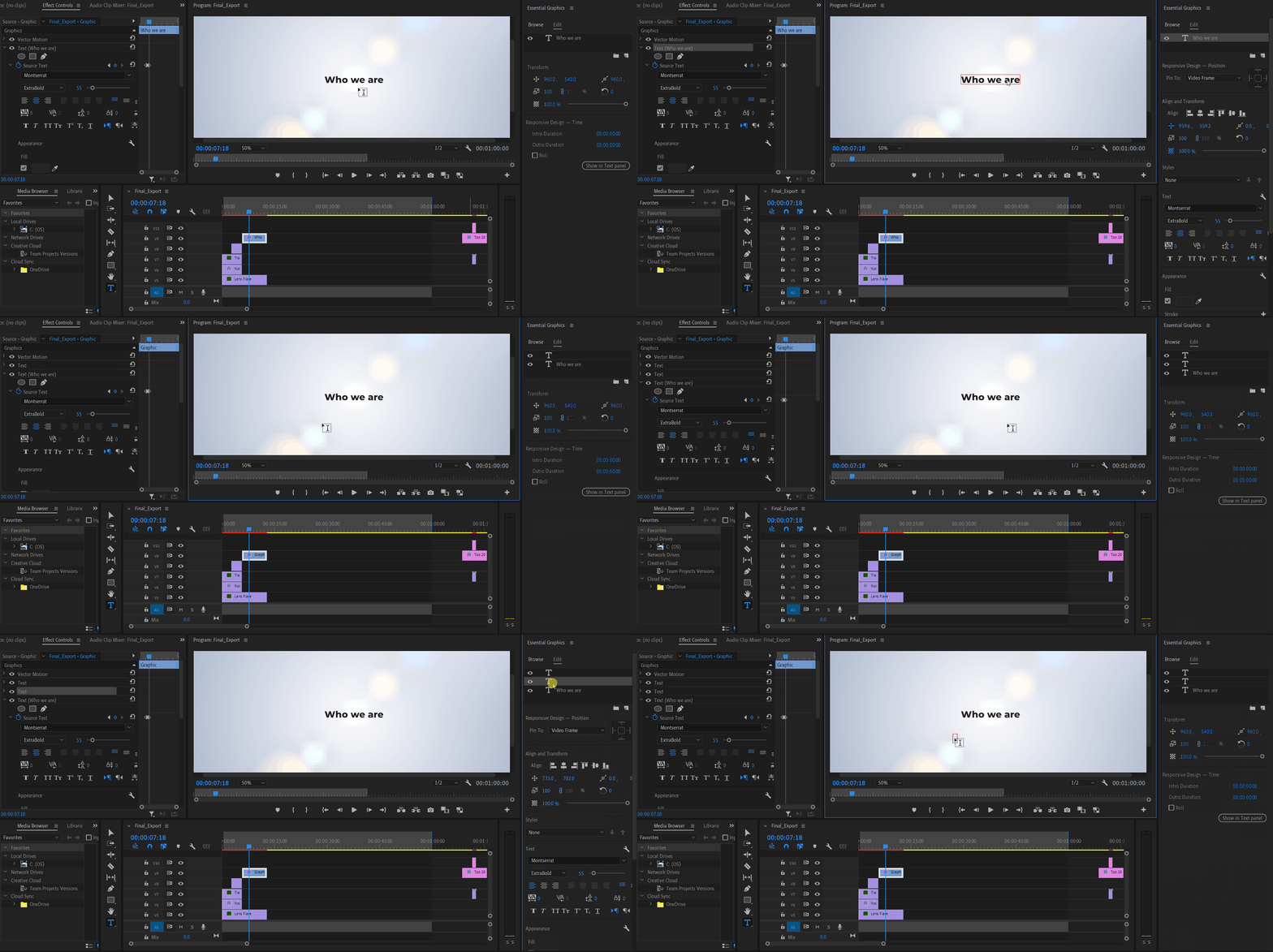
Unable to select or edit the existing text using the Type Tool. The selection gets instantly reverted. This also happens while adding new texts. Restarting the app is the only workaround. Here's a screen recording of the issue:


Premiere Pro Version: 24.2.1 (Build 2)

OS: Win 11 Home

Laptop: Asus Vivobook Pro 15

Processor: AMD Ryzen 5 5600H

Graphics Card: Nvidia RTX 3050

75 replies

Community Expert
March 12, 2024

Hey Kevin, glad to help. The text panel is very powerful but for some reason it does not get enough attention from Pr users.

Kevin-Monahan
Community Manager
Community Manager
March 12, 2024

You can edit the text in the Text panel instead. This works perfectly and avoids the bugs in the Program panel. For now, I believe you can use the Text panel as a workaround for that issue until the bug is fixed.


Thank you for the idea of an acceptable workaround @Ali Jaber  . You're a great help!


Cheers,
Kevin

Kevin Monahan - Sr. Community & Engagement Strategist – Pro Video and Audio
Kevin-Monahan
Community Manager
Community Manager
March 12, 2024

Honestly I am done with this priemere pro so many bugs and crashes literally can't work smoothly 😞 wish they could have invested more on making better rather than responding here.


I apologize for the frustration, @Santosh35865464hmus. The team is hard at work on a fix. I assure you. Please take care.


Thank You,

Kevin

Kevin Monahan - Sr. Community & Engagement Strategist – Pro Video and Audio
Known Participant
March 11, 2024

Honestly I am done with this priemere pro so many bugs and crashes literally can't work smoothly 😞 wish they could have invested more on making better rather than responding here

Community Expert
March 11, 2024

I've encountered some issues when writing Arabic text directly in the Program panel. Fortunately, there's a simple solution! You can edit the text in the Text panel instead. This works perfectly and avoids the bugs in the Program panel. For now, I believe you can use the Text panel as a workaround for that issue until the bug is fixed.

Known Participant
March 11, 2024

Hi please fix this text tool asap whenever it type something it forces to the shortcut keys and it's been almost 10 days there is nothing fixed from Adobe's side and it's literally affecting my work and projects, I don't understand that we pay for this and it's getting more worse and worse, it isn't easier to shift to another program if it was i would have literally consider to replace this software and shift to another program. 

Participant
March 11, 2024

I am using Version 24.2.1, the latest update

Kevin-Monahan
Community Manager
Community Manager
March 11, 2024

Hi @MrSpaceman and community,

We have changed the status of this bug to "Investigating," as the bug previously marked as fixed is not fixed yet. We apologize for the frustration this issue is causing.

Thanks,
Kevin

Kevin Monahan - Sr. Community & Engagement Strategist – Pro Video and Audio
Kevin-Monahan
Community Manager
Community Manager
March 11, 2024

Thanks, @Stan Jones. I merged the two bugs for the product team. I appreciate you alerting me to the other post.


Cheers,
Kevin

Kevin Monahan - Sr. Community & Engagement Strategist – Pro Video and Audio
Stan Jones
Community Expert
Community Expert
March 11, 2024

@clicker,


Wow.


I tested in 24.2.1. All was okay until I added a mask in the Text layer (via Effect Controls). It was still okay. I could add new layers in the text object, edit old layers, and create a new graphics text object. But as soon as I deleted the mask, I could no longer do any of those. I got the functionality back by closing and reopening the project - I did not restart PR.


Another post:

https://community.adobe.com/t5/premiere-pro-bugs/when-typing-in-text-box-it-turn-into-the-shortcut/idi-p/14475226


@Sumeet Kumar Choubey 


Stan


Participant
February 1, 2024

Hey everyone, im not sure if this is a bug however this has only started happening after the most recent update.

Every time I double click on the caption to edit the text and re type the word, depending on the letters I use it presumes im using a hotkey for another tool?. The thought typing slower fixed it however it still occasianally happens. Not a huge problem however when its deleting, selecting other tools it makes the proccess take longer not to mention anoying.


any insights on this would be greratly apreciated 

morphinapg
Inspiring
March 27, 2024

Hi! Thanks for reporting this issue. Our team is investigating the bug. Looks like this is happening every time you delete an effect that allows Direct Manipulation in the Program Monitor (like a mask or the crop effect).

As bad as this is, at least we found a workaround that will hopefully get you editing somewhat smoothly again. If you enter any kind of Direct Manipulation before editing the text, it should work again. For example, click on "Motion" or "Vector Motion" in the Effect Controls panel. Then text editing works.

Sorry for this. We hope to have this resolved soon!  


I've noticed that occasionally, Premiere will intercept one of my key presses while I'm typing subtitles, and start triggering keyboard shortcuts based on the keys I pressed after that moment, often causing a lot of problems I then I have to undo, find where I was, and continue typing. This has been happening over the last few months at least, perhaps starting with the 2024 release. I know it's not an issue of not having the cursor in focus, because sometimes when I return to the subtitle segment I was working on, the text is partially typed and was interrupted mid-line. So something is happening causing the typing to be interrupted and perhaps losing focus, causing Premiere to then take subsequent key presses as keyboard shortcuts.