
Participating Frequently
February 1, 2024

P: Unable to select text or add new text with Type Tool

  • February 1, 2024
  • 75 replies
  • 20684 views

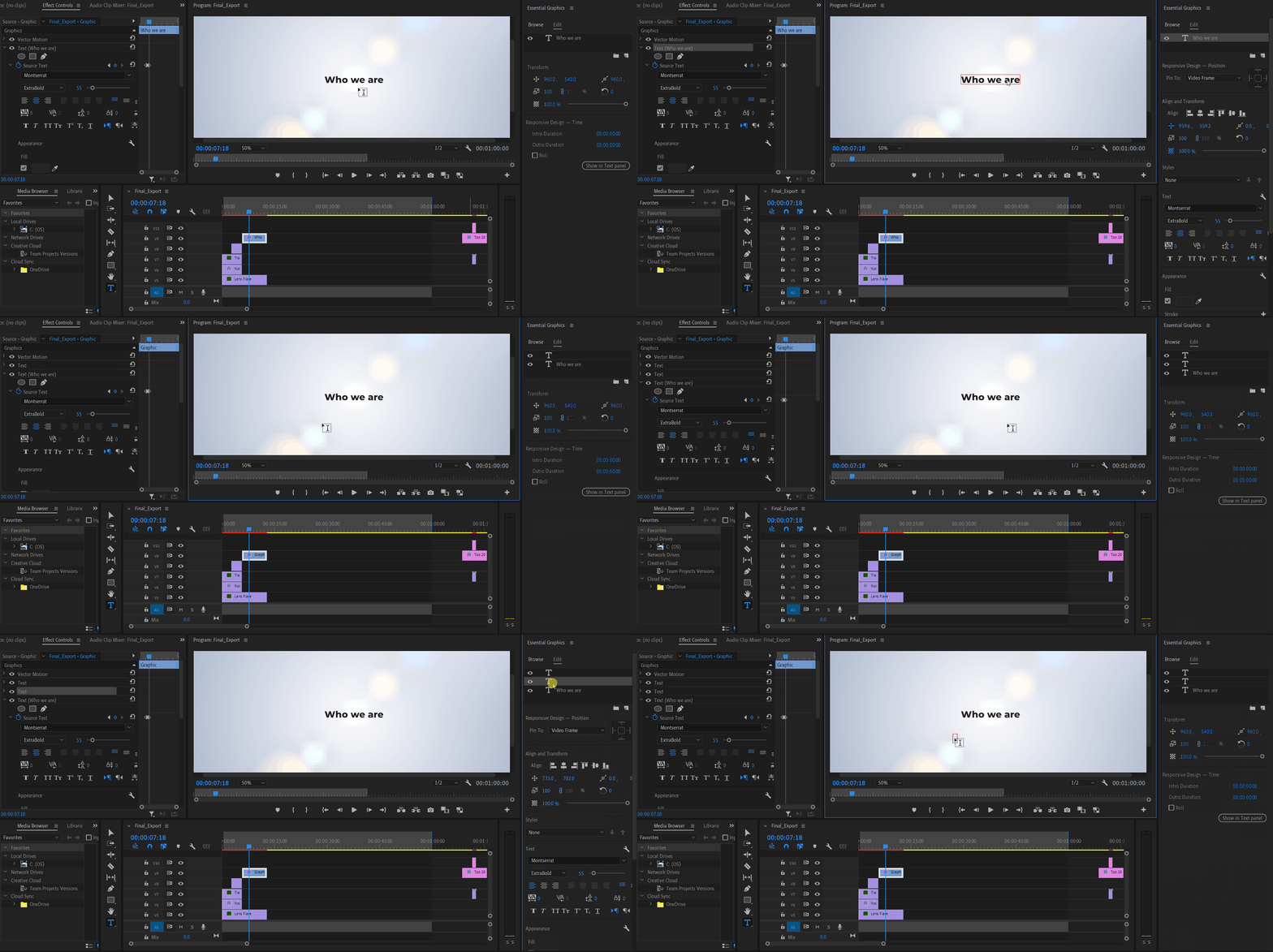
Unable to select or edit the existing text using the Type Tool. The selection gets instantly reverted. This also happens while adding new texts. Restarting the app is the only workaround. Here's a screen recording of the issue:


Premiere Pro Version: 24.2.1 (Build 2)

OS: Win 11 Home

Laptop: Asus Vivobook Pro 15

Processor: AMD Ryzen 5 5600H

Graphics Card: Nvidia RTX 3050

75 replies

jamieclarke
Community Manager
Community Manager
November 4, 2024

Updating Status to Fixed in 24.3

Participant
September 27, 2024

I was able to fix this issue by resetting preferences. 

Adobe Employee
September 27, 2024

I'd be curious to hear if @Nico2468 and others who have reported seeing this in 24.6.1 are still experiencing the issue (with a closed Reference Monitor). And if possible, if they could post a recent screen recording. We'll have to take this case by case, I suppose.

Stan Jones
Community Expert
Community Expert
September 26, 2024

@morphinapg,


Thanks for the reminder that your situation was different. And in part because it appeared intermittent. Also it deals with subtitles. And you are working with a locked video track.


I tested 24.6.1 further with the Reference monitor open. If I attempt to edit text with the Selection tool active, I get the problem. If I switch to the Text tool first, I do not.


If I try this with subtitles, I have no problem, perhaps because selecting a subtitle changes to the Text tool before typing the edit? I did not try locking the Video track.


@Annika Koenig Could there be another condition other than Reference monitor?


morphinapg's original post is here:

https://community.adobe.com/t5/premiere-pro-bugs/p-unable-to-select-text-or-add-new-text-with-type-tool/idc-p/14518322#M24705


His post here suggests the opposite to my observation that the selection tool is the problem rather than Text tool:

https://community.adobe.com/t5/premiere-pro-bugs/p-unable-to-select-text-or-add-new-text-with-type-tool/idc-p/14787289#M32632


Stan


morphinapg
Inspiring
September 26, 2024

Other examples that have had this problem don't show the reference monitor being open, like my video while subtitling I posted earlier:

Stan Jones
Community Expert
Community Expert
September 26, 2024

@Thomas30312860ttmr, now there's some payoff for your effort! Thank you again for the recording.


@Annika Koenig.


That is a relief to know there was something to fix!  Congrats to the team. And yes, I can replicate in 24.6.1 with the Reference Monitor in the same panel as the Program Monitor - it was a little inconsistent, and I did not test very thoroughly.


And there is no Reference Monitor in Beta (I'm only looking at 25.1.0.18.) So no problem there.


Stan


Adobe Employee
September 25, 2024

Thank you so much, @Thomas30312860ttmr! Your video solved the mystery. It's the Reference Monitor causing this. Since this panel is going away with the next release, it will take this bug with it. In the meantime, close it when working with graphics.

In case you are curious, here the Beta Post about the Reference Monitor deprecation: https://community.adobe.com/t5/premiere-pro-beta-discussions/now-in-beta-deprecation-of-the-in-app-reference-monitor/td-p/14545506

Ann Bens
Community Expert
Community Expert
September 24, 2024

Save your project in a dedicate folder, not on the desktop.


Participant
September 24, 2024

@Stan Jones  I am running 24.6.1


My project is saved on my desktop. Running Windows 10.

Participant
September 23, 2024

Is there any solution to this bug yet? This is crippling my workflow.


I'm on the latest version (24.6.1) and it is impossible to use the text tool.