



Pro is suddenly rendering trash video, audio is fine
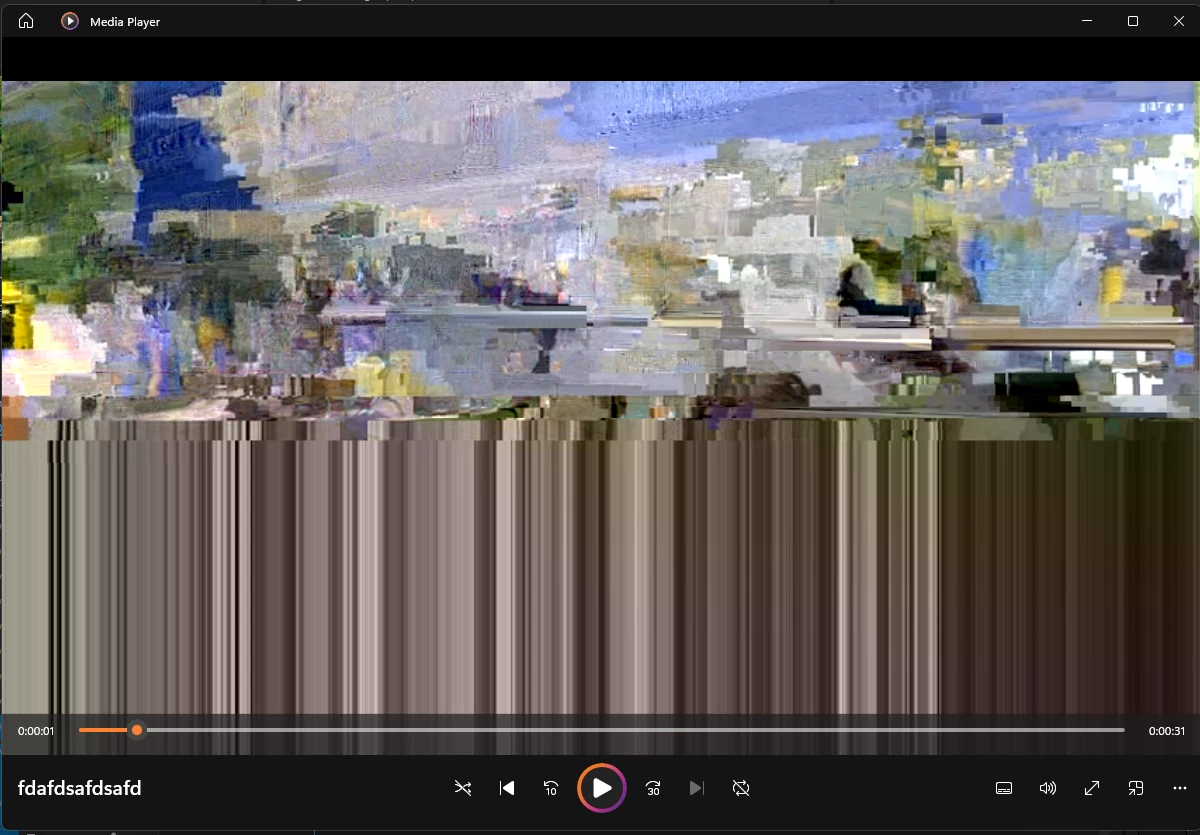
On May 10th, making my videos were fine. As of May 16th and on, I can no longer render my video. See image at end. The audio is coming in clear. The video should be around 20mb, but renders at 2mb. My Pro version is 24.3. My PC hasn't had any major updates in that time besides normal Windows stuff. Video card driver is still the same. Now, if uncheck the below accelerated encoding, it works fine. (I determined it is only the encoding is failing)
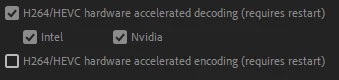
Now, as an I.T. kind of person, I don't like it when something works fine, then doesn't and I have to disable settings that were not disabled previously. It may not seem like much to be concerned with, but I is still odd. I tested older video projects prior to this and now they fail to render the video. I thought maybe it was a specific project I was working on. My PC at home that is older is working just fine and is similar in settings, just older. No changes in settings were needed.
Any help would be appreciated. I just can't figure out what changed when something really hasn't. Thanks.
Processor 13th Gen Intel(R) Core(TM) i7-13700 2.10 GHz
Installed RAM 32.0 GB (31.7 GB usable)
Video card: T1000 4GB DDR6 | Driver 551.61
Edition Windows 11 Pro Version 23H2
Installed on 2/26/2024 | OS build 22631.3593
 AdChoices