- Home
- Premiere Pro
- Discussions
- Re: 25.6.1 'Newer Version of Premiere Pro' Issue
- Re: 25.6.1 'Newer Version of Premiere Pro' Issue

Copy link to clipboard
Copied
I have been working on a project since August 2025. Today I was in it this morning working and closed out to work on some other stuff. I noticed that Premiere had the update to 25.6.1, so I went ahead and updated the software.
Now, when I try to launch back into the same project from this morning, I am met with the 'Project was saved in a newer version of Adobe Premiere Pro and cannnot be opened in this version.'
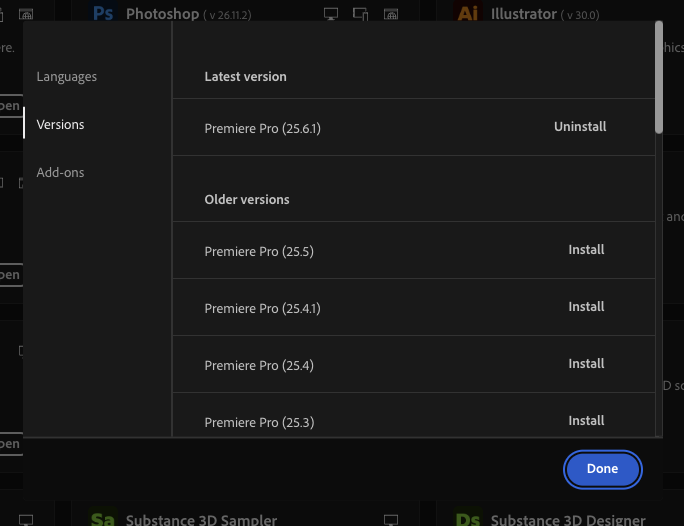
I've attached screenshots to show that I am on the latest versions, but I am not sure if this is an update bug or of something has gone wrong on my end.
BennyBlueSkies


 2 Correct answers


Hi,
Thanks for the report. I have forwarded your case on to the team. They said that they have reached out to you via DM. Let me know if you need any assistance connecting with them. Sorry for the hassle.
Thanks,
Kevin


Hi everyone,
Thanks for your patience! We’ve released an app that solves this problem by converting the v25.6.0-saved projects back to the v25 format. Please refer to this post to download this app & to know more about this issue. Let us know if you have any questions.
Thanks,
Sumeet
 4
Replies
4
4
Replies
4

Copy link to clipboard
Copied
Hi,
Thanks for the report. I have forwarded your case on to the team. They said that they have reached out to you via DM. Let me know if you need any assistance connecting with them. Sorry for the hassle.
Thanks,
Kevin

Copy link to clipboard
Copied
I’m having exxact the same issue.... have you fixed it ?

Copy link to clipboard
Copied
The same problem, today, I can't open any file I worked on yesterday. I have updated Premiere to the newest version 25.6.2

Copy link to clipboard
Copied
Hi everyone,
Thanks for your patience! We’ve released an app that solves this problem by converting the v25.6.0-saved projects back to the v25 format. Please refer to this post to download this app & to know more about this issue. Let us know if you have any questions.
Thanks,
Sumeet


Find more inspiration, events, and resources on the new Adobe Community
Explore Now
 AdChoices