

Answered
Audio Track Mixer is controlling Clip not Track Keyframes
I have ten audio tracks and two sub mixes. When I playback and adjust using the track mixer it controls the clip keyframes not track keyframes. What setting do I have to adjust?
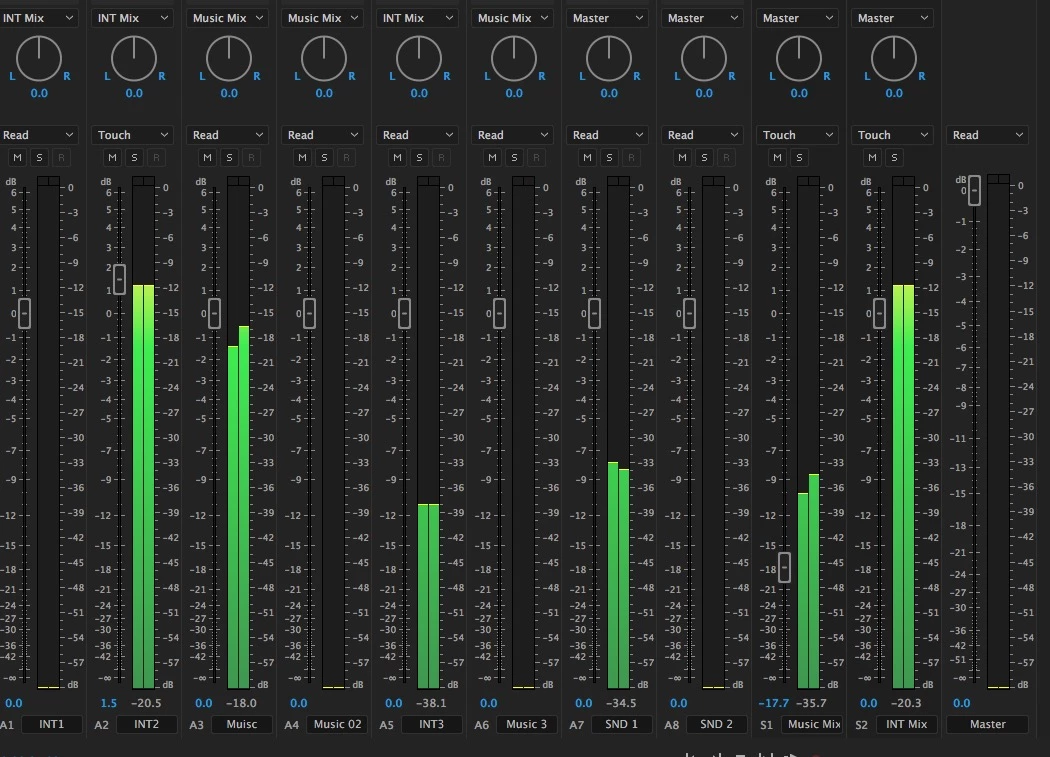

I have ten audio tracks and two sub mixes. When I playback and adjust using the track mixer it controls the clip keyframes not track keyframes. What setting do I have to adjust?
Ann Bens has a marvelous graphic about this sort of thing ...
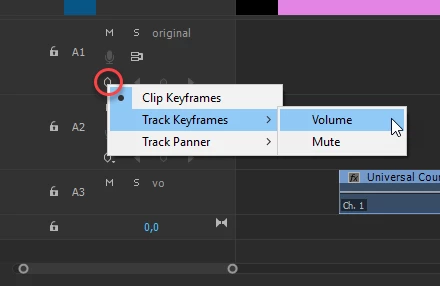
This is the place you go to set whether the current mode is to use Clip keyframes or Track keyframes ... and if that set of diamonds isn't showing, you need to make your audio track a little taller, then it shows up.
And Ann is an awesome resource here!
Neil
Already have an account? Login
Enter your E-mail address. We'll send you an e-mail with instructions to reset your password.
 AdChoices