Inspiring
March 16, 2023
Question

BUG: Use Previews....Doesn't Use Previews.

  • March 16, 2023
  • 98 replies
  • 16185 views

This workflow has been broken for a long time and I would really love to fix this one. I know this used to be on uservoice but I can't find the old bug. 


Steps:


1. Set sequence preview file to "Apple ProRes 422HQ" or whatever your favorite is. 

2. Render Sequence to full green.

3. Go to Export, Select an H.264 preset, check "use previews"

4. Watch as PrPro doesn't acess a single preview on disk and instead renders the whole timeline from scratch. 


From my current example I have a .png sequence from blender than I've rendered to green in the timeline.


Export->H.264, use previews checked...


Look at windows resource monitor, why is premiere chewing up PNGs when it should just be referencing the preview files I JUST RENDERED. 
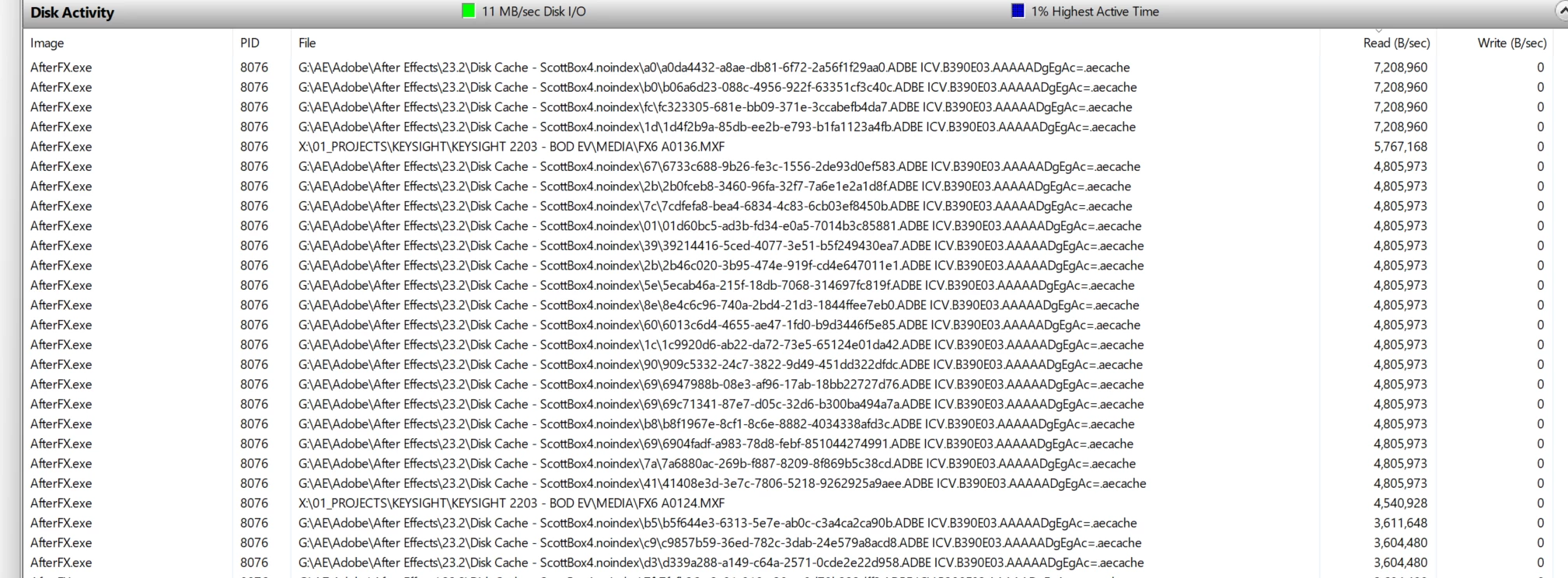
.aecache files being acessed for no reason. 
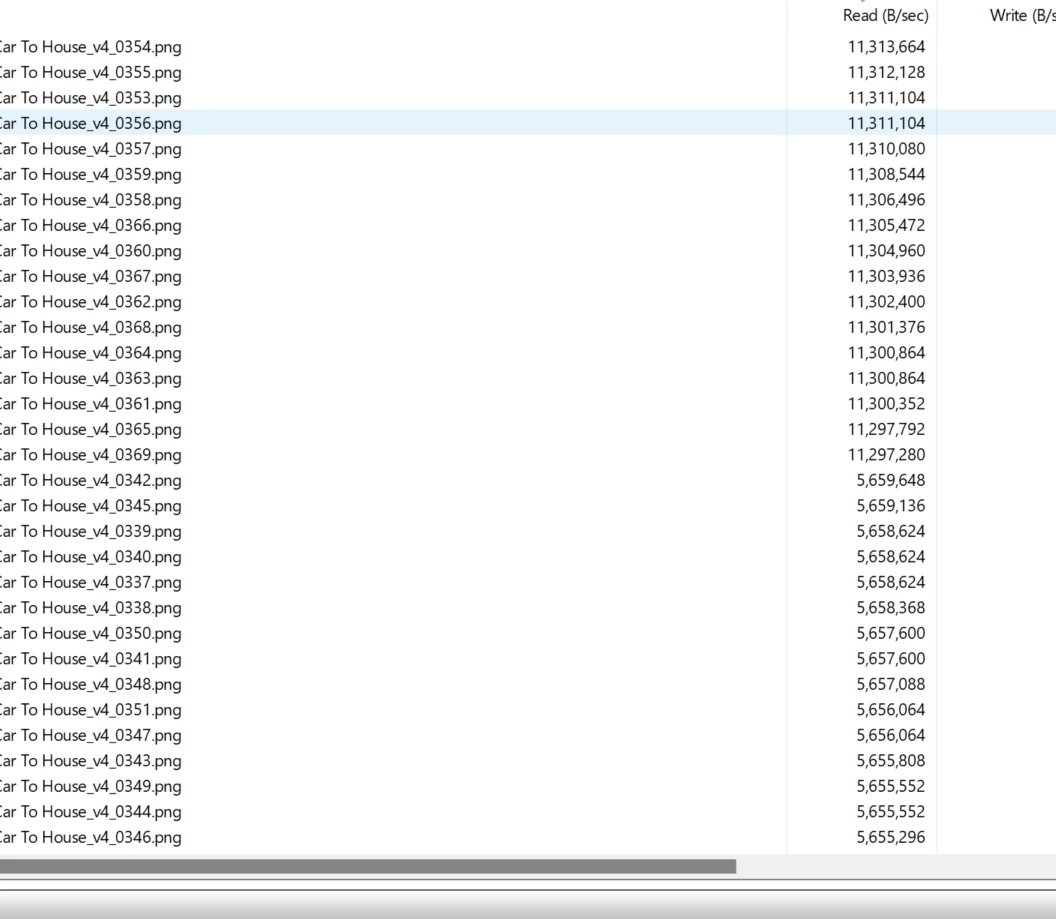
.png sequence being read. WHY. 


98 replies

Ryan Fritzsche
Inspiring
March 31, 2023

Thx @Scott.C. - of course it's not ideal but still better than nothing!

Scott.C.Author
Inspiring
March 31, 2023

Ok I had some time this morning and I was digging around and found this workaround:


I still consider this a bug.


Basically if you want it to use previews the "old way" you have to send your sequence to Media Encoder and make sure "import seqeunces natively" is un-checked. 'PrProHeadless.exe" For whatever reason it actually respects the "use preveiws" checkbox regardless of output format and renders very fast.


Now I don't really want to be sending things to AME, we have a very problematic relationship so I would rather this just work as it should in PrPro. 


Very weird that the BG version of PrPro can see the flag, and the GUI front end one can not. 


@Francis-Crossman17221443 Are you able to look into any of this? 


Ryan Fritzsche
Inspiring
March 31, 2023
Ryan Fritzsche
Inspiring
March 31, 2023

Thx @R Neil Haugen - I will re-post this issue as an "Idea" there.  I'm taking note that this very discussion is already flagged as a "Bug" and not a "discussion".  


I'm inferring here that @Kevin-Monahan doesn't feel this qualifies as a bug, b/c the current functionality fits the current expectation at Adobe.  But to my point articulated above, if I accept that framing of the issue, there is still a logical incongruity between the interface and that the functionality; I don't see how we don't have some kind of bug here, of some stripe - either previews should be used on alternative codec exports when the "use previews" box is checked, or the "use previews" checkbox should gray out / go away / un-check itself on alternative codec exports. Surely we can agree that the interface saying something is happening that is not actually happening is a bug of some kind, right?

Ryan Fritzsche
Inspiring
March 31, 2023

This is an issue which several of us feel strongly is a BUG. But in the below discussion about it, posted under "Bugs" on the forum, @Kevin-Monahan has advised us that this is currently considered the proper function of Premiere.  However, as @Scott.C. highlights, this is in contrast to what the manual says and what a number of us who have used Premiere for a decade can absolutely attest is not how it used to work.  


Please read this to understand the nuance of this feature request / restoration:

https://community.adobe.com/t5/premiere-pro-bugs/bug-use-previews-doesn-t-use-previews/idc-p/13694851


Here is a summary of what I'm asking for:


When I export a sequence, and check "Use Previews" under the "General" tab in the export dialogue/pane, I would like the export to actually USE the previews as its source for transcoding or compresion, regardless of what the destination codec or format is to which I am exporting.  I fully recognize the potential for double-compression or the degradation of quailty if the format of my previews is low or otherwise beneath the export codec.  However, the ability to control that ought to be the point of un-checking the "Use Previews" box. The ability to use those previews, even if the resulting quality suffers, is a vital and important functionality for my workflows, where I end up doing many low-res, H.264 exports of my projects prior to mastering at full-quality.

Ryan Fritzsche
Inspiring
March 31, 2023

Currently, there is an incongruity in the interface.  If it is indeed by design that Premiere will NOT use previews unless the export codec/format matches those previews, then the "use previews" box should be grayed out, or unchecked, or dissappear, when the selected export codec doesn't match the previews.  Becuase currently, if I check the "Use previews" box, and they are in fact NOT being used becaue I happen to select a different export codec from the previews, the software is effectively telling me something that is happening that isn't and that's confusing at the very least, although I would call it a bug.  Anyway,  I still want to actually be able to control whether or not previews are being used, regardless of export format, but either way, something needs to happen here.

R Neil Haugen
Legend
March 31, 2023

At the upper right of this forum, there's the "Post to Community" blue icon. Click it.


Then you get a text box, and below it, 'radio' circles to click as to whether your post is a discussion, idea, or bug.


Neil

Everyone's mileage always varies ...
Ryan Fritzsche
Inspiring
March 31, 2023

@Kevin-Monahan When I click the link to "report a bug or request a feature", I get sent to this forum.  Can you post a link to where I would submit this as a feature request?  


Further, with all respect to the fact that you're not a dev, isn't this the place to surface these kinds of issues to Adobe?  Are you saying that people in your position are not empowered to escalate this issue to the dev team?  It is a fact, corroborated by Adobe's manuals, that this used to work the way we're describing, and it has stopped.  I consider that a bug, but if it's a "new feature" at this point, then fine: where do I submit that request, if not here?

Ryan Fritzsche
Inspiring
March 31, 2023

ditto. 

Scott.C.Author
Inspiring
March 31, 2023

@Warren Heaton10841144 It doesn't. When you tick the check previews box it doesn't access the .prv folder at all. See my screenshots a the top of the post, its going back to the .png source of a part of the sequence I already rendered. Its been broken for a number of years. 

Scott.C.Author
Inspiring
March 31, 2023

@Kevin-Monahan  


I am aware you are not a developer. I filed this under "Bug" since it used to work a certain way and now works in another way I don't expect. Should I file this under feature request instead?

Warren Heaton
Community Expert
Community Expert
March 31, 2023

@Scott.C. 


If quality is a concern, H264 should be avoided.

Use a CODEC with a deep peak signal noise ratio (PSNR).