


Can´t delete or insert objects

Copy link to clipboard
Copied
The problem accurs every time i start premiere pro.
To fix it i need to reset my workspace to default and then switch back to mine.
I dont know what is this bug causing but it annoying.
Im on version 14.0 and using Win10 Prof.


 6
Replies
6
6
Replies
6




Copy link to clipboard
Copied
It might be helpful if you posted a screenshot of your entire workspace after you open your project and then another screenshot of your workspace after you reset the workspace. Also, can you check under menu item Window > Workspaces to see if you have a checkmark next to "Import Workspace from Projects"?
Copy link to clipboard
Copied
didnt have this option activated.
My Workspace is called Standard - dual screen
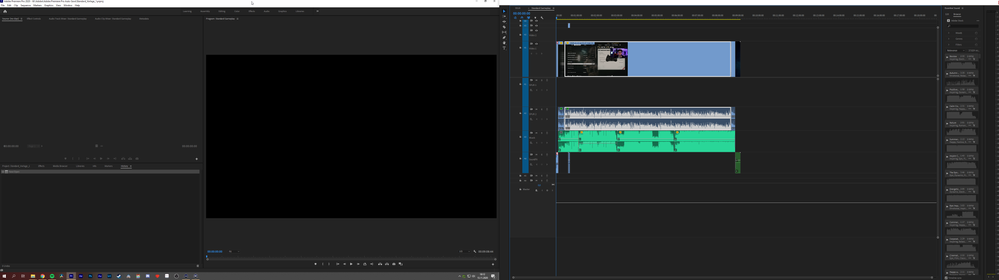
I switch to the preset "editing" one screen setup
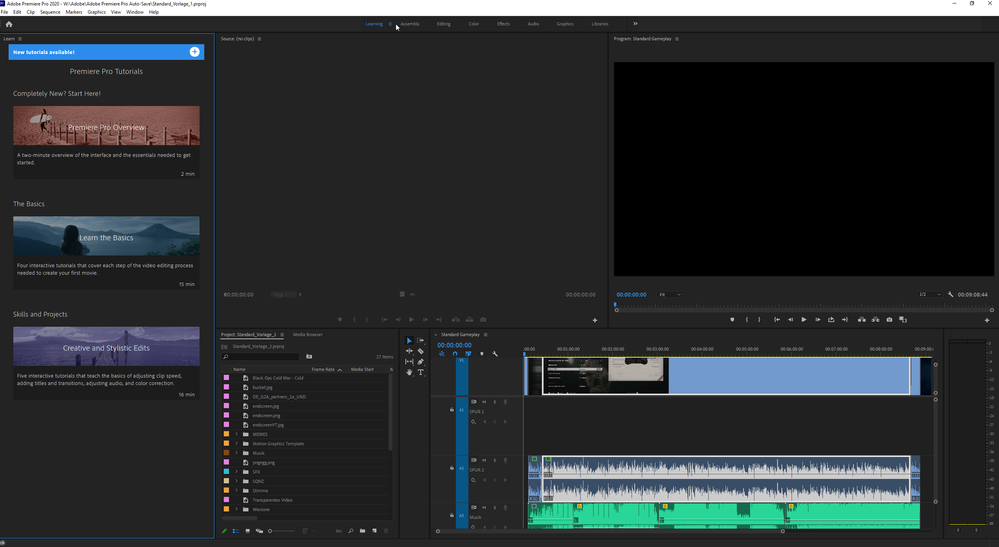

Copy link to clipboard
Copied
There's an issue with the current build and floating project windows. Some can revert to the standard workflow and back to custom and it works, some are having issues. Project panel will allow you to move things to/from bins in List View, but not in thumbs view. Try that also.
Neil
Copy link to clipboard
Copied
i think this is the problem.
But then Adobe needs to bugfix this not me changing my workspace.
Either this, i didnt understand how i can fix it.

Copy link to clipboard
Copied
The suggestion was made so you can work around it for now, which may require a temporary change in workflow, until Adobe fix it. See this thread:
Copy link to clipboard
Copied
Thanks for posting the link @MyerPj


Get ready! An upgraded Adobe Community experience is coming in January.
Learn more
 AdChoices