Participant
March 17, 2024
Answered

Choppy footage even though all sequence and clip settings match

  • March 17, 2024
  • 3 replies
  • 402 views

Hello,


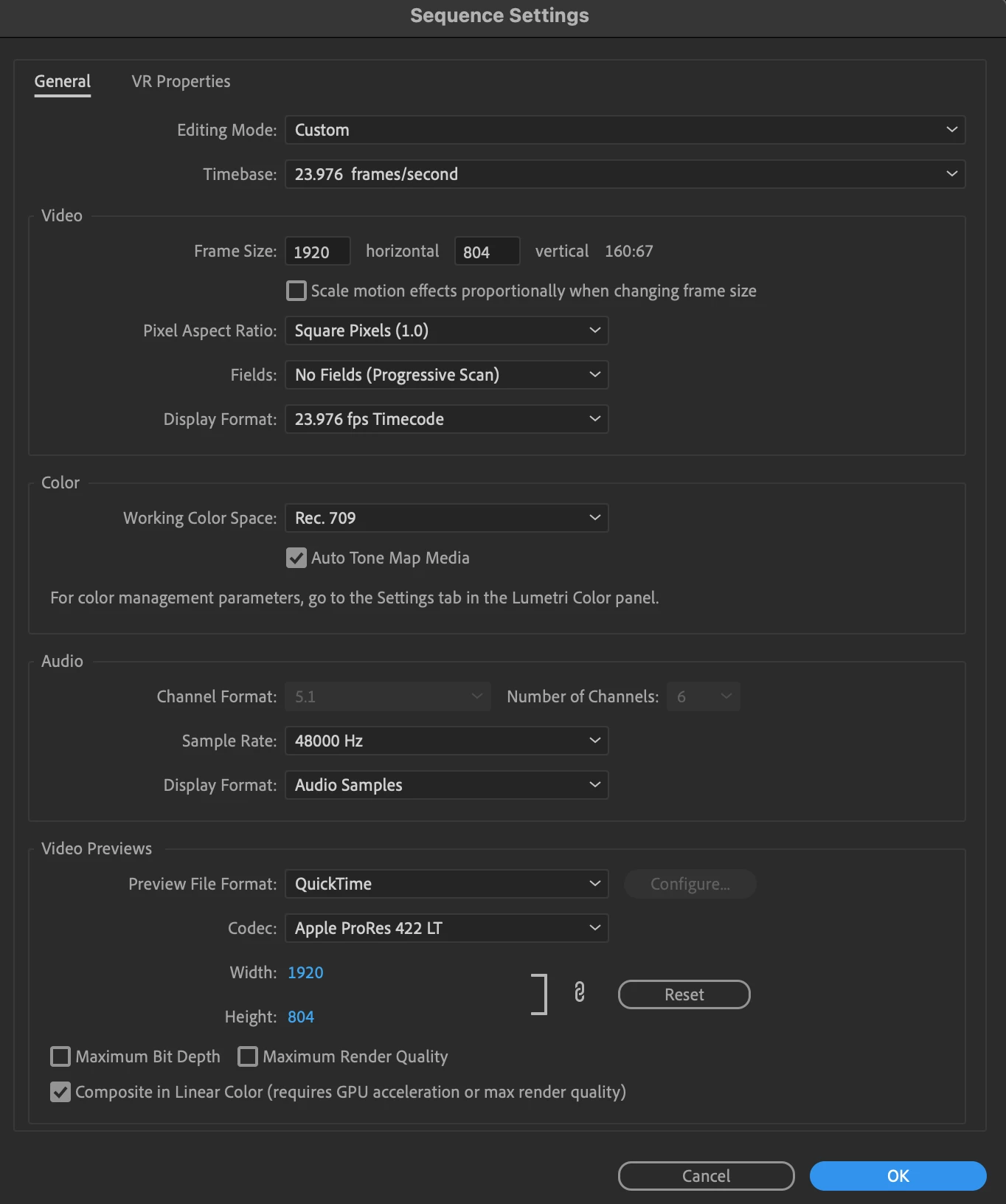
I have an MP4 file of 'The Revenant' and if I try to play it back in the source panel or the project panel within a sequence it gets choppy (see clip below). Once exported the problem remains. 


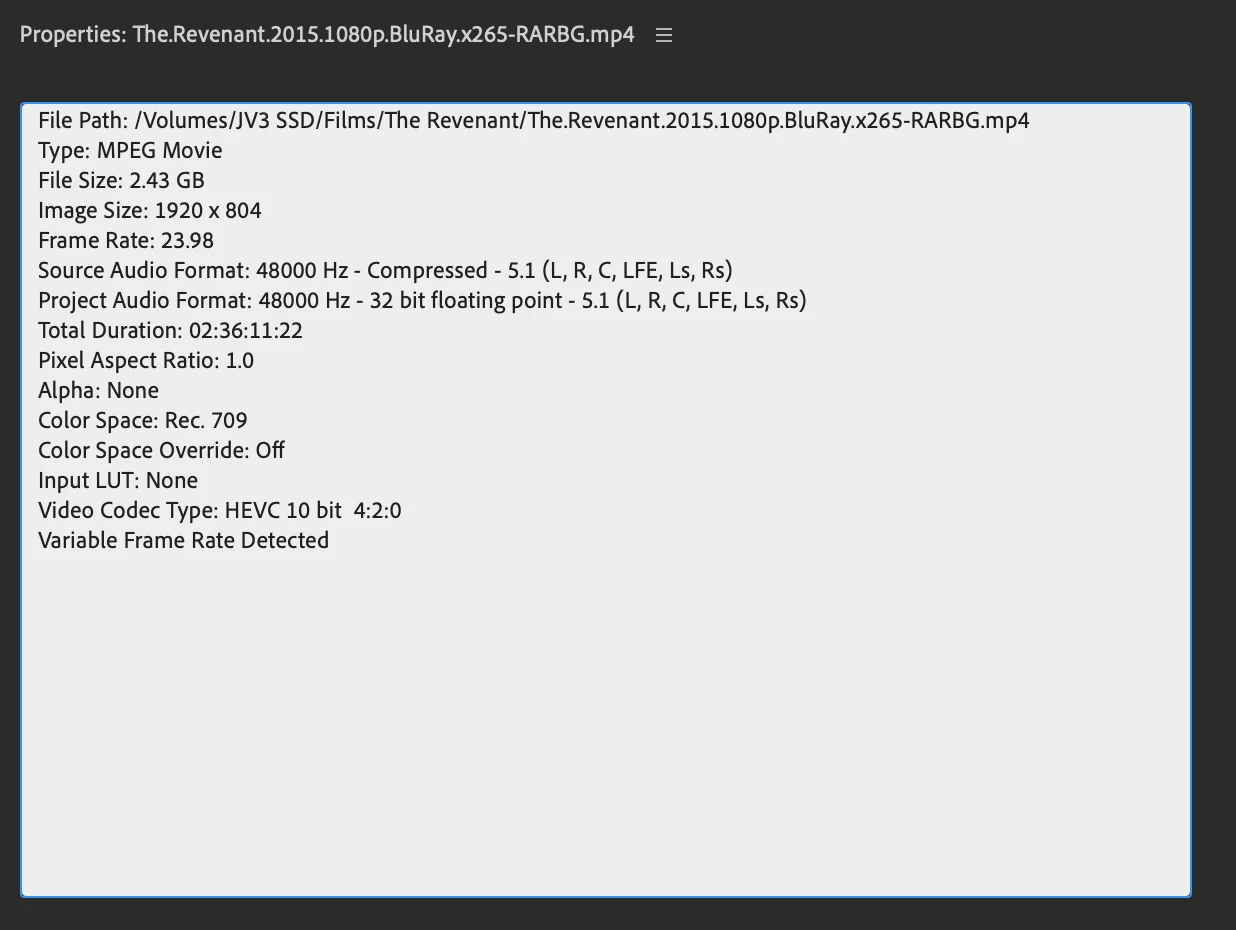
My sequence settings are the exact same as the source. One thing that might be triggering this effect is that the clip is detected to have variable frame rate.


If opened in a video player like vlc it plays back without any issues. 


Any help is greatly appreciated!
 

This topic has been closed for replies.
Correct answer Peru Bob

Use Handbrake to convert to constant frame rate before importing into Premiere Pro:
https://handbrake.fr/downloads.php
Here is a tutorial:
https://www.youtube.com/watch?time_continue=34&v=xlvxgVREX-Y

Shutter Encoder may also be used to convert to Constant Frame Rate:
https://www.shutterencoder.com/en/

3 replies

Peru Bob
Community Expert
Peru BobCommunity ExpertCorrect answer
Community Expert
March 17, 2024

Use Handbrake to convert to constant frame rate before importing into Premiere Pro:
https://handbrake.fr/downloads.php
Here is a tutorial:
https://www.youtube.com/watch?time_continue=34&v=xlvxgVREX-Y

Shutter Encoder may also be used to convert to Constant Frame Rate:
https://www.shutterencoder.com/en/

R Neil Haugen
Legend
March 17, 2024

Long-GOP highly compressed HEVC ... that is also variable frame rate. No wonder it's having issues, the worst of all codec worlds right there.

Everyone's mileage always varies ...
Participant
March 17, 2024

It might be that the problem is linked to HEVC files. If I remember correctly though, I used to be able to play them back well on premiere.