


- Home
- Premiere Pro
- Discussions
- Re: Double vision blur on Premier Pro
- Re: Double vision blur on Premier Pro
Double vision blur on Premier Pro

Copy link to clipboard
Copied
Hello! I'm making videos for social media, so I am using the same original footage to make videos with specs of 1080x1080 and 1080x1920 (vertical).
When I export from Premier Pro, the footage look slightly blurred, like the frames don't quite match up (example below). Original footage is 1920x1080 (horizontal) and has been shot at a frame rate of 30fps or 50fps. I am setting the sequence with a frame rate at 25fps, 1x1 pixel aspect ratio. Is this my problem? 25fps in the project vs 30fps/50fps of the original footage? It looks fine on playback in premier, but always like the below grab on export.
Sequence Settings
Pixel Aspect Ratio: Square Piexels (1.0)
Fields: No fields (progressive scan)
Display format: 25 fps Timecode
My summary on export reads as follows:
Output:
1080x1920 (1.0), 25fps, Progressive, Hardware Encoding, 00...
VBR, 1 Pass, Target 10.00 Mbps
AAC, 320kbps, 48kHz, Stereo
Source:
1080x1929 (1.0) 25fps, Progressive,
4800 Hz, Stereo
I'd just like to be able to export without the blur! I don't mind what format, as long as it is compatible with social media channels (facebook and instagram). Thank you!
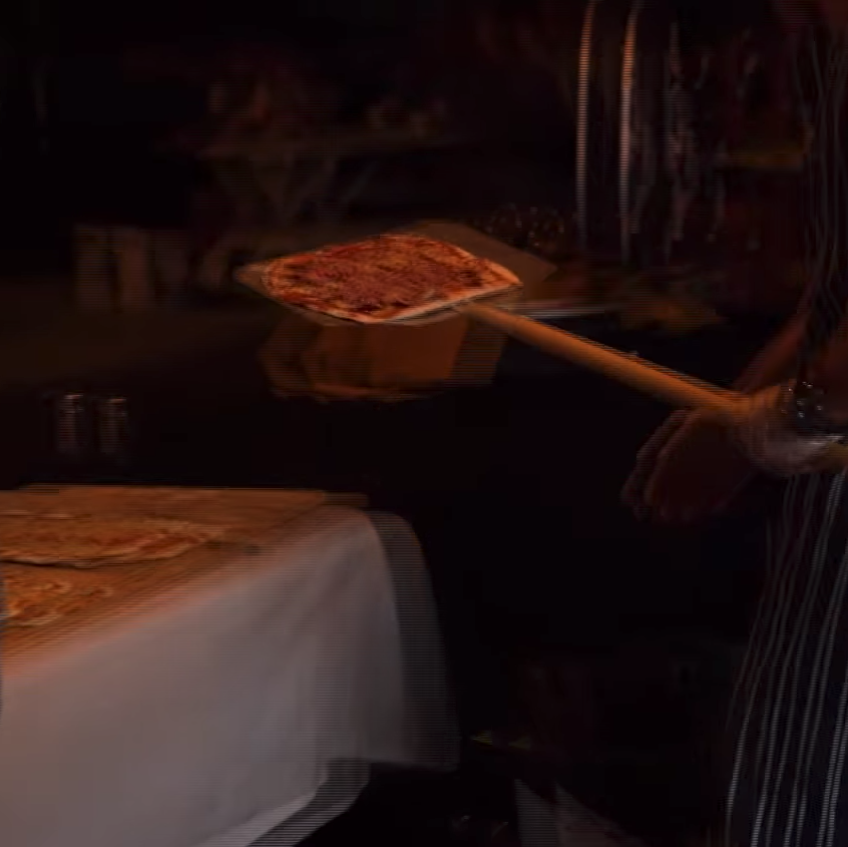


 6
Replies
6
6
Replies
6



Copy link to clipboard
Copied
So this appears to be interlacing. Since your export settings are set to progressive, this leads me to believe the source footage was shot interlaced? Or maybe it was placed in an interlaced timeline?
What are your sequence settings?
And what was the footage originally shot on?
Copy link to clipboard
Copied
Thanks khomthepreditor!
The sequence settings are listed in my original post. I shot the footage on a mix of Panasonic GH4 and iphone 8.
Copy link to clipboard
Copied
I've read that iPhone footage can cause some issues with variable frame rates. Maybe that might come into play?
Copy link to clipboard
Copied
Hey, sorry, I was trying to edit my original comment as I just saw that 
Copy link to clipboard
Copied
Another thought is that maybe this is the effect of some bad frame blending? Try switching between the "Time Interpolation" options in the dropdown at the bottom of the export dialogue window.
Copy link to clipboard
Copied
Awesome. Thanks so much. I'll give it a go.


Get ready! An upgraded Adobe Community experience is coming in January.
Learn more
 AdChoices