


Dual screen set-up
I've recently changed computer and CC version to 2020 and I'm struggling to set up Premiere to match my former set up.
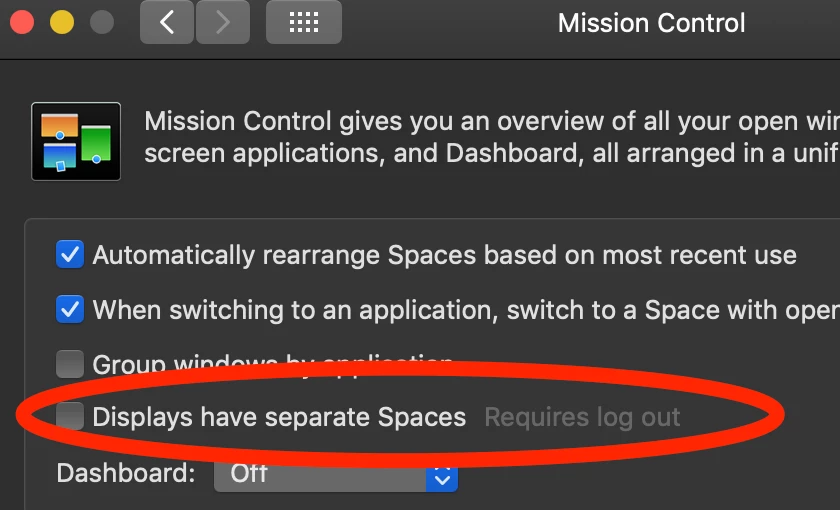
I used to drag and extend the workspace across two monitors. Now I can't do this. For some reason, as I expand the workspace onto another monitor, this section is not shown on the second monitor. I’ve found a way around it, by undocking the panel I want on my second monitor, positioning it there and then maximising it. But I wonder if there’s a way I’m missing, to expand the workspace onto the other monitor. Any thoughts?
The other thing I struggle with is how to choose the screen I want to toggle into full screen. I don’t want to have a full screen all the time, I instead prefer to use both monitors as workspace and only sometimes go into full screen on my second monitor. So, how do I do it to toggle my second monitor into full screen? I’ve tried to have the workspace maximised on the second monitor and not on the first monitor, which on my old set-up worked, but now it does not make a difference.
The only alternative I’ve read about on a forum is to go to Playback Preferences and tick the monitor you want to go onto full screen and then adding Mercury Transmit as a short cut to toggle the full screen easily, instead of having to tick and untick the box on the Playback Preferences every time you want to toggle. But I can’t find the option to add Mercury Transmit on my shortcuts. Any idea how to do this?
My system is:
MacBook Pro (2019)
OS Catalina
2.4 GHz 8-Core Intel Core i9
64 GB 2667 MHz DDR4
AMD Radeon Pro 5600M 8 GB
Thanks in advance for your help.
 AdChoices