Copy link to clipboard
Copied
Hi,
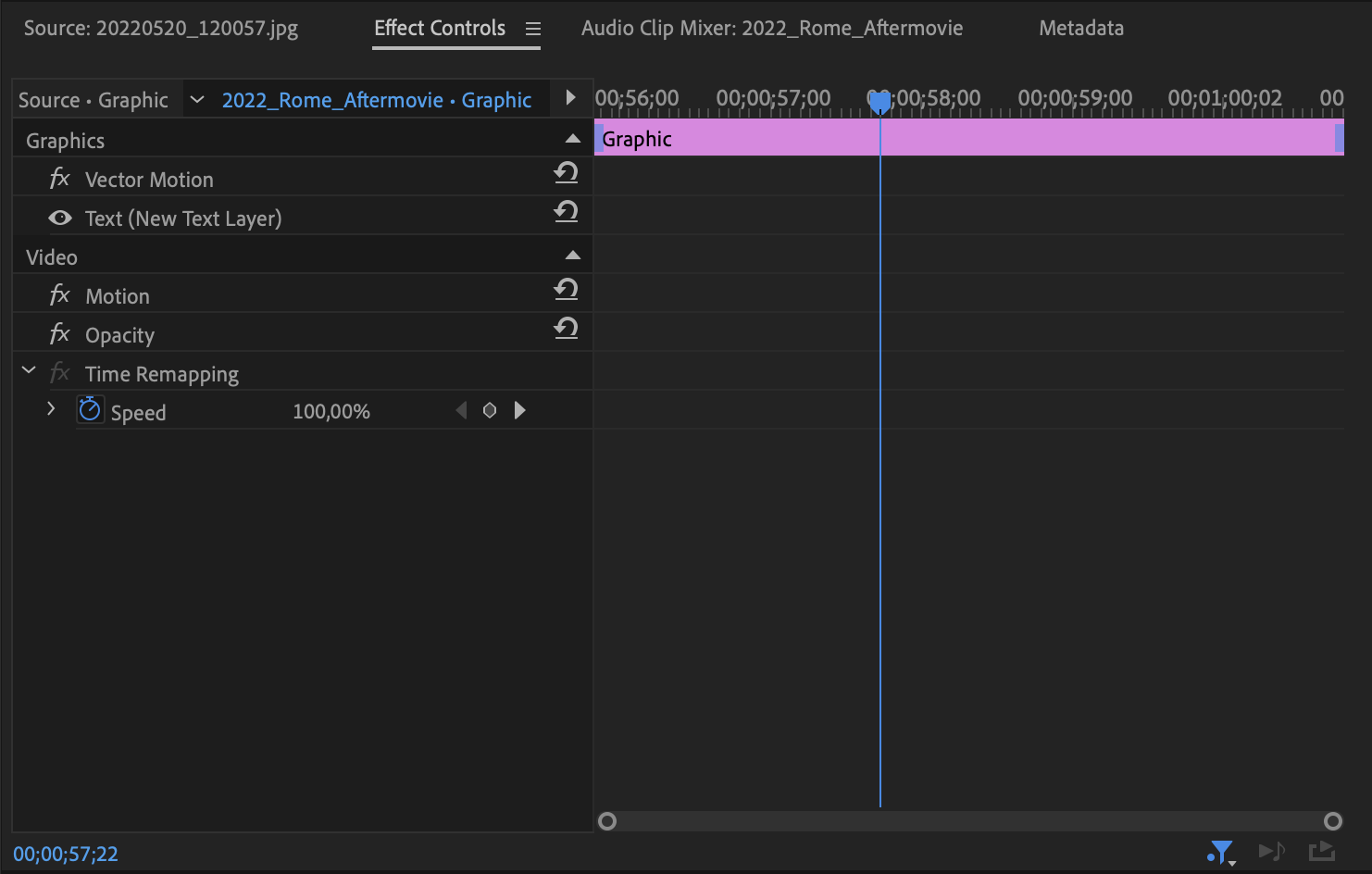
When I selected my picture in my video, I saw I didn't have the possibility to edit it: the effects in my effect control panel are gone (scale, rotate, position...). I have the same problem with text but it works with mp4 files. Is it a bug or something I need to change in my window/view? I haven't put any effects on the files itself: they are just text layers and pictures dropped right from my computer. Version: 22.4.0
Thanks

Try resetting the preferences:
https://community.adobe.com/t5/premiere-pro/faq-how-to-reset-trash-preferences-in-premiere-pro/td-p/8236158?page=1
If that doesn't work, try resetting the Workspaces:
Reset a workspace
Reset the current workspace to return to its original, saved layout of panels.
1. Do one of the following:
• Click the Workspace menu icon and select Reset to Saved Layout.
• Choose Window > Workspace > Reset to Saved Layout.
from here:
https://helpx.adobe.com/premiere-pro/using/workspaces.html
Copy link to clipboard
Copied
Try resetting the preferences:
https://community.adobe.com/t5/premiere-pro/faq-how-to-reset-trash-preferences-in-premiere-pro/td-p/...
If that doesn't work, try resetting the Workspaces:
Reset a workspace
Reset the current workspace to return to its original, saved layout of panels.
1. Do one of the following:
• Click the Workspace menu icon and select Reset to Saved Layout.
• Choose Window > Workspace > Reset to Saved Layout.
from here:
https://helpx.adobe.com/premiere-pro/using/workspaces.html
If that doesn't work, try Preferences > Audio Hardware and set Input to None.
If that doesn’t work, try updating or rolling back your graphics driver directly from the video card manufacturer’s site. If NVIDIA, do a clean installation of the latest Studio Driver (NOT the Game Driver)
If that doesn't work, try creating a new project and import the old one into it.
Copy link to clipboard
Copied
Thank you! It worked
Get ready! An upgraded Adobe Community experience is coming in January.
Learn more