Inspiring
November 11, 2016
Question

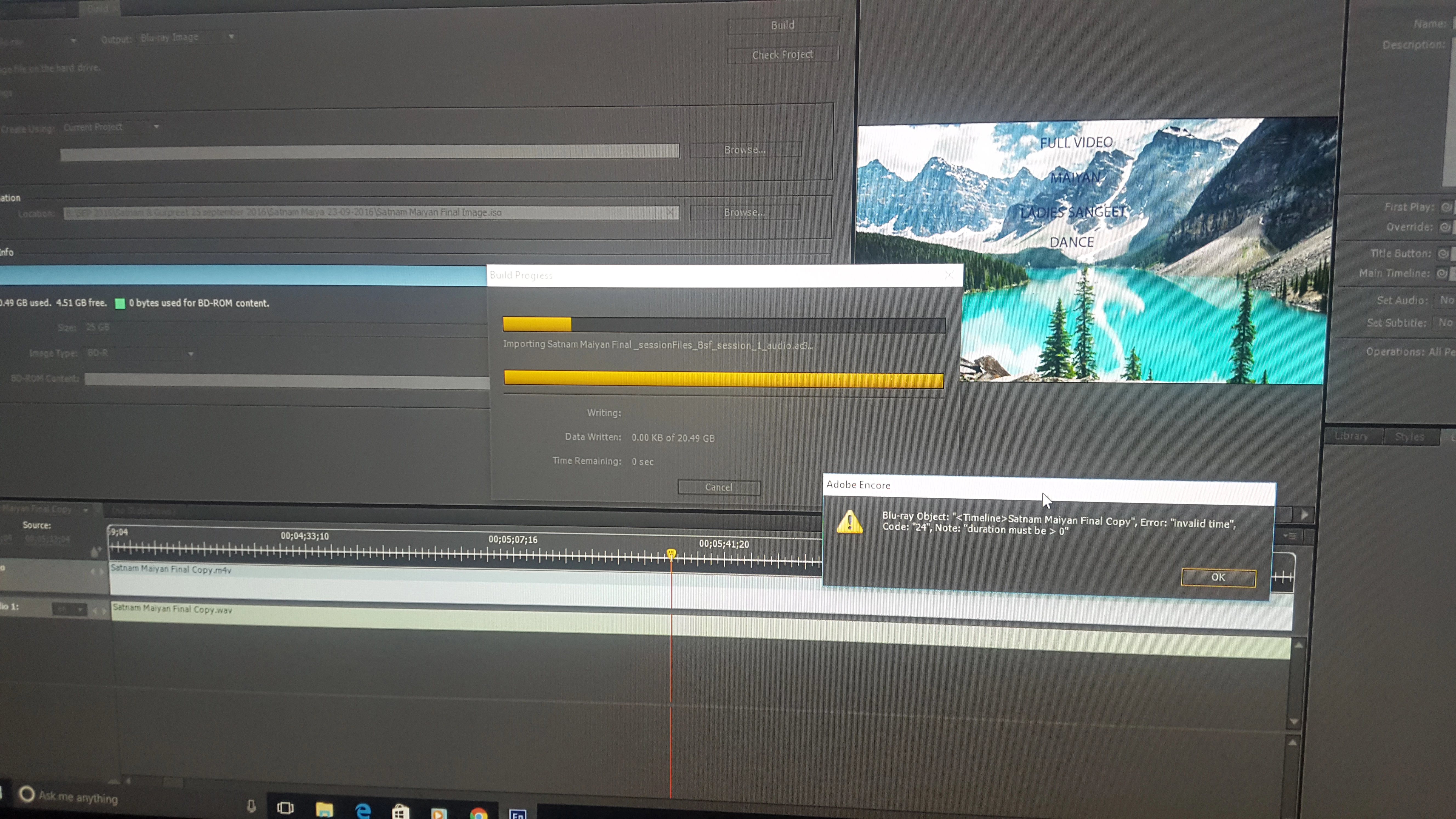
error 24 with bluray object "invalid time", "Code: "24", Note: "duration must be > 0"

  • November 11, 2016
  • 3 replies
  • 1217 views

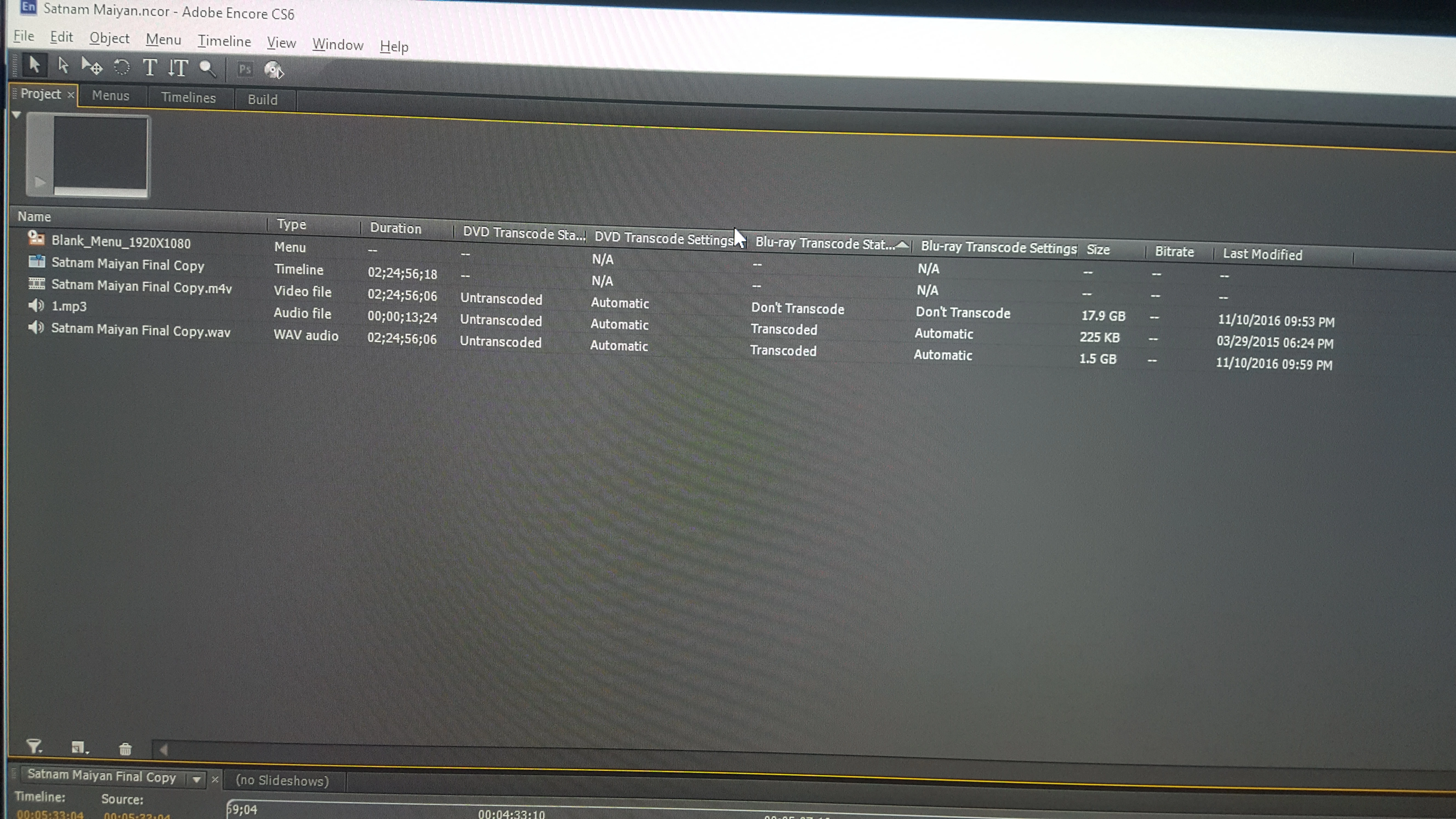
Please check error and my settings on Encore trying to make ISO of blu ray.
[Moved from Premiere Pro to Encore forum... Mod]

This topic has been closed for replies.

3 replies

Keithklivideo
Participant
September 3, 2021

I managed to get the same error, but I'd "saved as" from a previous project. Starting as a "new project" solved the problem.

Hope this helps many who've struggled using this old program that has many attributes unavailable in other software.

Stan Jones
Community Expert
Community Expert
November 11, 2016

Bluray Errors depend on the full error code. There are many Code 24 errors. Yours, "duration must be > 0" does not have a good solution. Muhanned's link is not likely to be useful. Almost all the examples there are for menu issues, and your error is for a timeline.

Here are my notes on your error:

Can be on the menu or on timelines.

No fix. One user fixed by redoing project.

See these threads:

https://forums.adobe.com/thread/1885989

https://forums.adobe.com/thread/1964078

https://forums.adobe.com/thread/2058785

Inspiring
November 11, 2016

I get error only when I exported the project as H264 bluray from premiere. when I export it just as H264 I do not get error.

With H264 Blu ray I tried to just export audio alone redid the project checked if any gap on timeline nothing.

Stan Jones
Community Expert
Community Expert
November 11, 2016

If you export as plain H.264 (not H.264 Blu-ray), Encore will retranscode. When you import that file, does it show "Untranscoded" in the BD Transcode Status column?

So there may be something about your export.

I assume you are using the mp3 as audio for the menu? mp3 can cause problems, but I don't think that has anything to do with this error.

Mo Alani
Community Expert
Community Expert
November 11, 2016

This might help you

Encore error code 24

Muhannad,