
Monotone_Duck
Participant
December 11, 2019
Question

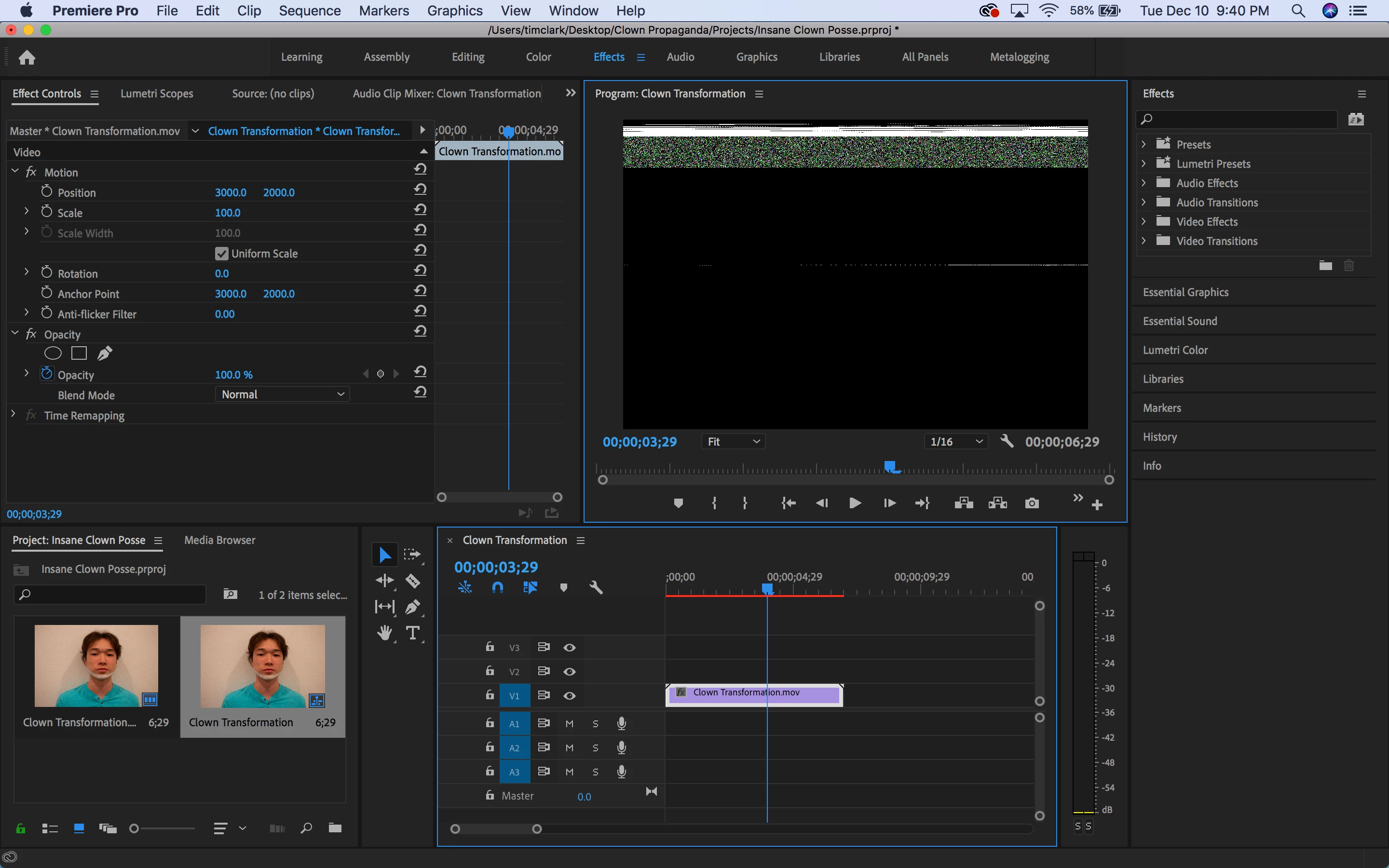
Greenish Pixelated screen

  • December 11, 2019
  • 1 reply
  • 416 views

Whenever I attempt to drag any media into the timeline in Premiere Pro for anything, the program starts running extremely slow and instead of the video playing right away, it shows a weird pixelated screen thats green on top. After a bit the video will play, but extremely choppy.

This has been going on for a bit, but I havent had anything due for a while. I just got done with a project thats due in a few days, and need to edit.
 

This topic has been closed for replies.

1 reply

Richard van den Boogaard
Community Expert
Community Expert
December 11, 2019

Do you have the latest firmware updates for your graphics card installed?

Monotone_Duck
Participant
December 12, 2019

I do not think so. I have a 2017 macbook pro (I know not the best, but its all I have acsess to)

https://support.apple.com/downloads/macbook_pro_graphics_firmware_update_1_0

Would it be one of theese? 


Inspiring
December 14, 2019

No, that's for a 2009 MacBook Pro. Graphics card updates are generally included in Mac OS updates. 

I also currently use a 2017 MacBook Pro. It should be fine for your editing work.

I'd be looking elsewhere for issues.

For instance which version of Premiere Pro are you running - 2020 has some issues. Have you upgraded to 'Catalina' - it also has some issues with Premiere Pro. Where is your source footage coming from? This could also be part of the problem. If you want to upload a link to a small/short clip, I'd be happy to test it.