Exit
  • Global community
    • Language:
      • Deutsch
      • English
      • Español
      • Français
      • Português
  • 日本語コミュニティ
  • 한국 커뮤니티
0

Grey bar above my YouTube video (Premiere Pro)

New Here ,
Aug 20, 2018 Aug 20, 2018

Hello,

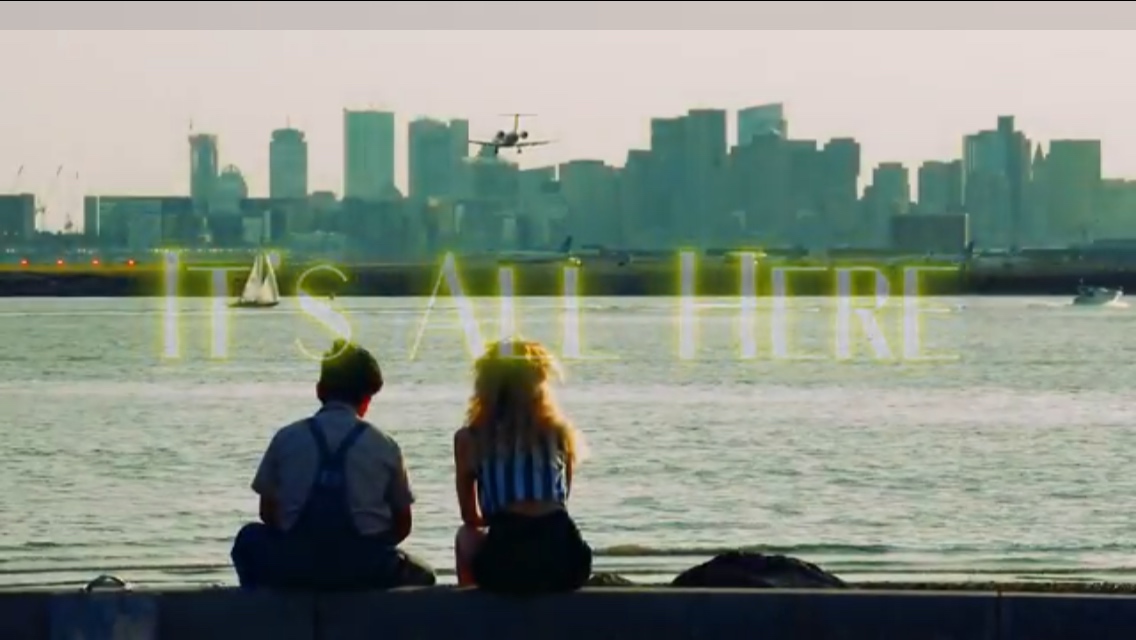
I am seeing a thin, light grey bar on top of my Video that I have uploaded on my YouTube. How can I remove this?

[Here is the list of all Adobe forums... https://forums.adobe.com/welcome]

[Moved from generic Cloud/Setup forum to the specific Program forum... Mod]

702
Translate
Report
Community guidelines
Be kind and respectful, give credit to the original source of content, and search for duplicates before posting. Learn more
community guidelines
Community Expert ,
Aug 20, 2018 Aug 20, 2018

Make sure your video is try widesreen (16:9)

Please post screenshot of export settings with left tab to output with visible image (not black).

and a link to your YT movie.

Translate
Report
Community guidelines
Be kind and respectful, give credit to the original source of content, and search for duplicates before posting. Learn more
community guidelines
New Here ,
Aug 20, 2018 Aug 20, 2018

Grey bar.jpg

Translate
Report
Community guidelines
Be kind and respectful, give credit to the original source of content, and search for duplicates before posting. Learn more
community guidelines
New Here ,
Aug 20, 2018 Aug 20, 2018
LATEST

Only occurs on Youtube when viewing on my iPhone 7.  It occurs for all videos I see, on both portrait and landscape mode on iPhone.

I guess this is a Youtube or iPhone issue but I don't see any mentions of this exact issue on any forums.

Screen Shot 2018-08-20 at 4.57.58 PM.jpg

Translate
Report
Community guidelines
Be kind and respectful, give credit to the original source of content, and search for duplicates before posting. Learn more
community guidelines