


- Home
- Premiere Pro
- Discussions
- Re: How do I use a script to move the timeline?
- Re: How do I use a script to move the timeline?

Copy link to clipboard
Copied
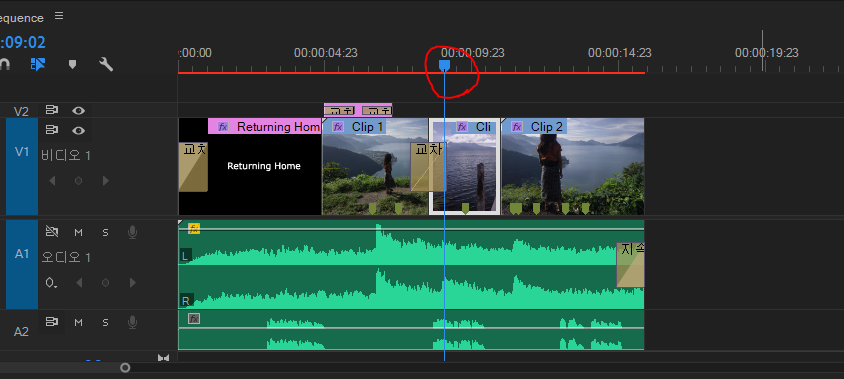
I want to use a script to move the timeline. I've read a document on the object model of Premier Pro, but I have no idea. What should I do?


 1 Correct answer


Here's how to move the CTI (Current Time Indicator):
https://github.com/Adobe-CEP/Samples/blob/ff7e2afab20eca144dcad0bb8d893d8b275ad38e/PProPanel/jsx/PPRO/Premiere.jsx#L597

 3
Replies
3
3
Replies
3


Copy link to clipboard
Copied
You will need the SDK if you want to start scripting:

Copy link to clipboard
Copied
This is not for the faint of heart.
When using this forum, select the "tag" SDK in the upper right section. This will display all the threads that are tagged with the "SDK" topic. Then browse or search. Tag your own topic with SDK.
Here's an example of a thread:
https://community.adobe.com/t5/premiere-pro/premier-scripting/td-p/11664113?page=1
If you are not a programmer, the easiest way to deal with this is to hire someone to develop a script for you.
Stan
Copy link to clipboard
Copied
Here's how to move the CTI (Current Time Indicator):
https://github.com/Adobe-CEP/Samples/blob/ff7e2afab20eca144dcad0bb8d893d8b275ad38e/PProPanel/jsx/PPR...


Get ready! An upgraded Adobe Community experience is coming in January.
Learn more
 AdChoices