


- Inicio
- Premiere Pro
- Hilos de conversación
- Re: HOW TO ADD black bar WITH no cutting the video...
- Re: HOW TO ADD black bar WITH no cutting the video...

Copiar vínculo al Portapapeles
Copiado
I am pretty much a new guy here so gonna ask this~ want do some explain video add world inside the black bar top and bottom of the video but after i apply the black bar the video has been cut. image below VVVVVV (Point is how to add black bar and no lose my video image)..
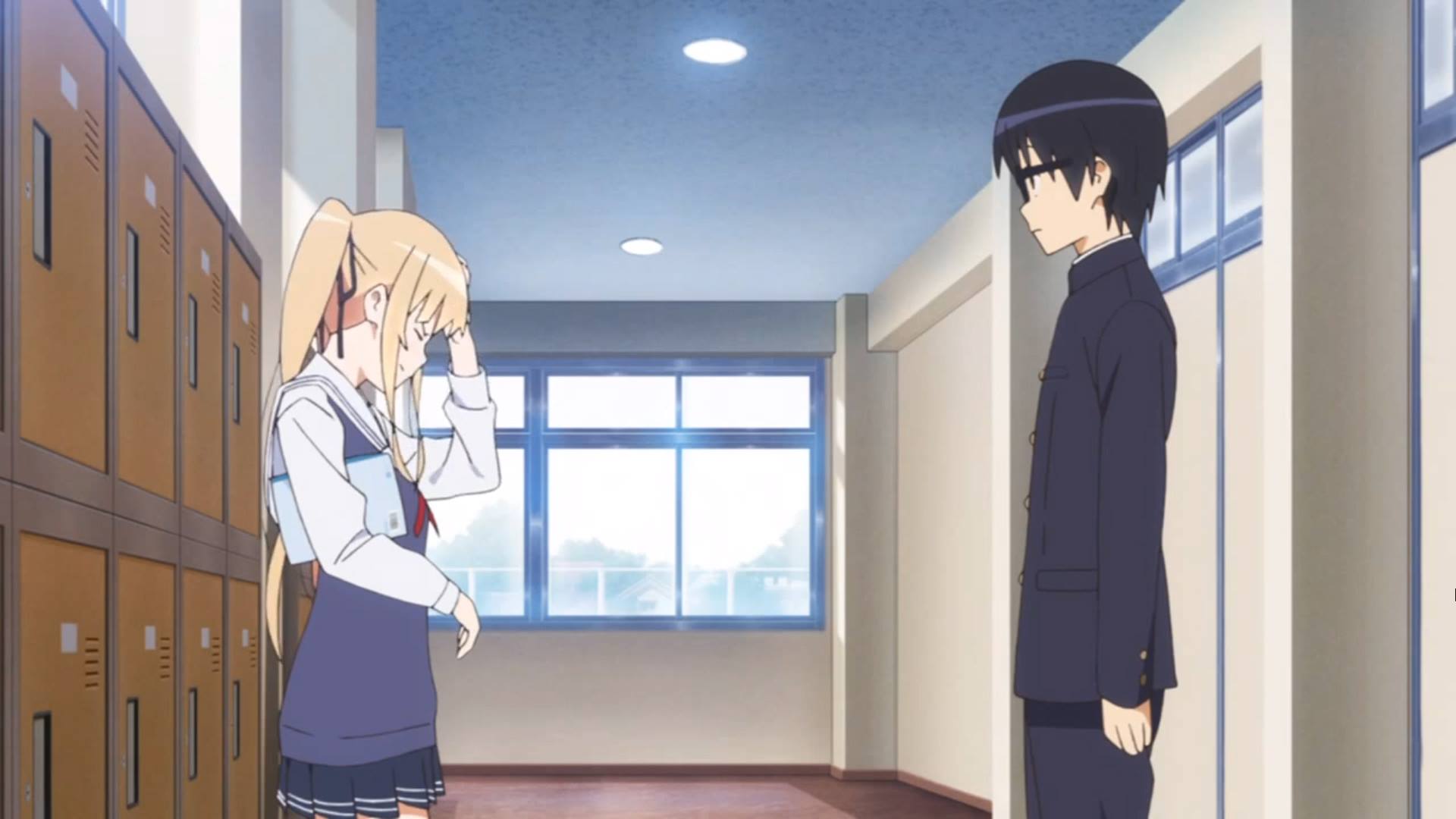
pic 1 is no lose
pic 2 after i add black bar
ps. crop i tried and is not what i want..



 1 respuesta correcta


You will have to either decrease the size of the video in the Motion Properties (but you will get black all around the video if the media matches the sequence) or you will have to create a custom sequence size to allow extra height for the black bars.

 13
réplicas
13
13
réplicas
13

Copiar vínculo al Portapapeles
Copiado
You will have to either decrease the size of the video in the Motion Properties (but you will get black all around the video if the media matches the sequence) or you will have to create a custom sequence size to allow extra height for the black bars.

Copiar vínculo al Portapapeles
Copiado
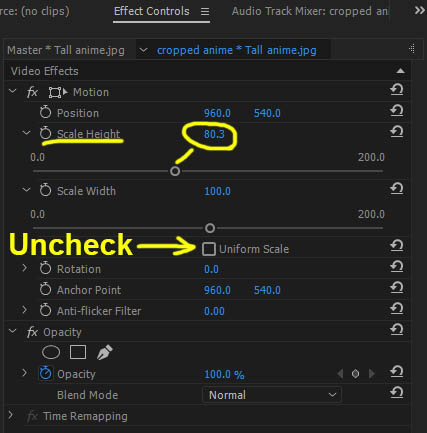
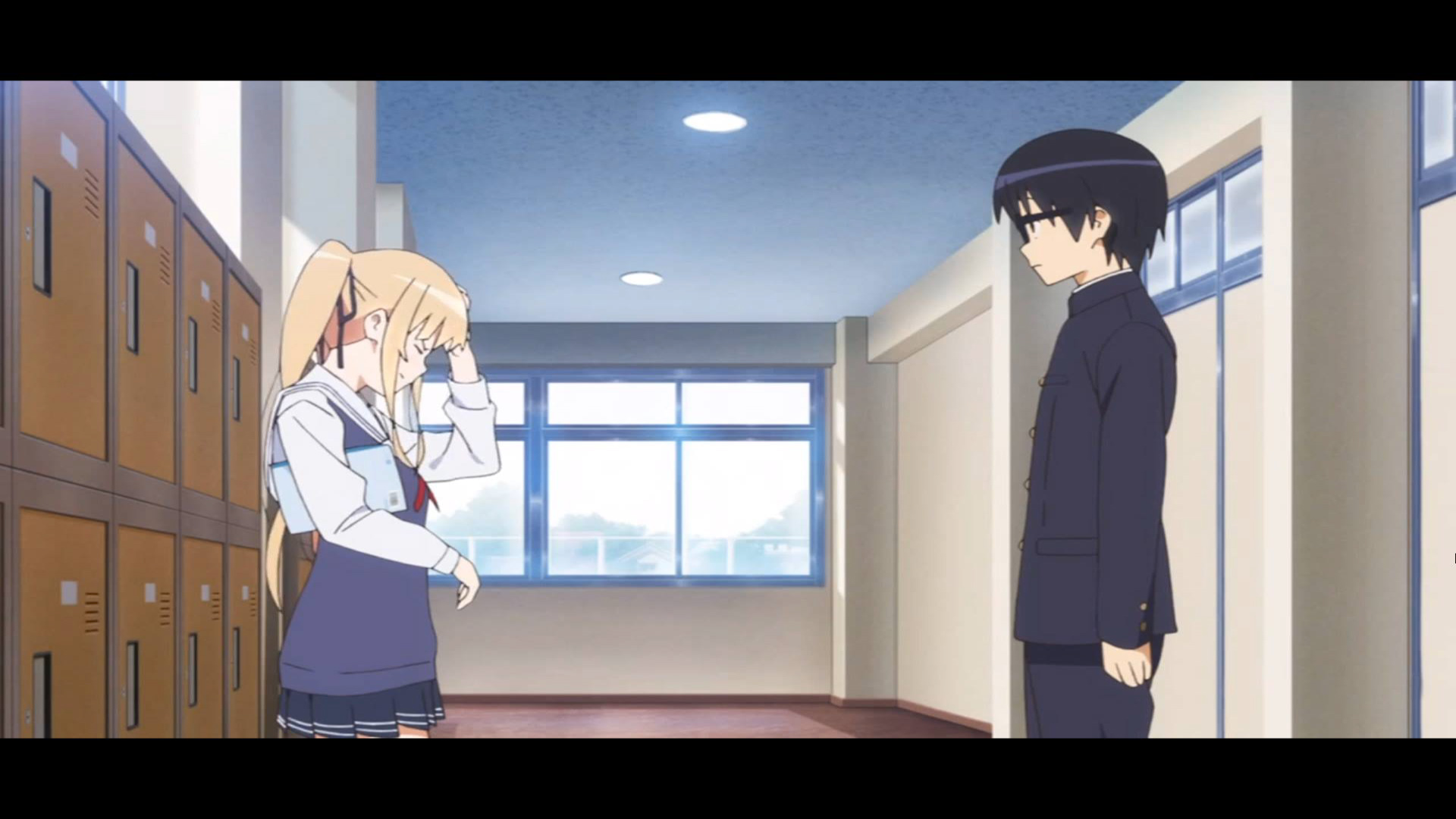
I downloaded both of your 1920x1080 images. I put the cropped version on V1 and original above it on V2. Using the Motion effect, I unchecked Uniform Scale, and then decreased the Height setting to vertically squish the image down until it matched your cropped version. Looks like 80.3% is about what you need. Subjects will look slightly shorter and wider, but NONE of the image gets cut this way.
Scaled image -
vs original
Thanks
Jeff Pulera
Safe Harbor Computers
Copiar vínculo al Portapapeles
Copiado
Thanks You For Answer My Questions
Also Thanks for the (Scale Thing) i learned something new today 
Copiar vínculo al Portapapeles
Copiado
AS you say custom sequence size i did it on 1440 x 1080 4:3 ratio i get what i want Thanks You
also i scale the video to height 70 width 75 to match the sequence size and i get pretty much what i wan~
.png)

Copiar vínculo al Portapapeles
Copiado
If you upload this to Youtube or Vimeo you will have black bars on the side also.
Copiar vínculo al Portapapeles
Copiado
1440x1080 is NOT a recognized HD video format - as Ann points out, since HD is 16:9 widescreen, YouTube or Vimeo will fill that extra space with black so you will end up with the video surrounded by black similar to this look -

Copiar vínculo al Portapapeles
Copiado
I upload to facebook.. and yes surrounded by black bar ....
Copiar vínculo al Portapapeles
Copiado
So back to square one:
Either dont use black bars or accept the image is cut off.
Copiar vínculo al Portapapeles
Copiado
Maybe just do the simple 80% Height Scale and be done with it, probably no one will notice
Thanks
Jeff
Copiar vínculo al Portapapeles
Copiado
Alright then Thanks for the help ~
I appreciate that
~Merry Christmas~
Copiar vínculo al Portapapeles
Copiado
As you say
Thanks for the help ~ 
~Merry Christmas~
Copiar vínculo al Portapapeles
Copiado
You cannot have black bars without either distortion or cropping.
You can adjust the image vertical (up or down) if you want.
Copiar vínculo al Portapapeles
Copiado
OMG You're Brilliant you was right how i fix this ?
I encounter this how i fix it and could you point out where i wrong i think i wrong badly..
Thanks You


Encuentra más inspiración, eventos y recursos en la nueva comunidad de Adobe
Explorar ahora
 AdChoices