
Inspiring
March 9, 2021
Question

How to control video resolution of timelapse made from large DSLR stills?

  • March 9, 2021
  • 2 replies
  • 476 views

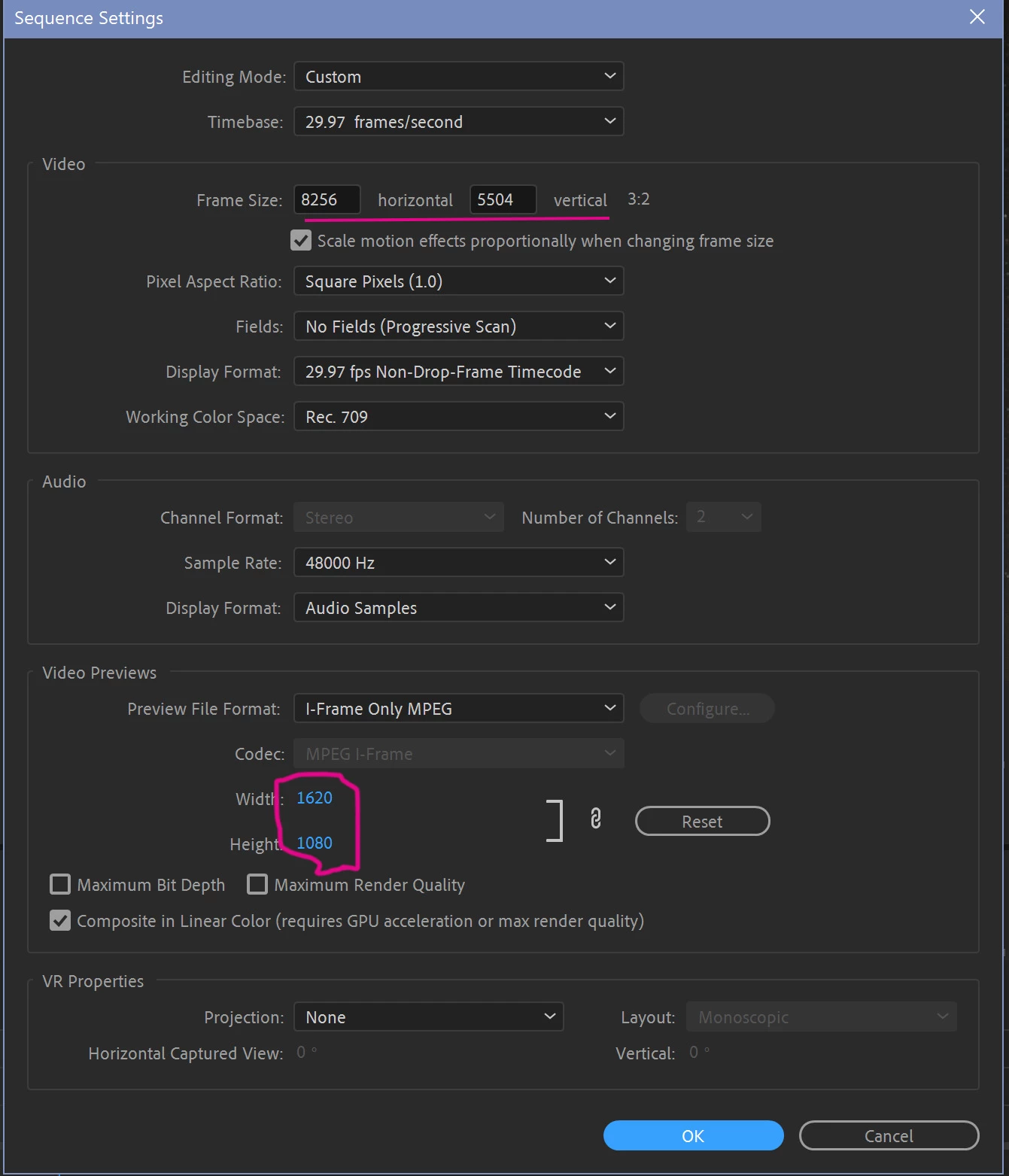
I'm making some timelapse video from sets of stills taken with a Nikon Z7 (8256x5504 pizels)  (3:2 aspect ratio).   I want to keep that aspect ratio, but maybe use something like 1080x720 in the final video output.  What is the right place to scale it?


I tried setting it in Sequence Settings, but when I set Frame Size to anything smaller than 8256x5504 it CROPPED it, instead of scaling it.   Also, what's up with the Preview Dimensions -  how does come up those?

Thanks in advance.
This topic has been closed for replies.

2 replies

R Neil Haugen
Legend
March 9, 2021

I would also suggest making sure your option in Preferences/Media is set to "set to framesize" as that will "plop" the image on the current framesize without rasterizing the image to that framesize. So you can then adjust your size/position controls for zoom/placement without fear of pixelization.


And ... I'd re-make those images about half that frame-size for use in PrPro.


Neil

Everyone's mileage always varies ...
Inspiring
March 9, 2021

You can drop the images in a 1280 X 720 sequence and pan and crop the images or you can crop or resize the 8256x5504 sequence at export. Premeire Pro is about the only software program that can do that. I have left a video link below that demonstrates this at about 1 minute and 40 seconds in. I would prefer to resize at export myself.

https://www.youtube.com/watch?v=barrJWuBzCA

Inspiring
March 9, 2021

I didn't understand anything he was talking about at the 1:40 and beyond point, but the fact that he mentioned "crop filter" suggests that he's barking up the wrong tree, since no cropping should be necessary as long as I don't mind letterboxes or black bars.


Also, you said, "You can drop the images in a 1280 X 720 sequence and pan and crop the images."

1280x720 is the wrong ratio.   8256x5504 is 1.5:1, 1280x720 is 1.777:1.   So I would need 1080X720 or 1620x1080. both of which are oddball ratios that will require some sort of black bars or letterboxing.   But how do I force Premiere Pro to scale to those ratios? 


BTW I don't see why either cropping or panning should be necessary, since I don't want to lose any content.  I'd rather have the black bars.

Ann Bens
Community Expert
Community Expert
March 9, 2021

You can make any framesize with an aspect of 3:2.

The preview dimension is not cropping your video it is what it is: just a preview for easier editing.

There is a possibility Premiere will choke on such large images.

1080x720 would be just fine if that is your final output, might want to go a bit larger.

Beware you will loose image detail when going from such a large still to a significant smaller videosize.