


iPhone 12 pro max and 13 pro HDR footage blown out in Premiere Pro 2022 (v22.0)
After upgrading to Premiere Pro 2022 (v22.0) all my HDR footage from my iPhone 12 ProMax and 13 Pro are blown out (screen shot below)
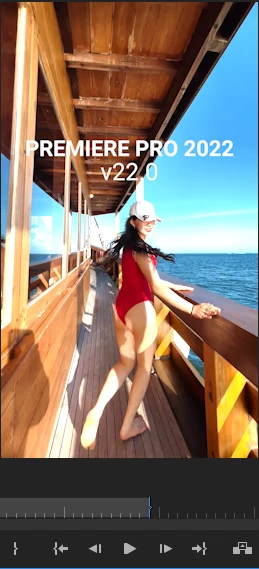
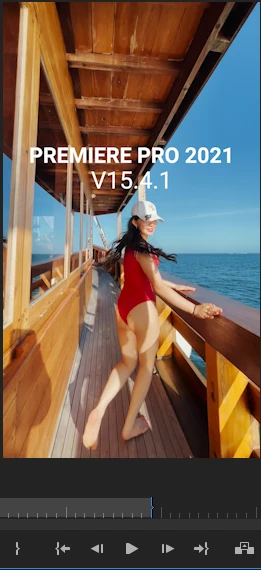
There are actually similar disscussion here that talks about this issue, but i thought i would make new discussion that spesifically talks about this issue on iPhone 12 Promax series and above. So whoever having similar issue hopefully could find this thread when they're googling
There are two solution to fix this issue
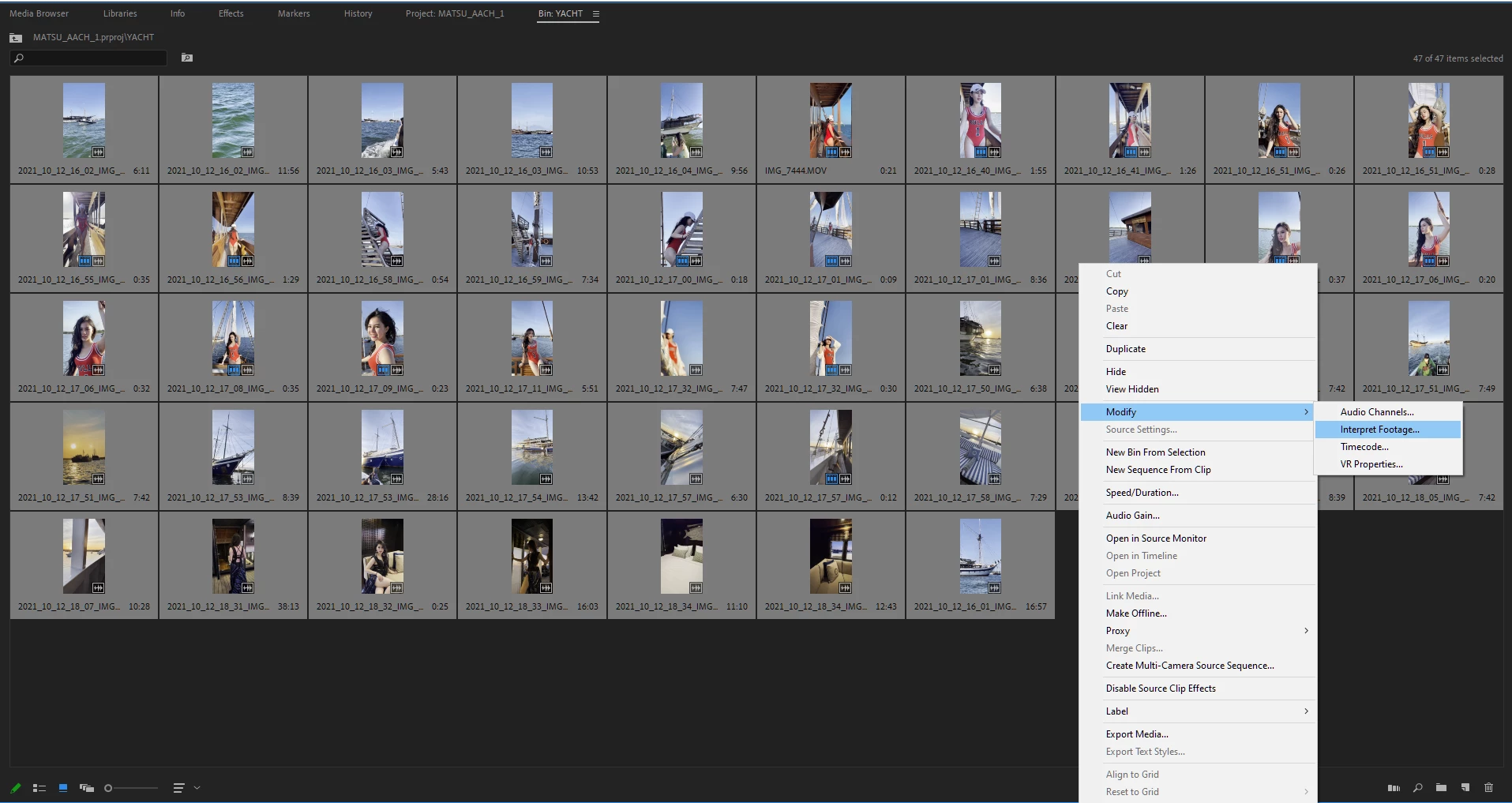
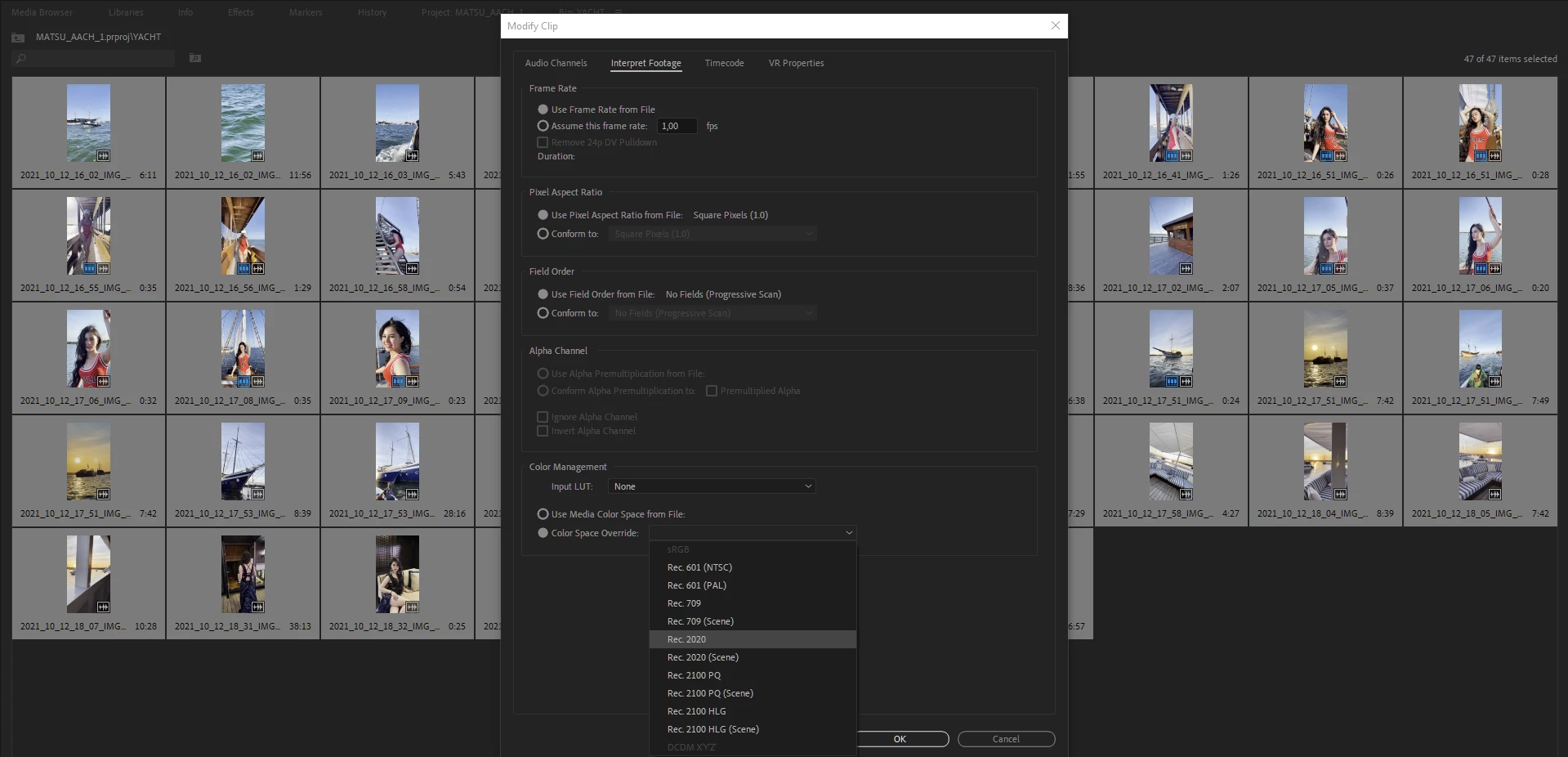
First Solution, go to project panel, select all of your HDR clips > Right Click (windows) > Interpret Footage > Color Space Override > Choose Rec 2020
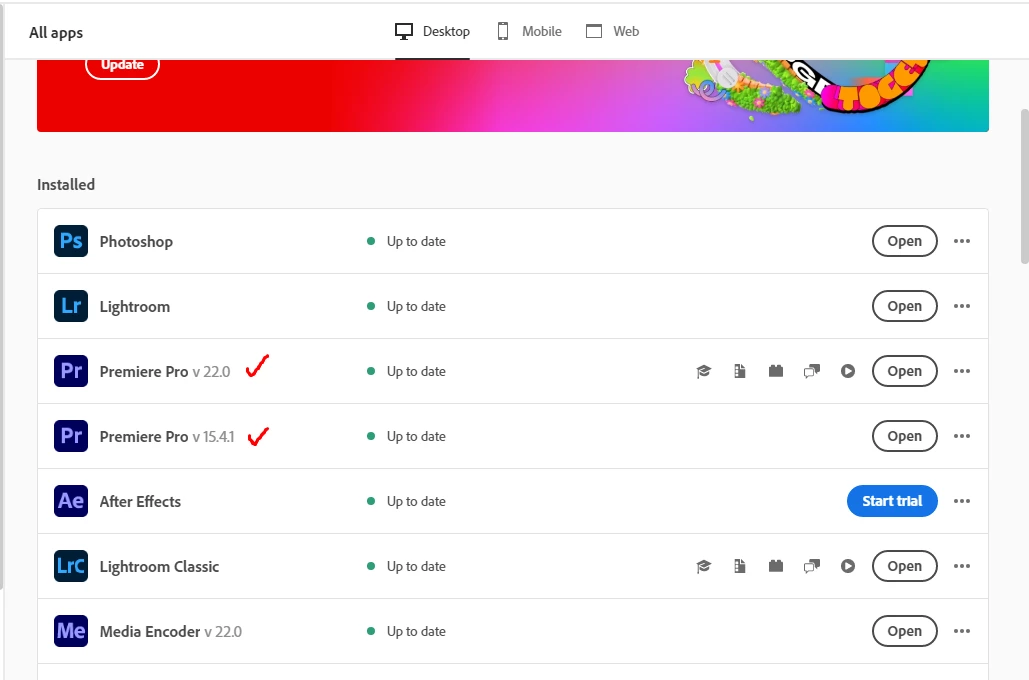
Second Solution (I do recommend using this), open your creative cloud control panel and just re-install previous version Premiere Pro 2021 v15.4.1 (i'm using both PP 2021 & 2022 at the moment)
Hope this will help whoever having this iPhone HDR footoge blown out on Premiere Pro 2022 v22.0
 AdChoices