


Exit
  • Global community
    • Language:
      • Deutsch
      • English
      • Español
      • Français
      • Português
  • 日本語コミュニティ
  • 한국 커뮤니티
0

is there a way to control those animation keyframe handles in Premiere Pro CC 2023

Enthusiast ,
Oct 31, 2022 Oct 31, 2022

After many years of using Final Cut Pro, I'm trying to get accustomed to Premiere again, but I'm having trouble animating stills in Premiere Pro. In the effects window, I know how to set position and scale animation keyframes and convert them to easy ease. But when it comes to fine tuning the animation with the keyframe handles, I get unwanted motion. Is there a way to drag those handles left or right without dragging them vertically up and down??? And can anyone recommend any in depth tutorials on keyframe animation in Premiere? Thanks very much in advance. 
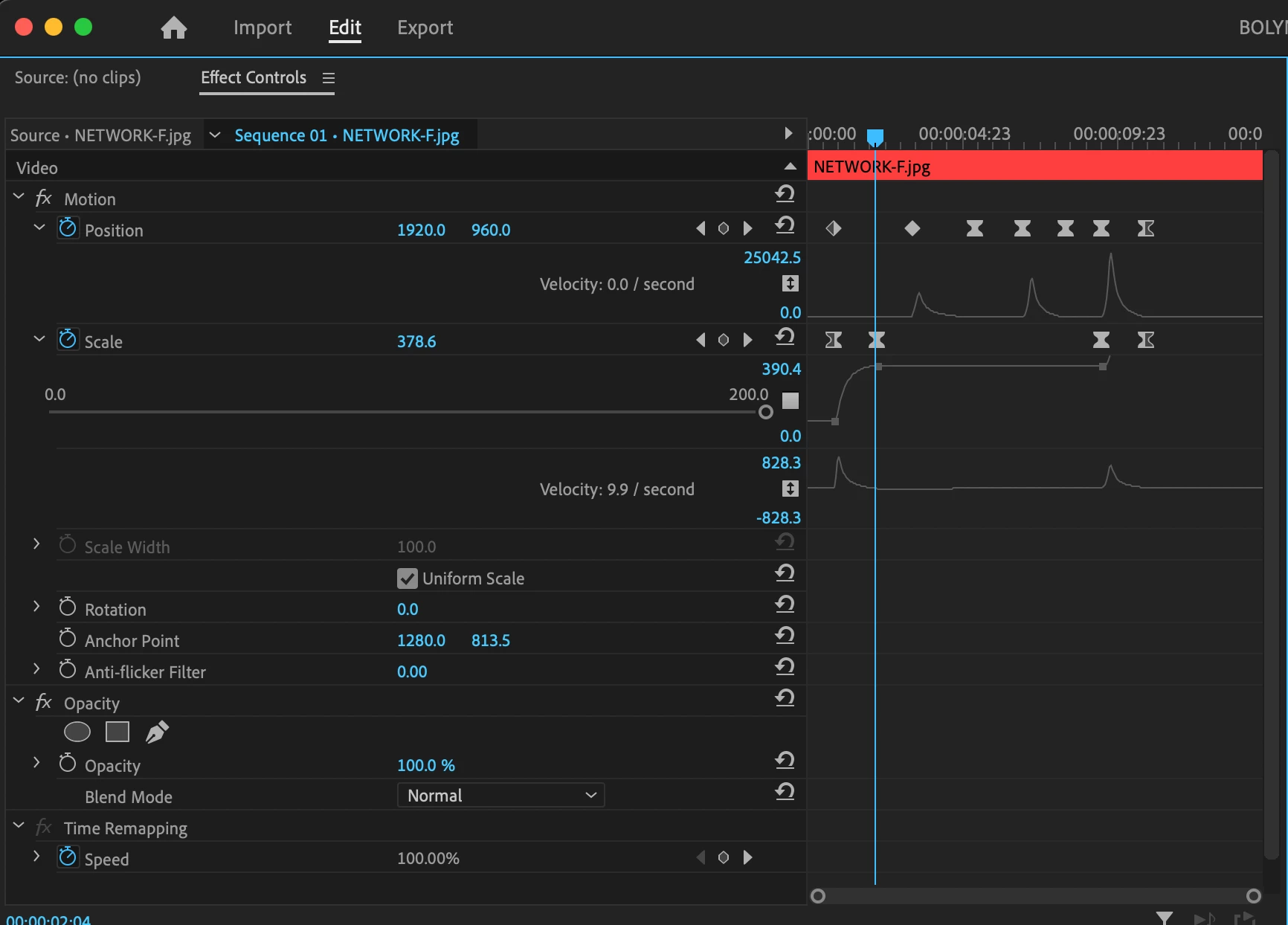
 

Screenshot 2022-10-31 at 1.49.13 PM.png


TOPICS
Editing , Effects and Titles , User interface or workspaces
406
Translate
Report
Community guidelines
Be kind and respectful, give credit to the original source of content, and search for duplicates before posting. Learn more
community guidelines
Community Expert ,
Nov 03, 2022 Nov 03, 2022

AnnBens_0-1667491851391.png


AnnBens_0-1667492736029.png

Drag horizontally.

Translate
Report
Community guidelines
Be kind and respectful, give credit to the original source of content, and search for duplicates before posting. Learn more
community guidelines
Community Expert ,
Nov 03, 2022 Nov 03, 2022

If you have many keyframes for position and scale., do one property e.g. position, nest and do the scale or v.v.

Translate
Report
Community guidelines
Be kind and respectful, give credit to the original source of content, and search for duplicates before posting. Learn more
community guidelines
Enthusiast ,
Nov 04, 2022 Nov 04, 2022
LATEST

Hi Ann, thank you very much for your help. Sorry, but can you clarify a little further regarding Nest and V.V.? what is VV? Thank you in advance.

Translate
Report
Community guidelines
Be kind and respectful, give credit to the original source of content, and search for duplicates before posting. Learn more
community guidelines