


Answered
Is there any way to export all the video's frames at one time?
Hey guys! I know it's possible to export a single frame in premiere pro, however, if I do want to do this with the whole video at one single time, is it possible?

Hey guys! I know it's possible to export a single frame in premiere pro, however, if I do want to do this with the whole video at one single time, is it possible?
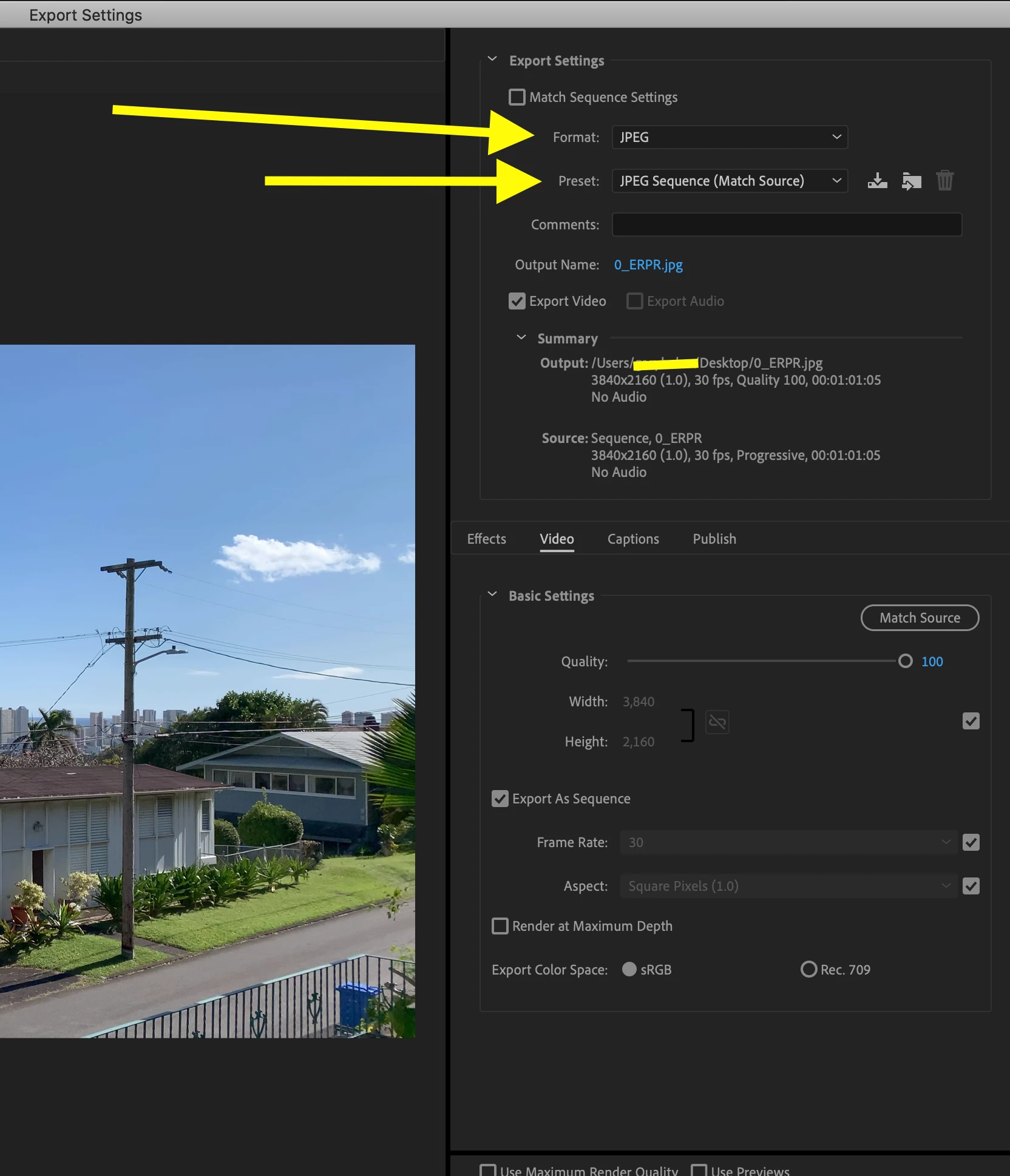
Yes, go to File > Export > Media then choose the format either as a JPEG, PNG or TIFF and export as an image sequence:
MtD
Already have an account? Login
Enter your E-mail address. We'll send you an e-mail with instructions to reset your password.
 AdChoices