Sergio-CS
Inspiring
July 11, 2023
Question

Lag or Freeze video during playback

  • July 11, 2023
  • 10 replies
  • 1101 views

Hello Adobe Team,


This has been a recurring problem with Premiere Pro.

The playback is a horrible experience, no matter the footage or settings.


While I understand that many will attribute lag or freeze while playing a simple timeline (no lumetry, no effects, nothing applied to the clips) to my hardware; the fact is that the computer is not the problem, as DaVinci Resolve works with the same full resolution clips—on the same machine—flawlessly.


This rules out any problems with the machine itself, so it must be something related to Premiere Pro.

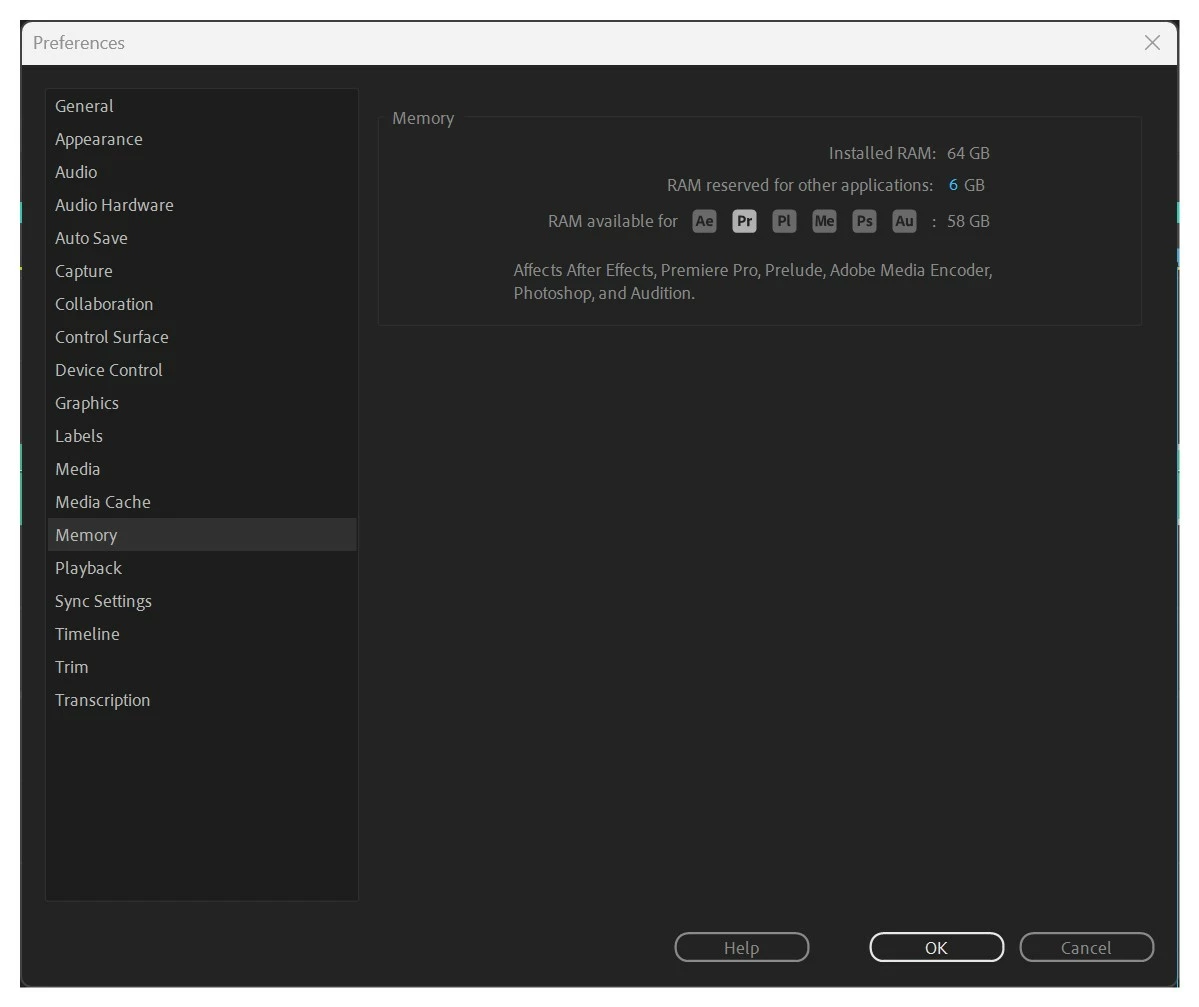
But no matter how much ram I allocate to Premiere Pro, the results are extremely poor.


So...let's cut down to the chase. Premiere Pro "should" burn through all my hardware resources (if needed) to play the timeline smoothly, yet this doesn't happen. It does not use the GPU. It doesn't work. Period.


I'm not here to start the conversation about DR vs Pr. Yet, I cannot understand where Adobe's priority are?

Premiere's poor performance is not something new; it has been years that this has been going on.


While bleeding users are migrating to other solutions, there is no announcement nor improvements on this front...and let's not get into the color grading results because that becomes another rabbit hole.


Rhetorical Question:
Shouldn't Adobe's focus be on making Premiere "PRO" a "Professional" software again? Or is all the attention put into AI autogenerating junk on Ps?


I apologize for the harsh tone.

Sergio.


***
CPU
 
AMD Ryzen 9 5900X 12-Core Processor 
 
Base speed: 3.70 GHz
Sockets: 1
Cores: 12
Logical processors: 24
Virtualization: Enabled
L1 cache: 768 KB
L2 cache: 6.0 MB
L3 cache: 64.0 MB
 
NVIDIA GeForce RTX 3080
Driver version: 31.0.15.3640
Memory
 
RAM 64.0 GB
Speed: 3200 MHz
Slots used: 4 of 4
Form factor: DIMM
Hardware reserved: 77.1 MB
 
Available 42.3 GB
Cached 20.6 GB
Committed 33.2/70.9 GB
Paged pool 4.8 GB
Non-paged pool 611 MB
In use (Compressed) 21.0 GB (1.4 GB)


This topic has been closed for replies.

10 replies

Sergio-CS
Sergio-CSAuthor
Inspiring
July 11, 2023

@ColbyFulton That is so true. I forgot to mention that my footage is all on SSDs Samsung installed on the motherboard causing the least amount of bottleneck possible.

I also tried with NVMe that read/writes at over 5,000MBs I'm quite sure this is not a hardware problem at all.

ColbyFulton
Known Participant
July 11, 2023

I have a new M1 Ultra Mac Studio and I have playback problems too - and none of my clips are even 4k. I blame it on the fact that there's a lot of clips in my project on several different drives (it's my demo reel), but it would be nice if the program would cache the video in RAM or something. I have 64 GB of RAM, 20 CPU cores and 48 GPU cores. I don't think Premiere is taking advantage of it all.

Community Manager
July 11, 2023

... Specifically playback with the Lumetri Scopes open is known to add a performance hit - but I would try with all non-player windows closed just to check. 

Community Manager
July 11, 2023

No problem - I'm happy to help.


If you monitor the CPU usage tab in Task Manager during playback is one of your CPU cores fully loaded?


By default Task Manager groups all CPU cores together and averages their utilization into a single graph, but you can right click the CPU utilization graph and select "Change graph to" -> "Logical processors". Your workflow might be bottlenecked by single CPU core performance. If during playback you see one or more cores 100% and others not - it indicates a single thread bottleneck.


I think it's also worth trying playback after closing all Premiere windows except the main playback window (you might want to save your workspace first). During playback Premiere updates many of those windows you have open and with a large number of high-res displays I'm wondering if this updating of non-playback windows might be responsible for the playback stutter. 

Sergio-CS
Sergio-CSAuthor
Inspiring
July 11, 2023

Hey @Kyle Plumadore 
Thank you so much for helping me out.


But all CPU and GPU are sleeping 


Community Manager
July 11, 2023

Is playback performance any better if you skip the footage interpreation/speed ramp? In general, it's better to not double interpolate footage - if I'm understanding correctly it sounds like you're doing 120fps footage as 23.976 but then interpolating back to the clips original frame rate. This might introduce a performance hit - especially if you're using optical flow or frame blending in the second interpolation step.


Also is your source content 10-bit 4:2:2 h.264/5? Unfortunately there is no hardware decode support for that format with current nVidia GPUs and playback of 120fps (with multiple clips?) will likely max out your CPU. You might consider re-encoding to a different format/lower resolution to help out while editing. 

Sergio-CS
Sergio-CSAuthor
Inspiring
July 11, 2023

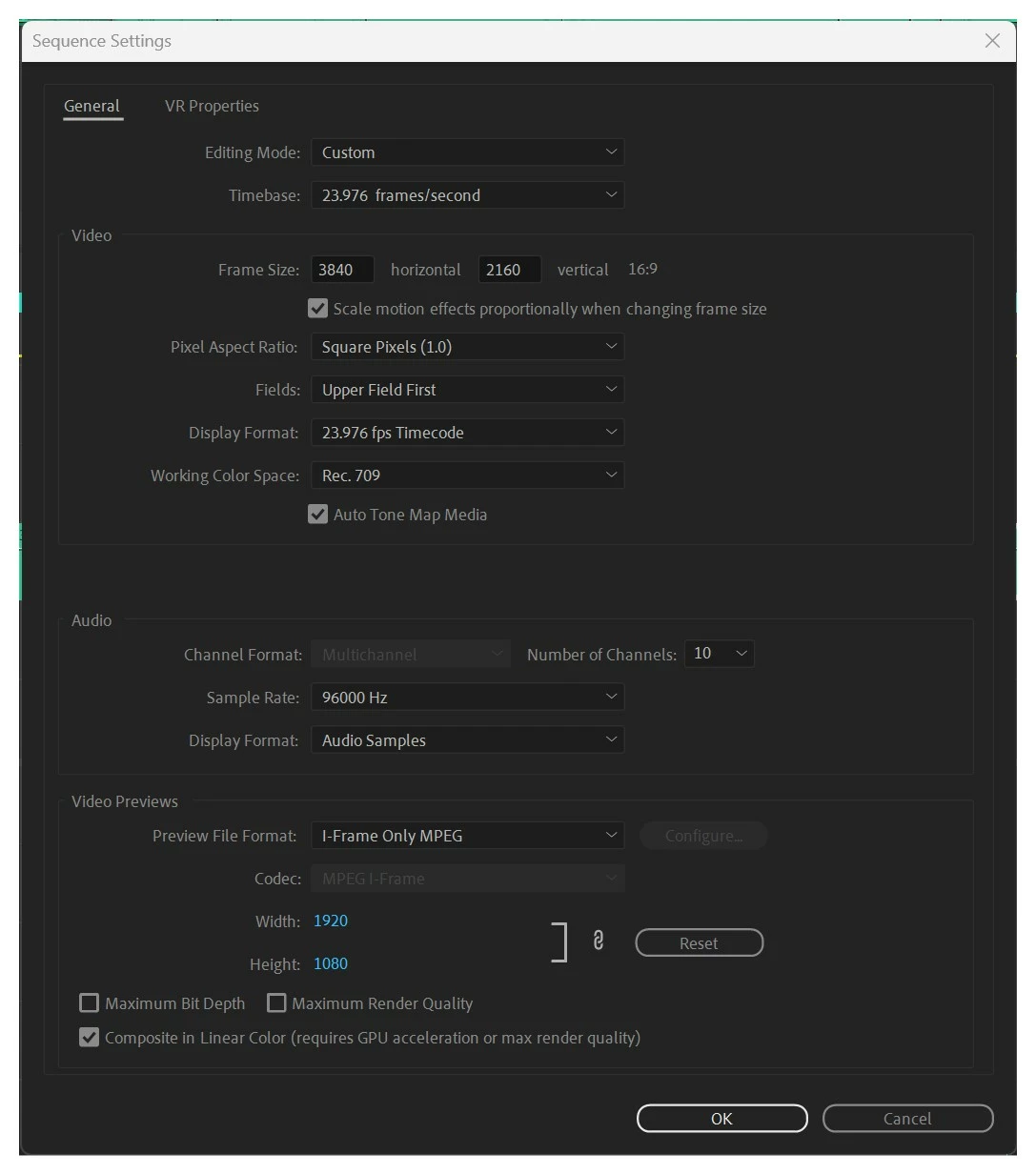
All footage that was shot above 23.976fps gets reinterpreted inside the media folder as 23.976.
Some clips (that are now in slow-mo) have some time remapping to create a speed ramp effect in the Effects Control Pannel.


Sharp FHD 60Hz
MSI 4K 59.94Hz

LG (x2) 4K 60HZ


Community Manager
July 11, 2023

Thanks for the info. I understand it's not always possible to share media.


The footage that always lags is any 120fps/59.99fps that gets reinterpreted to 23.976fps

Are you reinterpreting the media via the interpret footage dialogue or are you just dropping the 120fps media in a 23.976 sequence? 


Couple additional questions:
What is your display refresh rate / hz?

If you drop the same media into a new sequence (no interpolation) does the same media play smoothly? Is it smooth when played in the source monitor?


Sergio-CS
Sergio-CSAuthor
Inspiring
July 11, 2023

Hello Kyle,


The footage that always lags is any 120fps/59.99fps that gets reinterpreted to 23.976fps;

Any footage that has lumetry applied;

Any footage that has effects;

 Any camera used Sony FX6, Nikon Z9, Sony AIII, Arri Alexa 35 and Amira.


(I can't hare the footage as this is for a new show that will be broadcasted and it would be a breech of contract)

Community Manager
July 11, 2023

Hi Sergio,


Playback performance is a priority for the Premiere team. 

I would expect most 4K media to play smoothly on your config. I have a similar setup and don't experience the general performance issues you are describing.


Do you experience poor playback performance with a variety of media from multiple different sources/cameras? Sometimes media from a specific source can be problematic.


Can you share a piece of media that you experience poor playback performance with?