


Participating Frequently
July 12, 2023
Question

MAC) where is my LUTs folder?
  • July 12, 2023
  • 1 reply
  • 7778 views


i knew,

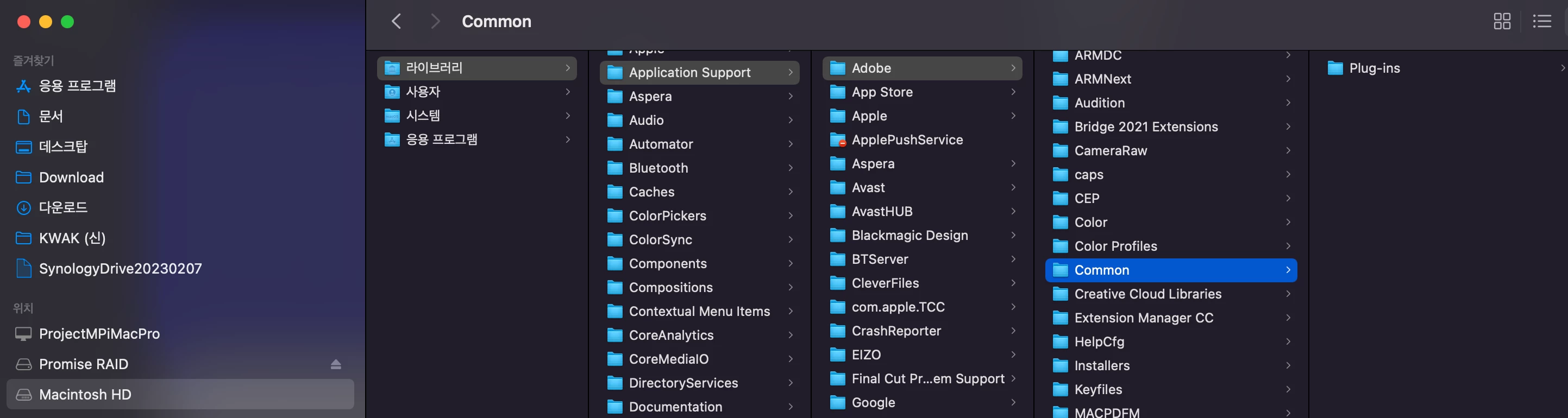
/Library/Application Support/Adobe/Common/LUTs/

the path must be exist... but it dosen't.


but, i have many LUTs preset in premere pro actually... like this.
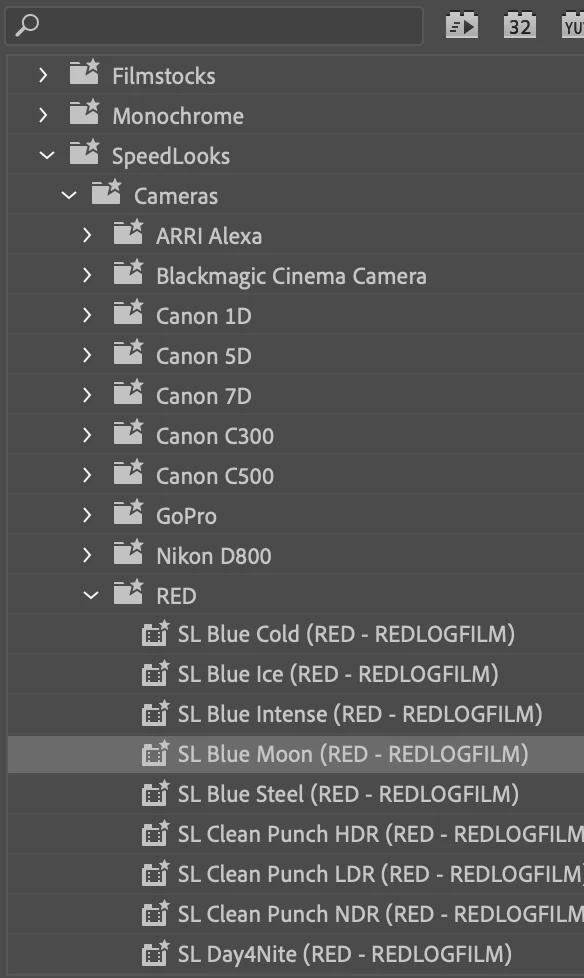


where actually this LUTs file is ?

is it possible to Relocate default LUTs path? and i want to know where is Actual my LUTs stored path...


thanks

This topic has been closed for replies.

1 reply

Adobe Employee
July 12, 2023

You can manually create the subfolder 'LUTs/' inside the mentioned path (/Library/Application Support/Adobe/Common/) and create the following subfolders inside LUTs to access them from different parts of the application.


There are two places where you can keep your LUTs - system paths and user paths.

If placed on a system path, all users on your system will be able to access the LUTs. This is useful if you're a system admin who wants to provide LUTs to all the users working on that system. These are listed below as first option in each case

For User paths, only specific user will be able to access these LUTs in the application. These are listed as second option in each case below


For accessing LUTs in Lumetri > Basic Correction > Input LUT menu

  • /Library/Application Support/Adobe/Common/LUTs/Technical/
  • /Users/{user_name}/Library/Application Support/Adobe/Common/LUTs/Technical/

For accessing LUTs in Lumetri > Creative > Look menu

  • /Library/Application Support/Adobe/Common/LUTs/Creative/
  • /Users/{user_name}/Library/Application Support/Adobe/Common/LUTs/Creative/

For accessing LUTs in Modify > Interpret Footage > Color Management > Input LUT menu

  • /Library/Application Support/Adobe/Common/LUTs/Input/
  • /Users/{user_name}/Library/Application Support/Adobe/Common/LUTs/Input/


Note - 
- If you are placing on the user path, /Users/{user_name}/Library folder might be hidden on your system. Ensure that it is visible.

- In case you are not seeing any of the subfolders on the above mentioned paths (in your case it would be LUTs/Technical or LUTs/Creative or LUTs/Input under system path /Library/Application Support/Adobe/Common/) then please create them manually.


Participating Frequently
July 13, 2023

thanks very much.


but, i can not see anything path that you told...


in my premiere pro that is obviously exist LUTs data.

i want to find that file exactly where is. can i?


i turn on hidden folder option to watch all of hidden folders.

but i can not see any of below paths.


  • /Library/Application Support/Adobe/Common/LUTs/Technical/
  • /Users/{user_name}/Library/Application Support/Adobe/Common/LUTs/Technical/
  • /Library/Application Support/Adobe/Common/LUTs/Creative/
  • /Users/{user_name}/Library/Application Support/Adobe/Common/LUTs/Creative/
  • /Library/Application Support/Adobe/Common/LUTs/Input/
  • /Users/{user_name}/Library/Application Support/Adobe/Common/LUTs/Input/


    of course. some Application Support folder is exist. but "LUTs" folder is not exist in my whole on MAC...


help me... i just want to see those files EXACTLY where is...


Adobe Employee
July 18, 2023

As I said, you can create the LUTs folder inside the Common folder that you have shown in the screenshot above. And then create Technical, Creative subfolders inside LUTs folder. You can add your custom LUTs inside Technical and Creative subfolders to start viewing them on Lumetri LUT menus.


Secondly, the LUTs you are seeing in the Effects panel (the second screenshot you shared), are not LUTs at all. These are lumetri presets which can be used to save Lumetri settings for reuse across projects. The LUTs that are applied when applying the preset are embedded in the preset itself. These are bundled with the application and cannot be modified. You can however create your own Lumetri Preset - follow https://community.adobe.com/t5/premiere-pro-discussions/how-do-i-save-my-lumetri-color-corrections-as-a-preset/td-p/9060972 and your custom presets will start appearing in the Effects > Presets panel list that you shared.

Hope this helps.