


Question
Media mismatch error after update
Adobe if this is a bug please fix it, it is affecting my job. After the update all my video files are shown as offline and I get this error when I try to relink
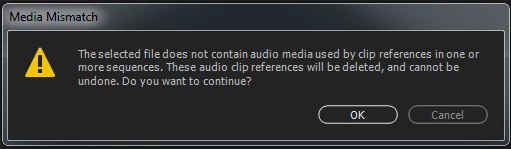
The only way around this seems to be going into the media area of preferences and cleaning media cache files. I then have to rename folders where my videos are located so premiere is forced to relocate them when opening the project file. If this is a bug please fix it.
 AdChoices