Participating Frequently
August 20, 2019
Question

Multi camera view with *.mts & *.mxf file type

  • August 20, 2019
  • 4 replies
  • 1217 views

Dear all!

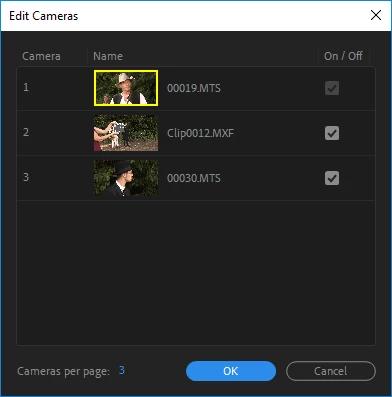
I have an issue with multiview. I selected all three cameras:
And multiview shows only MXF type of file:
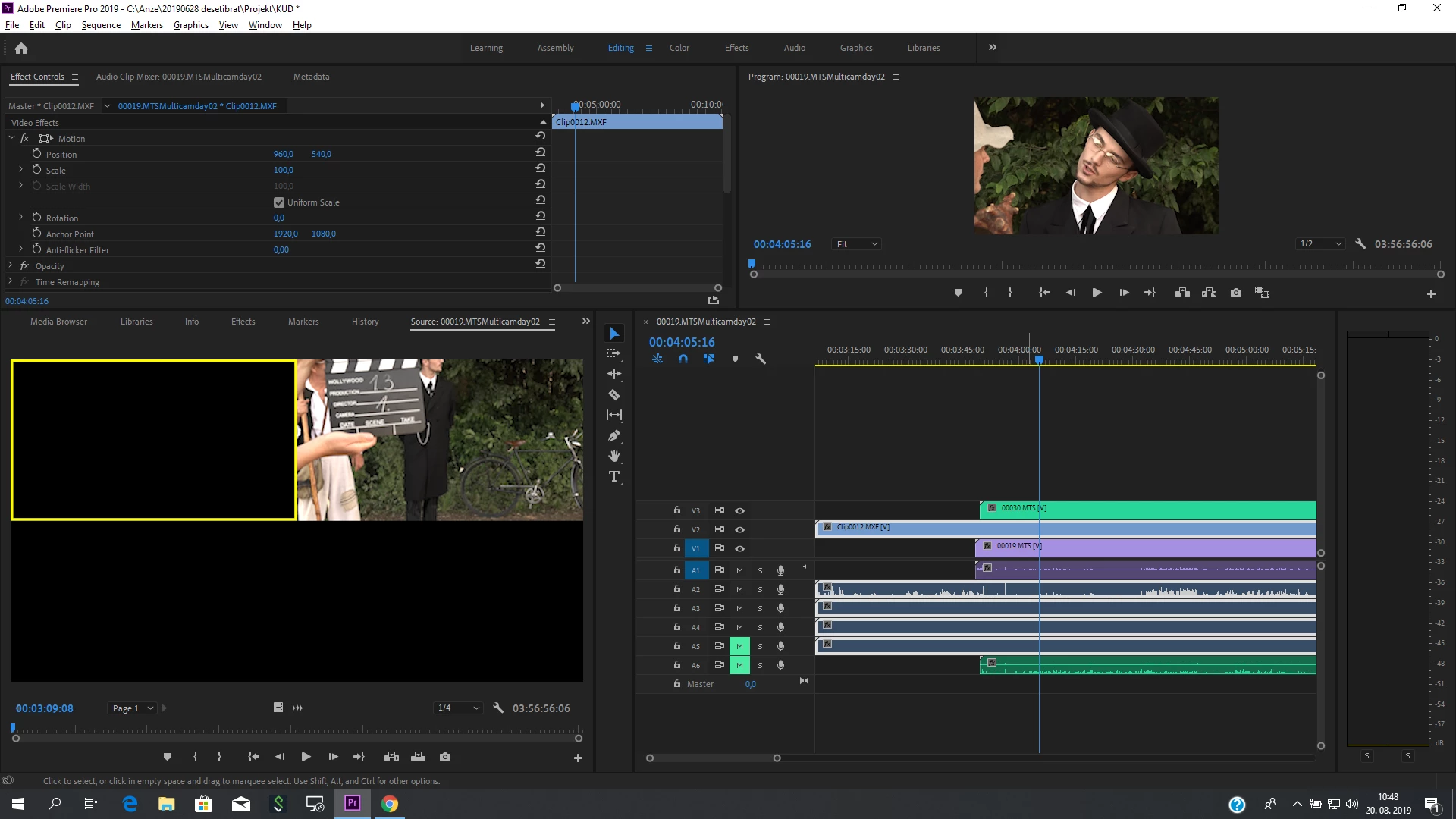
Any idea how to resolve this?

Thank you!

Greetings,

Anze

This topic has been closed for replies.

4 replies

raljadminAuthor
Participating Frequently
August 21, 2019

Ann Bens​ & MyerPj​ thank you! That was the issue.

I need to create New Sequence From Clip.

And in Program window I need to set Multi Camera view.

Inspiring
August 20, 2019

You need to have your tracks targeted for the angles to show up in your multi-cam view, but what's odd is that v1 is selected, but that's not your MXF. What happens when you target (select to make blue) v2 and v3?

raljadminAuthor
Participating Frequently
August 20, 2019

Yes, offcourse. I selected all and created Multi Camera with labels.

Ann Bens
Community Expert
Community Expert
August 20, 2019

Multicam with labels? Please explain your workflow.

Your timeline does not look like MC but just stacked clips.

Did you make a New Sequence from clip from the MC setup?

raljadminAuthor
Participating Frequently
August 20, 2019

Hi Ann.

My workflow is:

1. Import files through Media browser From Cam01

2. Put files in bin named Cam01

3. Label files with colour

4. Put number ”1” in meta tag: Camera Label

5. Repeat steps -||- for Cam02 and Cam03 just woth different labeled colours and Label numbers

6. I put all the files from all the bins to one bin.

7. Select all files, right mouse button click on all the files and create Multi camera Source Sequence

8. Put dot in Timecode and thick on Create single multicam source sequence (Track assignments: Camera Label)

9. Click OK

10. Right click on multisource sequence which was just created and Open in timeline.

11. That is the view I attached in the first post.

12. Than I open the multicamera view and it shows only one camera (mxf). We should see all three cameras.

Am I something missing here?

I’ll try that “new sequence from clip”.

Ann Bens
Community Expert
Community Expert
August 20, 2019

Did you import all clips via Media Browser?