Participant
March 29, 2021
Answered

New "Text" window panel does not open

  • March 29, 2021
  • 4 replies
  • 7934 views

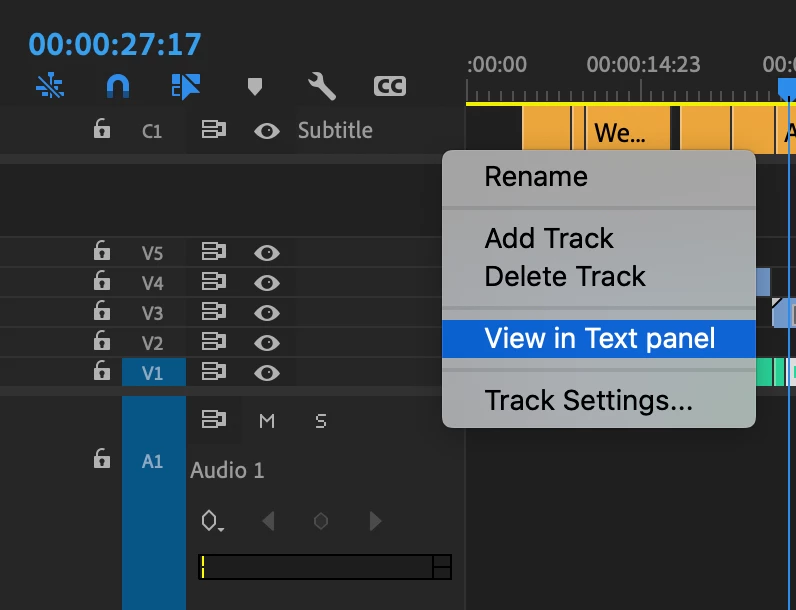
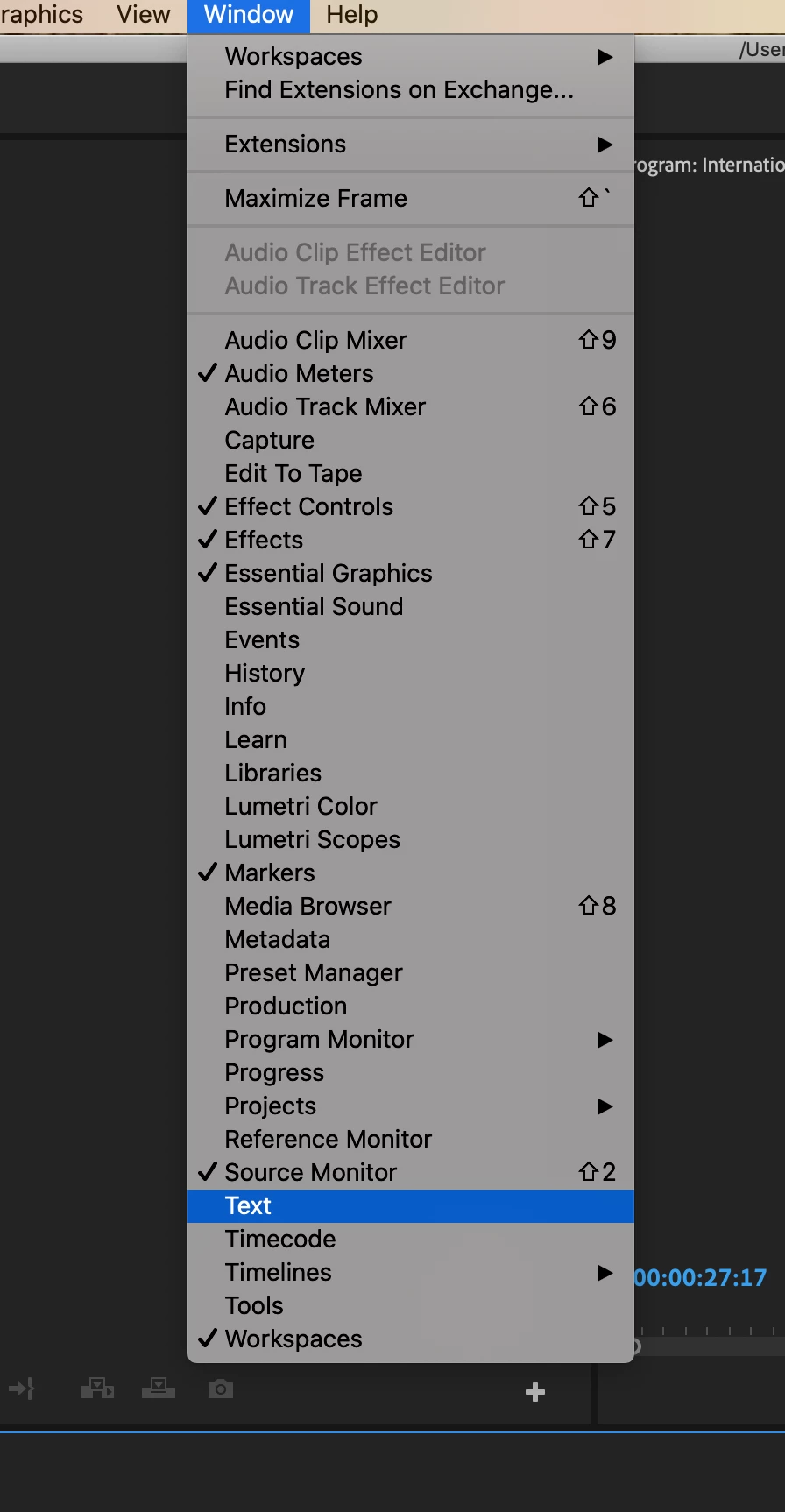
I can't open the "Text" panel to edit my captions. I've tried Window > Text. And right clicking on the caption layer in the timeline and selecting "View in Text panel" but nothing happens. No window pops up. No new tab is opened. And I don't get a check mark by "Text" showing it's open.


Any solutions to getting this window open so I can better edit captions and (the reason I realized I don't have a Text panel) so I can export just an .srt? We used to be able to do this through File>Export>Caption, but that's not there anymore.


Working in Premiere version 15.0.0.

Thanks.
Correct answer Stan Jones

Any chance this applies to you?

https://community.adobe.com/t5/premiere-pro/no-captions-in-15-0/m-p/11933720#M338483


I.e. do you have Digital Anarchy Transcriptive plugin?


Stan

4 replies

Participant
November 17, 2025

My solution:

1) Quit Premiere
2) Navigate to: C:\Users\Start Beyond\Documents\Adobe\Premiere Pro\<version>\Profile-<your User Profile> (WINDOWS)

3) Delete the Adobe Premiere Pro Prefs file

4) Restart Premiere.

5) Give yourself a high five because you're a problem solving MACHINE!

Participant
October 18, 2022

changing the workspace to "all the panels" in windows menu save me....

Stan Jones
Community Expert
Stan JonesCommunity ExpertCorrect answer
Community Expert
March 29, 2021

Any chance this applies to you?

https://community.adobe.com/t5/premiere-pro/no-captions-in-15-0/m-p/11933720#M338483


I.e. do you have Digital Anarchy Transcriptive plugin?


Stan

Participant
March 30, 2021

YES! Thanks Stan. Transcriptive turned New World off, so I just had to turn it back on and now the "text" window works. 

Stan Jones
Community Expert
Community Expert
March 30, 2021

Excellent!

R Neil Haugen
Legend
March 29, 2021

Are you in the new Captions workspace?


Neil

Everyone's mileage always varies ...