


Premiere audio sync issues

Copy link to clipboard
Copied
ok so. i have the following problem:I record with Bandicam. in a AVI, Motion Jpeg and PCM mode. which (should) make the video constant frames per second. not variable ( since that isnt adobe supported) . i checked with Mediainfo and the bit rate is constant. i also record a microphone seperate with Adobe Audition.and everything worked well before. but now suddenly, when i go in to premiere to edit. it seems fine at the beginning. but after a few minutes, the mic Audio drifts away from the game video/audio. i tried to first export it, and go back. but same result. handbrake didnt help either. what can i do??? i really need help with this. cleaning cache also didnt help..


 7
Replies
7
7
Replies
7




Copy link to clipboard
Copied
Copy link to clipboard
Copied
well i dont know how to check this. Media info doesnt actually say "constant frame rate" just that the frame rate is 60.000 FPS. most likely because i record with Motion Jpeg. since this was according to Bandicam the only option.


Copy link to clipboard
Copied
Was your audio recorded at 44.1kHz or 48kHz?
Copy link to clipboard
Copied
48Khz
Copy link to clipboard
Copied
anyone ideas? Adobe customer service told me to ask here. since they cant figure it out...
Copy link to clipboard
Copied
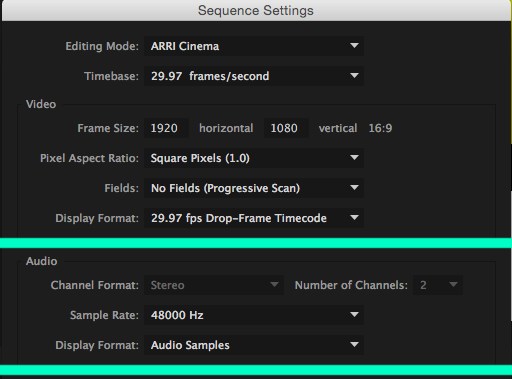
Drag the Bandicam .avi onto the "New Item" icon. It'll generate a Sequence based on the video settings. I'm curious about what Premiere will display.

Copy link to clipboard
Copied
Step 2b will solve this.


Get ready! An upgraded Adobe Community experience is coming in January.
Learn more
 AdChoices