


Inspiring
November 8, 2023
Answered

Premiere keeps generating xmp files and crashes.

  • November 8, 2023
  • 11 replies
  • 2717 views

Hello, 
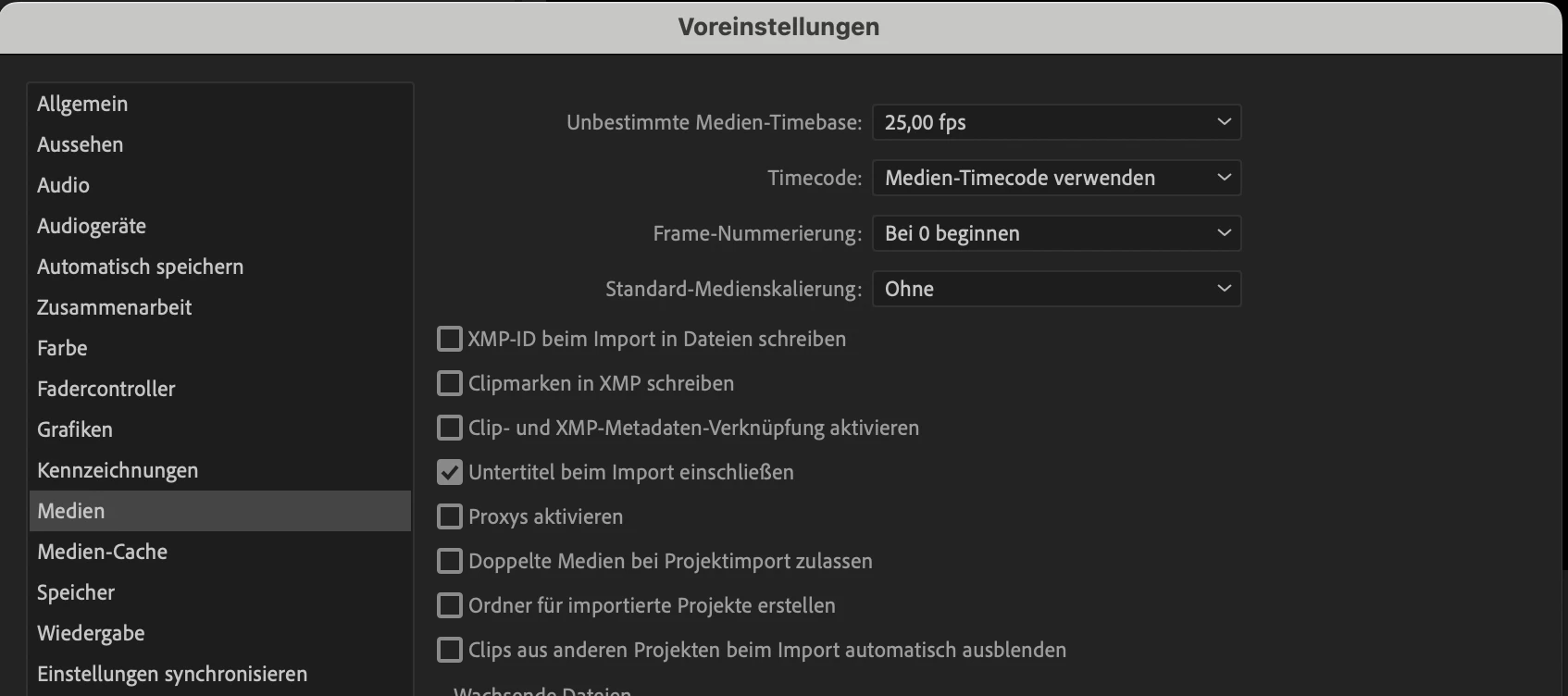
I'm currently tagging clips for a huge project in Premiere Pro. However, I've encountered some issues. Premiere Pro crashes upon opening the project or fails to load clips and then crashes a bit later. Additionally, it keeps generating XMP files despite having unchecked the XMP settings. There are a lot more than 1000 clips and I believe Premiere crashes because it is attempting to generate all those .xmp files in the background.

Any ideas how to fix this? 


Im Working on a MacBook Pro 16 (M1 pro, 16GB RAM)


This topic has been closed for replies.
Correct answer Martin24646568p55r

For those encountering a similar issue, I uninstalled and reinstalled Premiere Pro, yet it continued crashing in different projects. As a solution, I tried to reset my entire MacBook, which finally resolved the problem, and now everything is functioning properly.

11 replies

Martin24646568p55rAuthorCorrect answer
Inspiring
November 21, 2023

For those encountering a similar issue, I uninstalled and reinstalled Premiere Pro, yet it continued crashing in different projects. As a solution, I tried to reset my entire MacBook, which finally resolved the problem, and now everything is functioning properly.

Bruce Bullis
Community Manager
Community Manager
November 21, 2023

Potentially useful test:
0 new project

1 import an .mxf file which does NOT have an .xmp 'side car' file next to it.

2 In PPro, modify the metadata associated with the .mxf file's project item.

3 Save project.
4 Check OS directory; there should now be a .xmp file, next to your .mxf file

Inspiring
November 21, 2023

@bbb_999 weird because in other projects there isn't a single XMP file. But Thank You.

 
bbb_999
Adobe Employee
Adobe Employee
November 9, 2023

...Additionally, it keeps generating XMP files despite having unchecked the XMP settings

For all MXF files, PPro will always store media-related XMP metadata (as opposed to project-specific metadata) in an .xmp "side car" file, next to the .mxf file. 


jstrawn
Legend
November 9, 2023

OK so that's not helping, but thanks for trying. Are you sending in the crash reports when you see them? If so, can you send me (in a private message) the full email ID that you are using as your CC Login? This will allow me to search for your crash reports directly in our crash reporting tool. @Martin24646568p55r 

Inspiring
November 9, 2023

@jstrawn No if i delete them, premiere starts immediately to recreate them and crashes after a few minutes.

jstrawn
Legend
November 9, 2023

@Martin24646568p55r If you delete those, does it alleviate the problem for a while until they all come back again?

Inspiring
November 8, 2023

@jstrawn 
I have used this for the past weeks and there wasn't a single .xmp file in my Folders. I used clip Metadata. "Clip metadata is information about a clip, stored in a Premiere Pro project file." (https://helpx.adobe.com/premiere-pro/using/metadata.html). 

I'm using XMF files. The funny thing is that everything worked fine, but since the sidecar files are in my folders, Premiere keeps crashing. 

Inspiring
November 8, 2023

Yes but for my understanding there is clip and xmp metadata. "Clip metadata is information about a clip, stored in a Premiere Pro project file." (https://helpx.adobe.com/premiere-pro/using/metadata.html). Now why keeps premiere creating those sidecar files

Yes i've tried using Productions, but it is not working for this. I need to search for keywords in all clips. I tried using a Production, but then I need to open every project in the Production and search each of them. 

jstrawn
Legend
November 8, 2023

Crashing is never good! Let's see if we can help you avoid that. When you say, "tagging clips for a huge project in Premiere Pro," you mean you are adding clip markers, correct? I see in your screen image that you do not have any of the Media Prefs checked on for XMP writing. That's a start, but with some file types (like mts and mxf) we have to write out an XMP sidecar file anyways, because there is no way to add marker data into the metadata of the media file itself. So it could be that you have some bloated XMP files somewhere causing problems.

Find the media files on disk then look for XMP files right next to media files of the same name. Those are your sidecar files. You might try moving some of them out of the area temporarily to see if that lightens things up a bit. Just beware that if it is a files type that always writes out xmp for markers, you will lose any clip markers you added to them inside Pr if you delete the sidecar file for good. So make backups and do it sparingly at first just to see if that really is what's bogging down Pr for you.