


- Home
- Premiere Pro
- Discussions
- Re: Premiere Pro 2019 Legacy Title Tools & Actions
- Re: Premiere Pro 2019 Legacy Title Tools & Actions

Copy link to clipboard
Copied
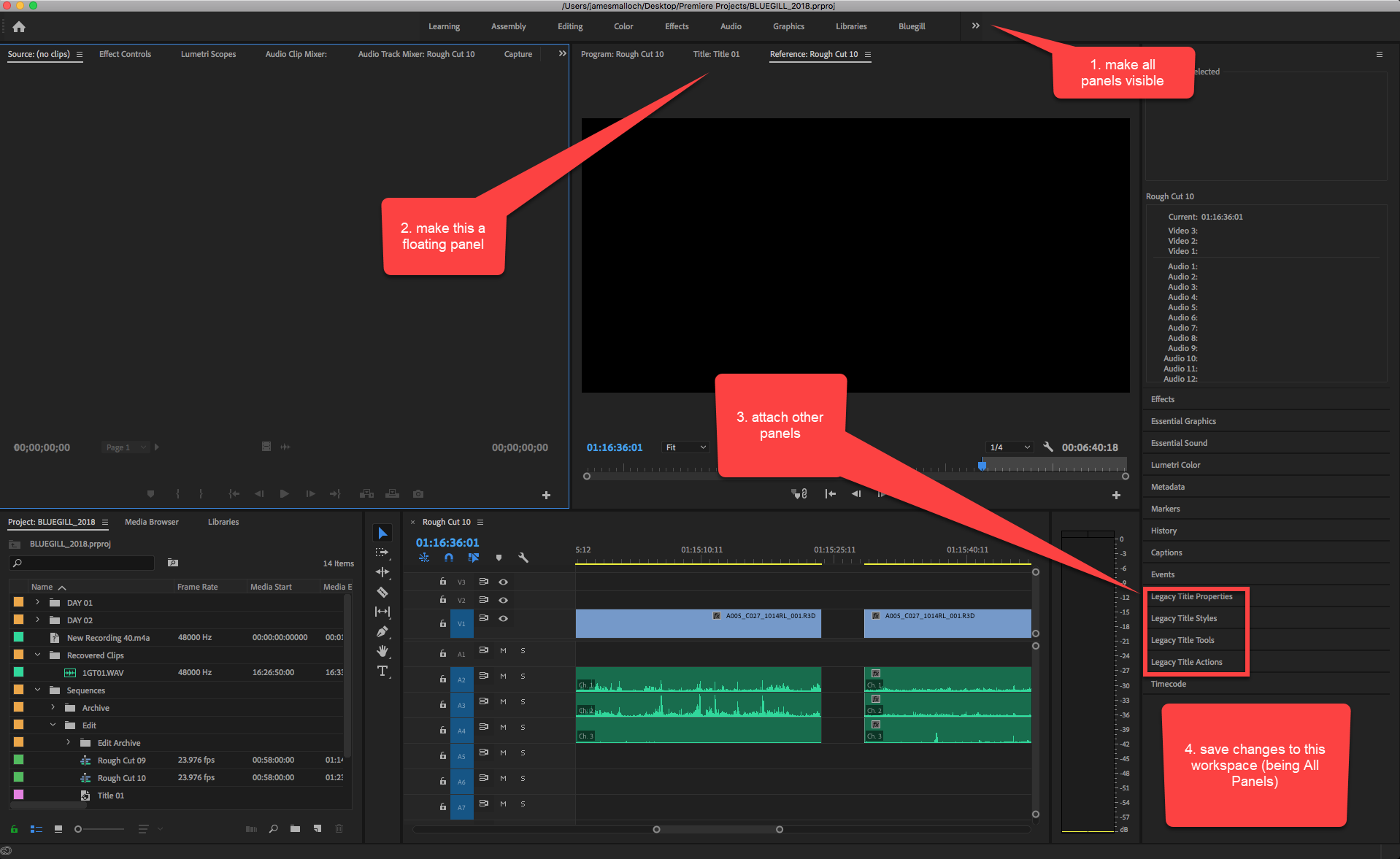
I just installed Premiere Pro 2019 (version 13). I prefer using the Legacy Title tool because I find it more straightforward and easy to use. Except... on this latest version I find that when I open it, the tools and actions displays are always hidden. I have to click on the little horizontal bars and call them up. Is there any way I can change this so that they simply appear whenever I open the titling tool? Thanks,
J.


 1 Correct answer



 49
Replies
49
49
Replies
49


Copy link to clipboard
Copied
I thinks that I solve this issue by edit my own shortcut Ctrl+T for opening the Title legacy.

Copy link to clipboard
Copied
Our experience is that this has not been resolved by the 19.0.2 update.
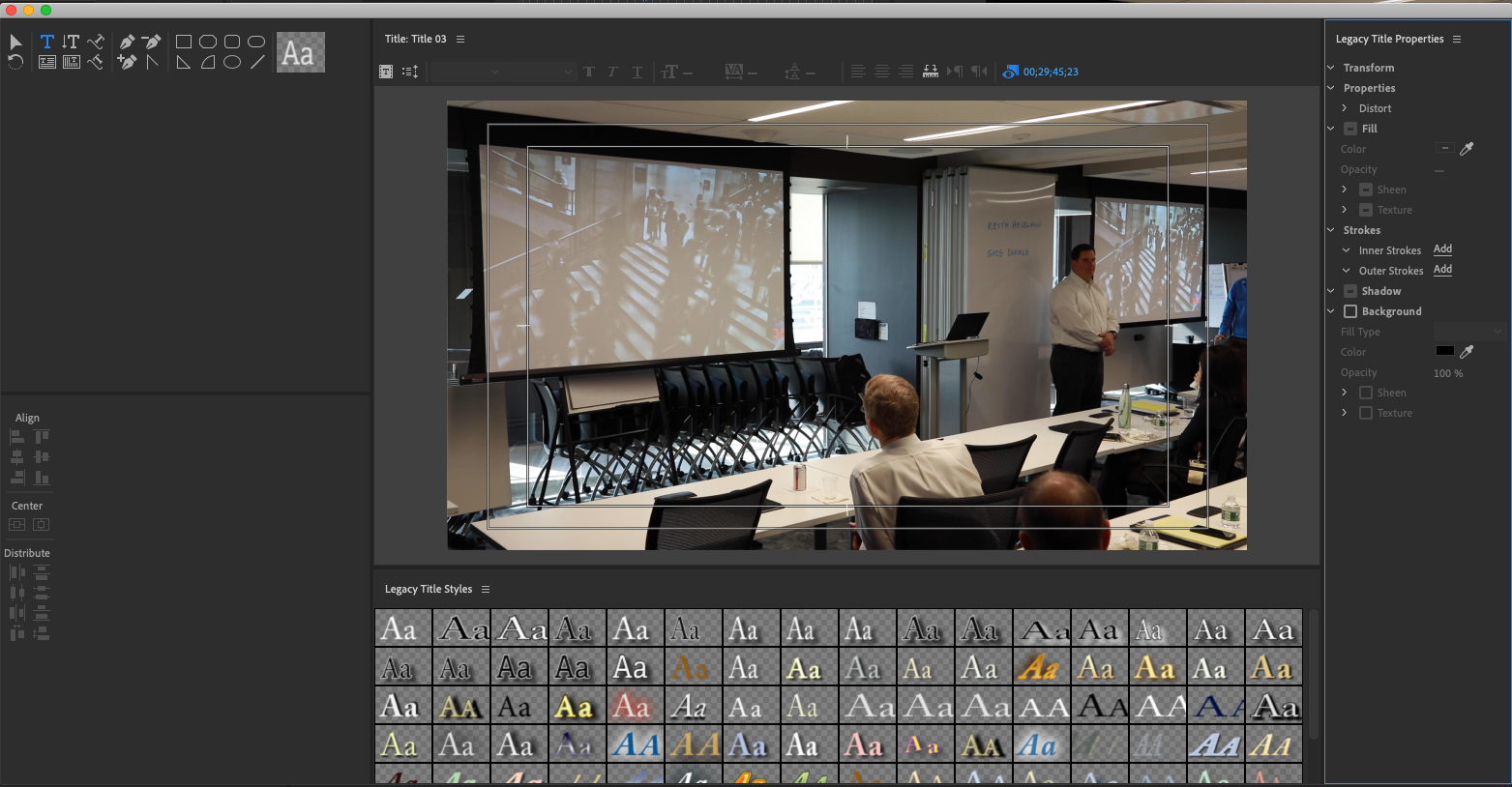
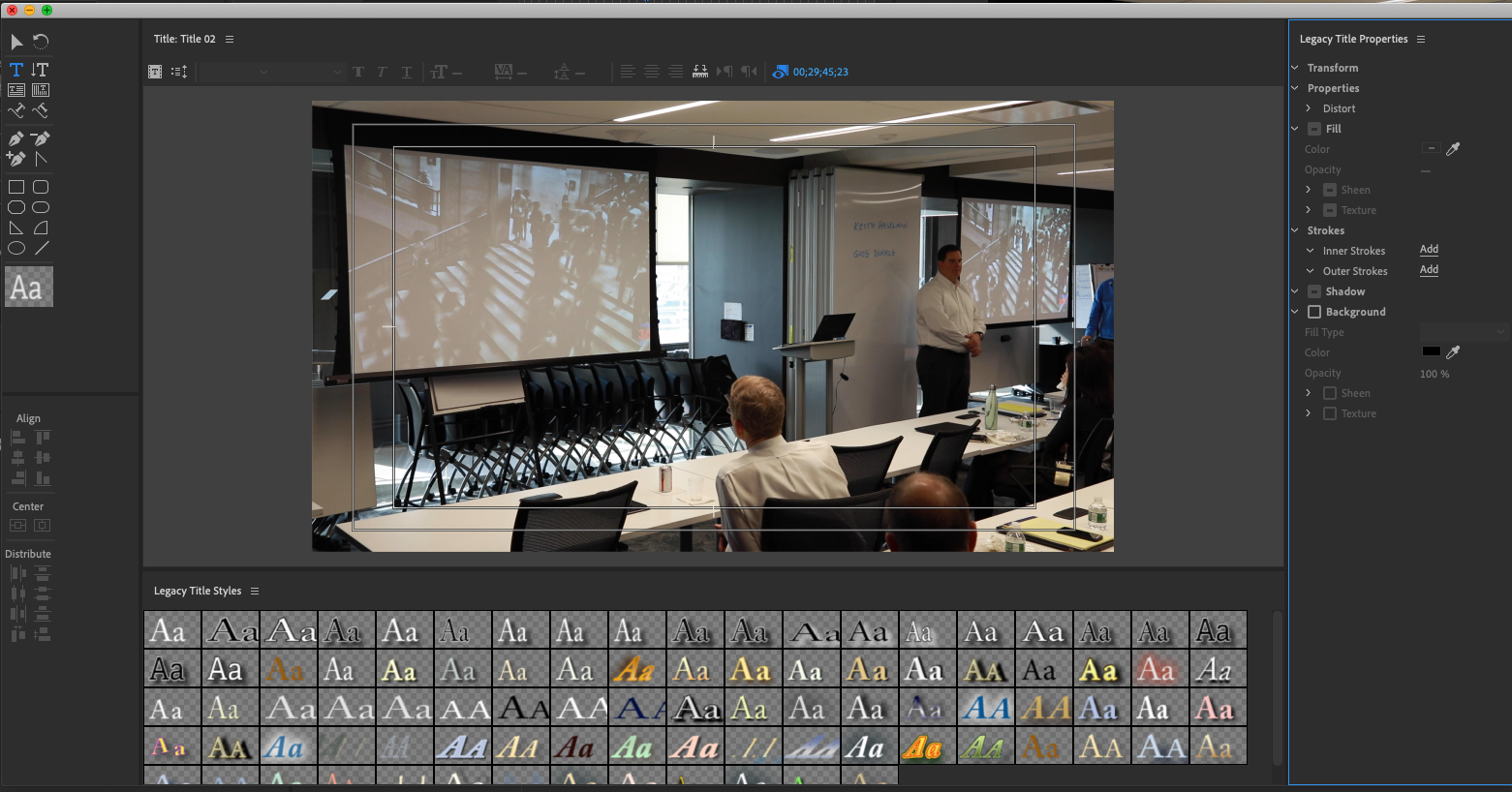
It's like herding cats. The panels continue to reposition themselves each time Legacy Titles are opened — but at least the panels persist, if not remembering their positions.
These shots taken seconds apart after closing and opening Legacy Titles.
Copy link to clipboard
Copied
Ann Bens response marked 'answer' at the top of this thread with original post describes how to structure and save your workspace with Legacy Titles -- what i describe as 'reprograming' the LT window.

Copy link to clipboard
Copied
Yes, herd away!
Sorry, I gave an incomplete answer. See this response that explains what was fixed (panel not staying together) and what not (resizing).
Re: "Legacy title" panel size changes every time I reopen
Does Ann's/your method avoid the resizing?
Copy link to clipboard
Copied
No it still resized but the windows stay together.
The resize bug is hopefully fixed in the next update.


Copy link to clipboard
Copied
Joshua B,
Only giving you my advice as an editor and as someone who has worked on other NLE software. When stuff gets named "Legacy" -- look out!
If you can't deal with the removal of a Legacy tool, let the devs know. No other way to prevent this. Good luck.
Thank You,
Kevin

Copy link to clipboard
Copied
This is a classic developer´s [PROFANITY REMOVED] of the 21st century. Premiere is not a social network fur dumbos, this is a paid professional tool, that many of us use for work for many years! And we are used to some techniques and don´t have time to learn new stuff, which is unnecessary for us. Adobe is just pushing us to switch to the new panel. I tried it and I hate it. And then when I create e.g. subtitles for a whole film, this tool-panels-disappeering totally disgusts me.
So maybe Adobe should wake up and instead of pushing us old dogs to new things, it would be much more appreciated to keep the old stuff there for us. It is nice to add new features, but please don´t destroy what used to work just fine and is apparently still there. Cheers
Moderator Note: Warning. Please do not use profanity on our forums, even if implied via any surreptitious method (like the above). We have minors reading here. Thank you for understanding.

Copy link to clipboard
Copied
So ... people want a faster and more stable program and also want all the old code tools written for use on computer gear that hasn't been in production for years left in the app. You can't have both.
Software and computer gear are always changing, and neither you nor I nor Adobe can do one thing to even slow it down. I bought the first computer for our business in mid-80's, and we got the insanely large 40MB hard-drive. People telling us we were nuts to spring for that huge a drive.
I've got a drawer full of software on floppies and optical drives ... all of them dead apps, long since totally unusable. The big dogs of software in the 80's/90's ... dBase, Word, several others. We have constantly needed to move through computers, replacing the one in our 'heaviest' workflow as needed, moving that down the line and dumping the oldest computer in the shop.
And ... I've got a new video build on order now. Yea, ouch ... but ... it's time.
The apps must change. You can choose to stay with the old, and ... after a while ... probably go into the drawer of dead apps.
I don't often like changes ... but they are a part of modern life. And this wasn't from the engineer's/developers wanting to do something to the users. It was something that many users wanted. That old Titler had nice capabilities for the mid-decade era. Yea, about five years ago ...
Neil

Copy link to clipboard
Copied
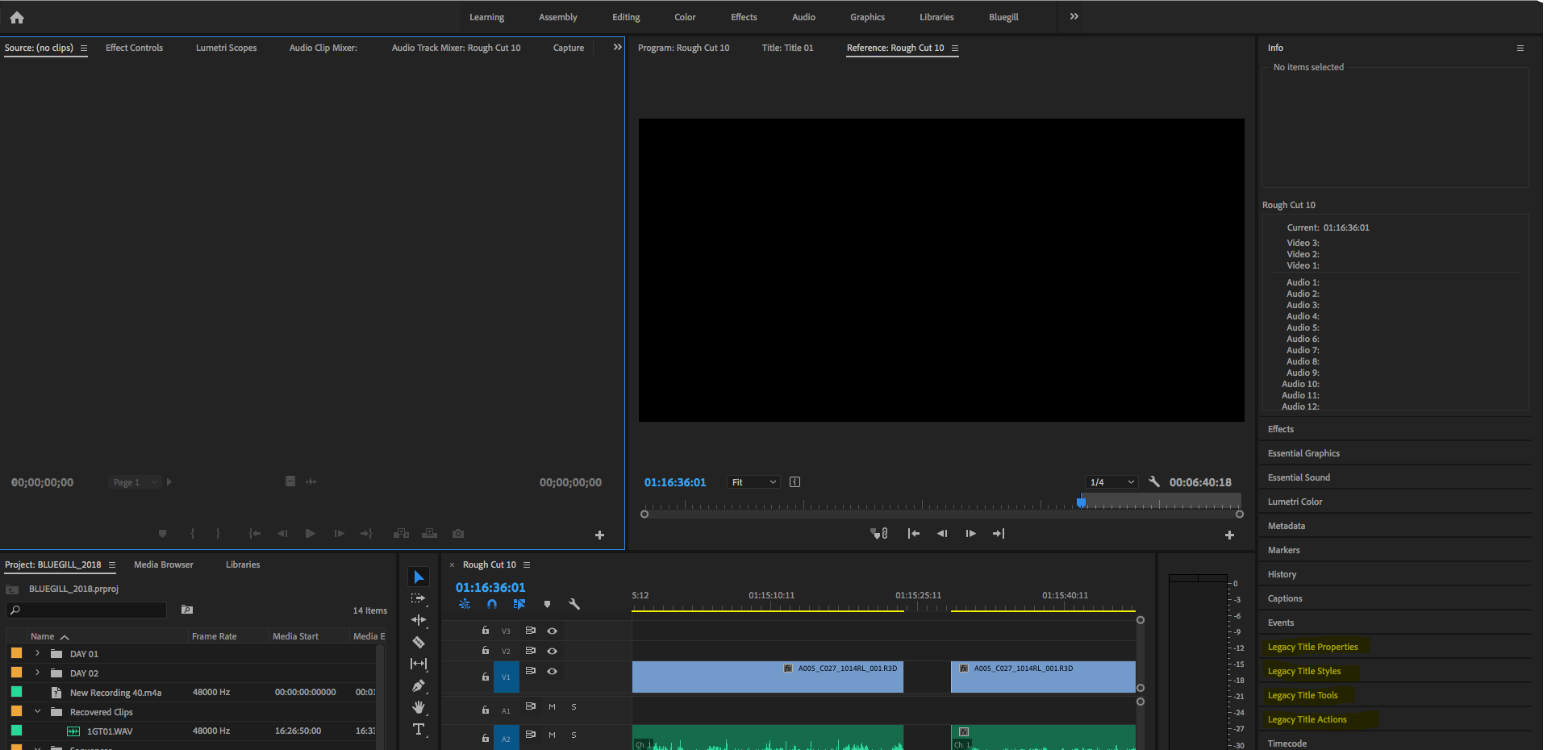
Please check the title functions and styles available at the bottom right of this workspace. You can refer to the screenshot attached:
Copy link to clipboard
Copied
Thanks Shivangi. With all due respect, though, it was much better before when these options simply opened as a matter of course beside the titling window when you opened the titling tool. These are not luxury options, you need them to create the text and move it around the screen.
Copy link to clipboard
Copied

Copy link to clipboard
Copied
This does not resolve our issues. Each user must rebuild the legacy title panel, in each workspace they use, on each computer, and the legacy panels must still be organized again each time the legacy title tool is used.
We've migrated to the newer title tools where applicable. We now have multiple processes in play, and older projects remain a problem.
Copy link to clipboard
Copied
Have to wait for a fix (soon).
Copy link to clipboard
Copied
You probably need to Reset to saved workspace of the All panels workspace.

Copy link to clipboard
Copied
Please fix this guys! This is a big bug and it's adding HOURS to our edits. It's like having to install the tires on a car every time you have to drive it. This does not make sense. All the panels SHOULD be up when we open the title tool.
Copy link to clipboard
Copied
The panels not sticking together was fixed in 2019.0.2. But using the panel results in the panels resizing. They are working on it...
Copy link to clipboard
Copied
just adding my voice to this. Each time i edit a legacy title, i must again open the tools and properties panels. This is cumbersome. and new to cc2019.


Copy link to clipboard
Copied
Same problem here. We use legacy titles a LOT (like > 100 times per hour of video content). Our Chief Designer is so pissed, he is looking for alternative Software  .
.
This bug drives me crazy and make me angry too.
Copy link to clipboard
Copied
So I do the method of "reset to saved layout" as soon as I move anything in the layout to make my workflow more suited for me, the issue returns. I have to open all property panels. Why I do I have to constantly have to either open property panels or reset my layout? I use essential graphics when needed, and I create them but in some situations they are not necessary. Please stop trying to push Essential graphics.
Copy link to clipboard
Copied
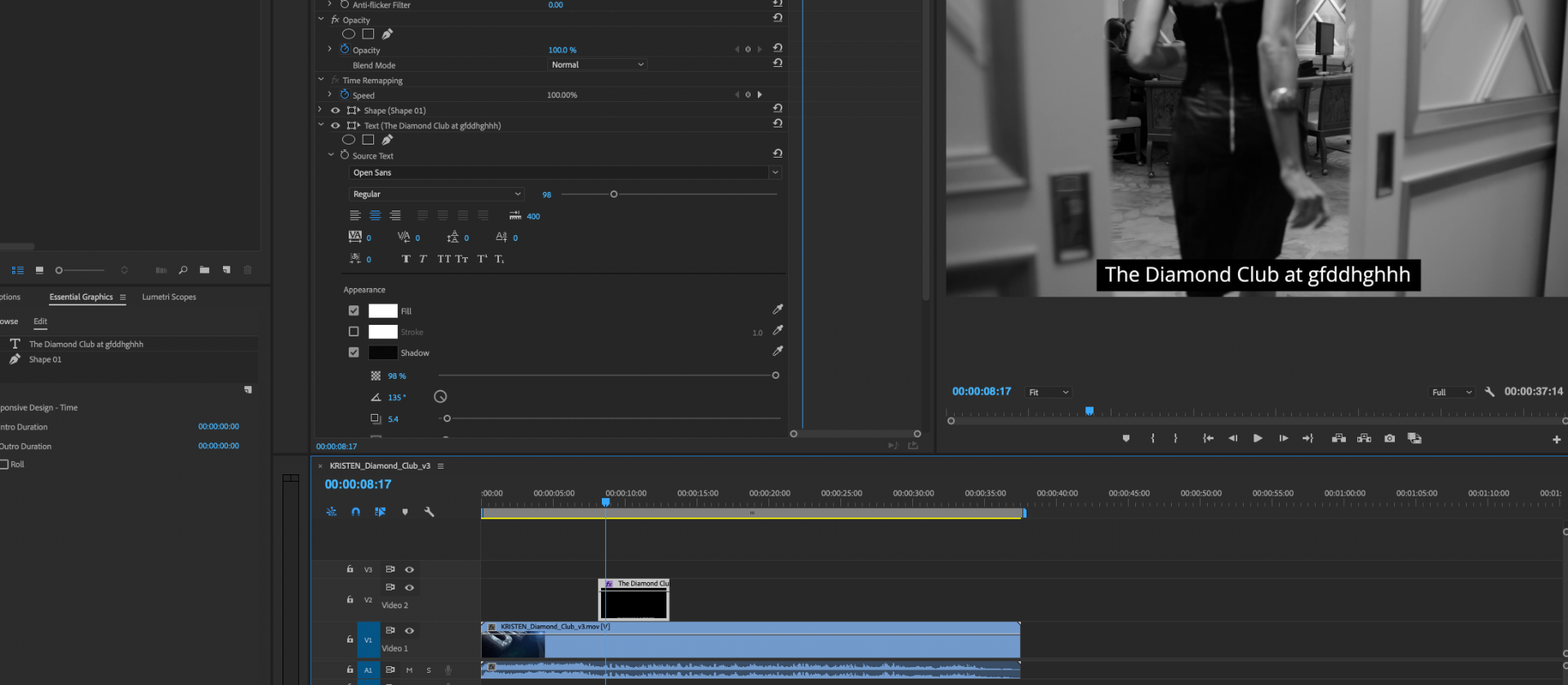
Legacy Titles: background goes full screen, rectangles won't auto-adjust
Captions: broken, bugged, won't align and WON'T RENDER 
Essential Graphics (on screen): I've build sample caption, but it's not in the EG library yet, it's not in project manager viewport and there's no save button I could see, there's no "find in project" after right-click and the copy-paste on timeline doesn't do the trick.
Task was a simple text on black rectangle.
Adobe 2018. This is ridiculous.
Copy link to clipboard
Copied
What specific dot version of PR are you running?
Your Captions line refers to the captioning tool, right? And by "Won't Render," you mean what? The only issue that I'm tracking is not burning in when exported through AME with preference for "Import Sequences Natively" turned off.
Some alignment issues continue; others have been fixed.

Copy link to clipboard
Copied
I found that if you open the legacy titles window and then just minimize it, it will stay with the correct settings as you open up other titles.
Copy link to clipboard
Copied
Nice tip, mattm.

Copy link to clipboard
Copied
Copy link to clipboard
Copied
The OP's question has been marked as correct. The thread is turning into every complaint possible about a Legacy panel. Please create a new post or create a bug report or feature request here. Post is now locked.

-
- 1
- 2

Get ready! An upgraded Adobe Community experience is coming in January.
Learn more
 AdChoices