


Inspiring
January 13, 2019
Answered

Switch timeline to 60FPS in Premiere Pro CC

  • January 13, 2019
  • 1 reply
  • 39691 views

I have the same question as this thread: How do I set my timeline to 60FPS only the solution posted there does not work for me.
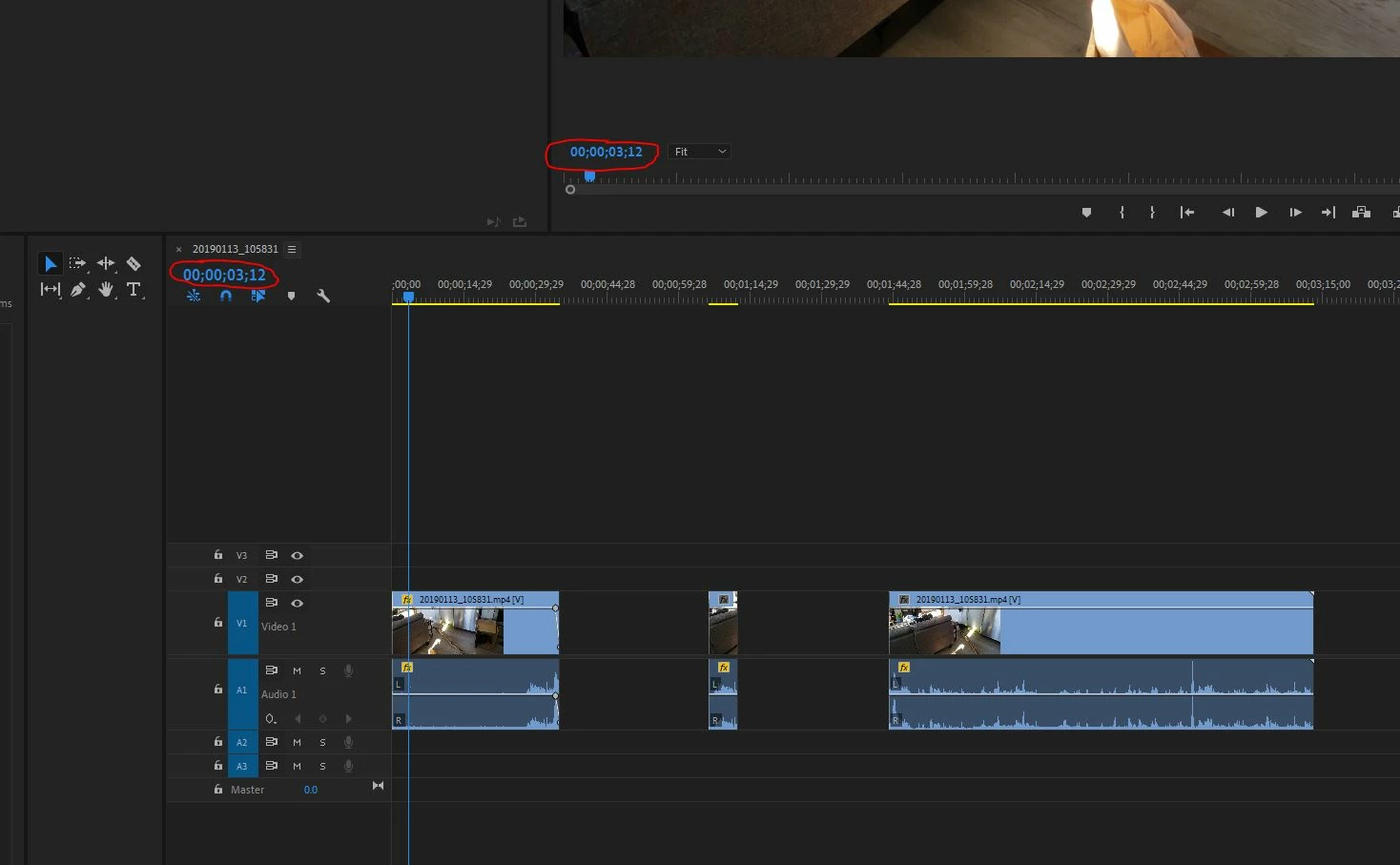
I am trying to get the circled number to display the actual frame number.  It displays 30fps, and if I scrub using the arrow keys I have to press twice for that number to change.  So it is recognizing all 60 frames in my footage.

The footage I'm editing is from a Samsung Galaxy S9+, which apparently records in variable framerate.  I recorded with HEVC turned off, so it is H.264.
This topic has been closed for replies.
Correct answer Warren Heaton10841144

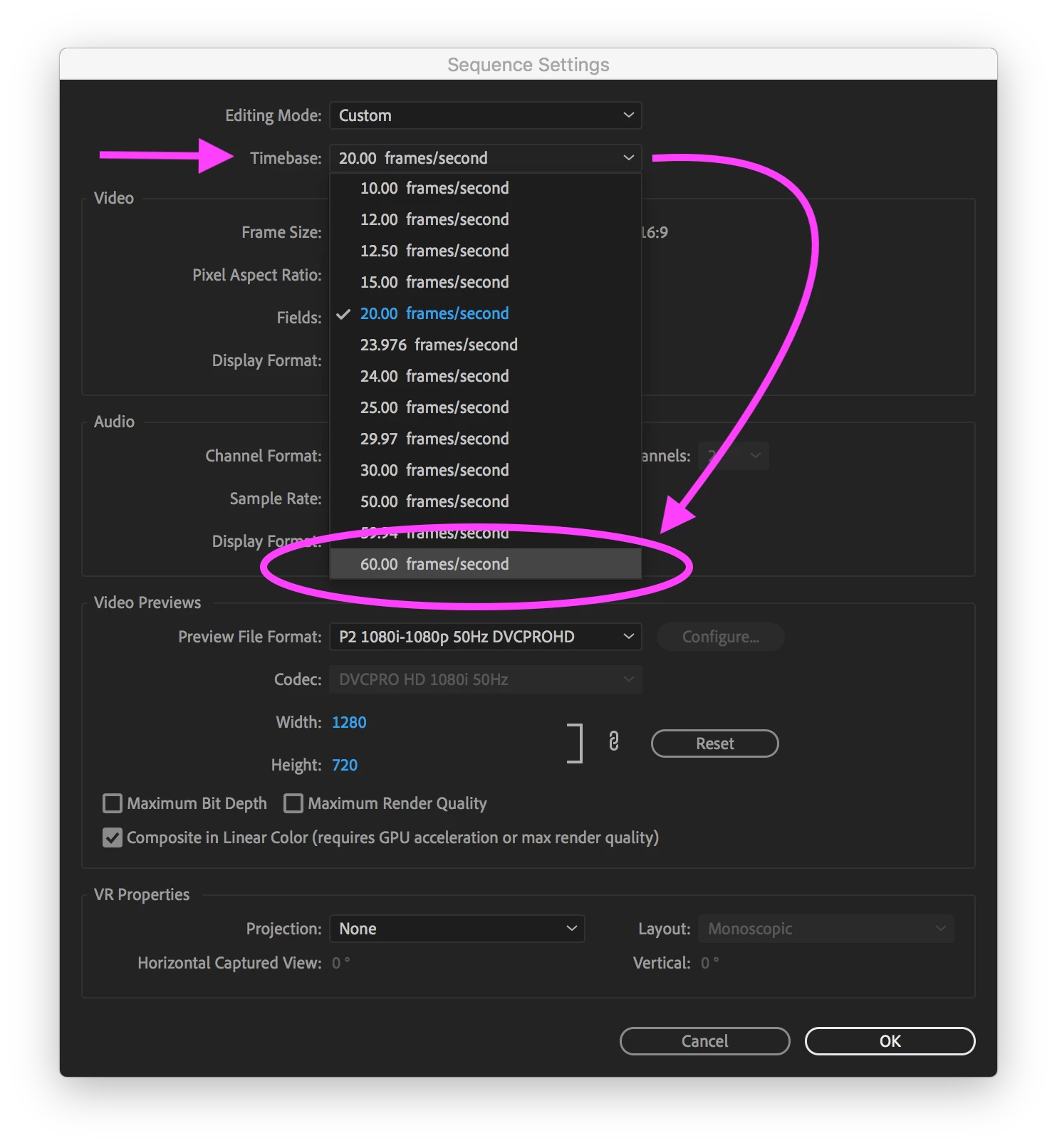
The place to do it would be in the Sequence Settings (Sequence > Sequence Settings...).

You might need to change the "Editing Mode" to "Custom" first, but you want to change the Timebase from what it is currently to "60.0 frames/second".

Having to press the arrow keys twice to advance frames is a sign that you're working at i30. While you're in the Sequence Settings dialog box, double-check that the Sequence is progressive and not interlaced [Video > Fields: No Fields (Progressive Scan)]. 

-Warren

1 reply

Warren Heaton10841144Community ExpertCorrect answer
Community Expert
January 13, 2019

The place to do it would be in the Sequence Settings (Sequence > Sequence Settings...).

You might need to change the "Editing Mode" to "Custom" first, but you want to change the Timebase from what it is currently to "60.0 frames/second".

Having to press the arrow keys twice to advance frames is a sign that you're working at i30. While you're in the Sequence Settings dialog box, double-check that the Sequence is progressive and not interlaced [Video > Fields: No Fields (Progressive Scan)]. 

-Warren

rowederAuthor
Inspiring
January 13, 2019

Ok I looked in Sequence > sequence settings and I found this:

But now my timeline displays in frames.  It didn't before opening sequence settings but it does now that I have opened sequence settings. 

I tried it in a previous project too and the same thing happened. 

However, if I select 60.00 frames/second it does set things up exactly how I wanted it to be. 

R Neil Haugen
Legend
January 13, 2019

Warren's comment said first to change the time base to 60. Starting there, the other fields change and the user would need to make sure the end results were what was wanted.

So you are learning  .... there are so many steps to editing with a complex pro NLE. I do recommend a subscription to someplace like lynda.com/LinkedIn learning for at least a month or two of studying the tutorial programs of a couple different editors to learn basic operational skills in Pr.

This will save you an immense amount of time fiddling.

Neil

Everyone's mileage always varies ...