



Timecode Display Options For Audio
tl/dr: Need an easy way to add timecode burn to audio files, not video files, when making an extensive "daily" preview clip. Am I SOL? I think I'm SOL. I'm probably SOL.
Here's my dilemma:
A day's shoot on our documentary typically lasts from 7am 'til 9pm. And the way we used to make the dailies is just lay out all the video/audio files and sync them to our jammed time-of-day TC. This would make a timeline 14 hours long, but there it was. You could see all your audio and video clips and when they were made. Lots of blank spots, but it was all easy to see, easy to understand, and easy to apply a macro timecode burn to the entire day since I'd just pull it from the sequence/timeline. Start sequence's numbers around 07:00:00 and off they go until 21:00:00.
Nevertheless, job is now to make all the blank spots in the daily gone. Basically all clips need to butt each other, no gaps. Alright, my uderstanding is that means that now any timecode burn has to be generated by the clips themselves --as using sequence numbers isn't an option anymore.
Adding that timecode effect in Premiere is easy-peasy for a video clip, but for audio that doesn't work.
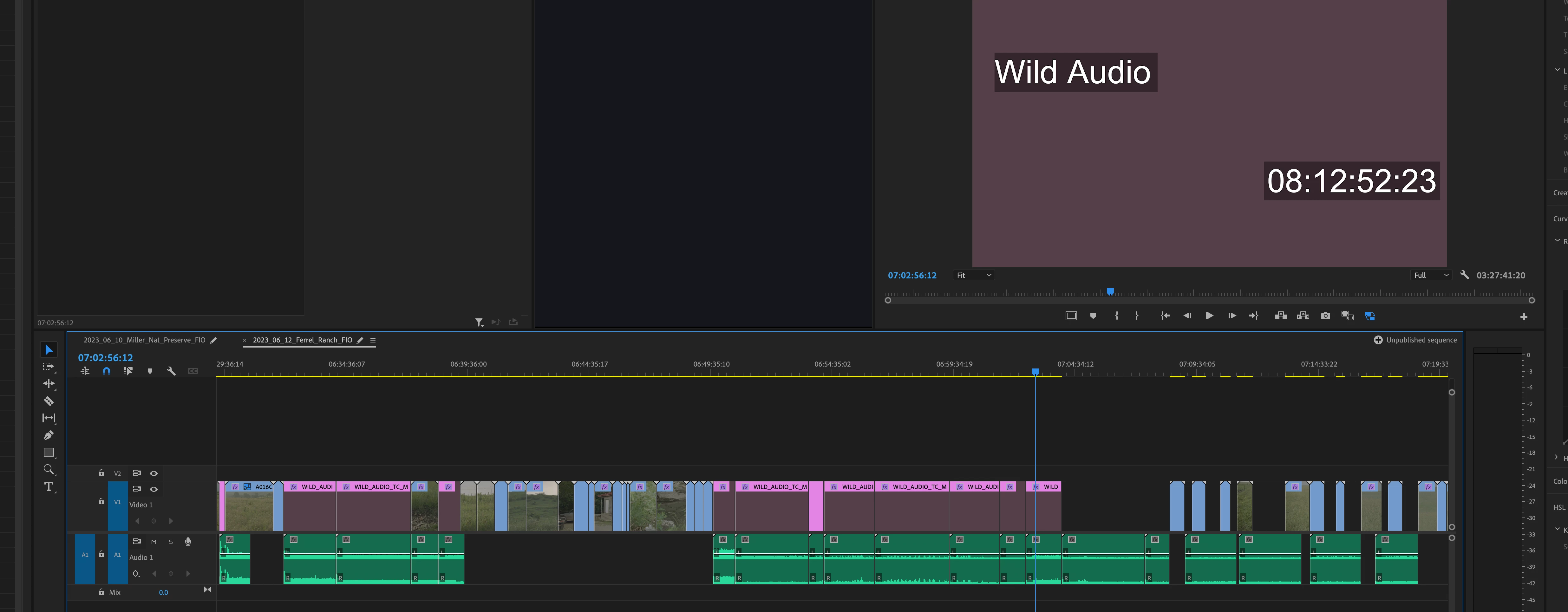
Seems like my only option is to make a slate for each and every audio clips, applying the timecode effect to the slate, select "generate time-code" as an option, and then MANUALLY entering the timecode numbers as needed.
Which therefore means I pretty much have to slate and timecode every single instance the audio guy starts and stops his recording. Also have to put in slates where video starts and stops over a long running audio clip. All in all that = hundreds a times a day.
I've been tasked with doing this for over 40 days of footage. Looking at manually making time code slates for audio around 5,000 total times here.
Any help? A quicker way to do what I wanna do?
Even if I'm out of luck and nobody knows of a way to accomplish my ask, it would be great if folks would chime in and say, "Sorry, can't be done." Hopefully an answer might be, "Well, you might wanna try this..."
 AdChoices