



Bed30321077z973
Inspiring
February 8, 2024
Question

Where can I find the values of Modified Audio Gain on the Effects contols?

  • February 8, 2024
  • 2 replies
  • 540 views

Hello,

I selected few clips and went to audio options and audio gain and performed a added/reduced DBs of the clips.

When finished the YELLOW function appeared as we can see:
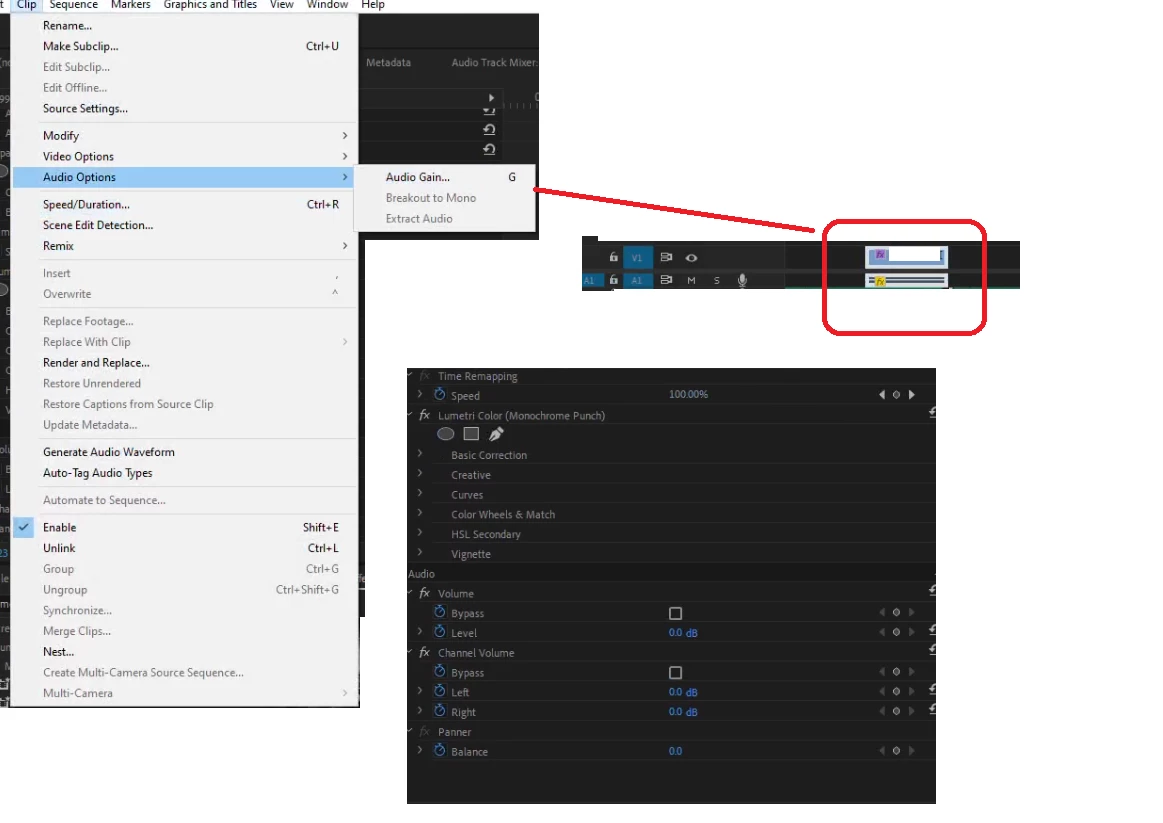
 

But when I go to the effect conrrols panels (see image), I dont see any  change in the values?I can only cancel it if I do a ctrl+Z/W?

This topic has been closed for replies.

2 replies

Community Expert
February 9, 2024

Besides what Mike said, if you want to change the Gain, either use the Audio Gain dialogue box again, or you can use [ or ] to increase or decrease audio gain by 1 db. This will work with all selected clips.

Mike Dziennik
Community Expert
Community Expert
February 8, 2024

https://helpx.adobe.com/premiere-pro/using/adjusting-volume-levels.html 

Gain is independant of the 'Volume' levels.
If you hover over the clip - it will tell how you much gain is applied in the tooltip.