
Exit
  • Global community
    • Language:
      • Deutsch
      • English
      • Español
      • Français
      • Português
  • 日本語コミュニティ
  • 한국 커뮤니티
0

WORKSPACE ISSUE_PREMIERE PRO

Explorer ,
Apr 21, 2022 Apr 21, 2022

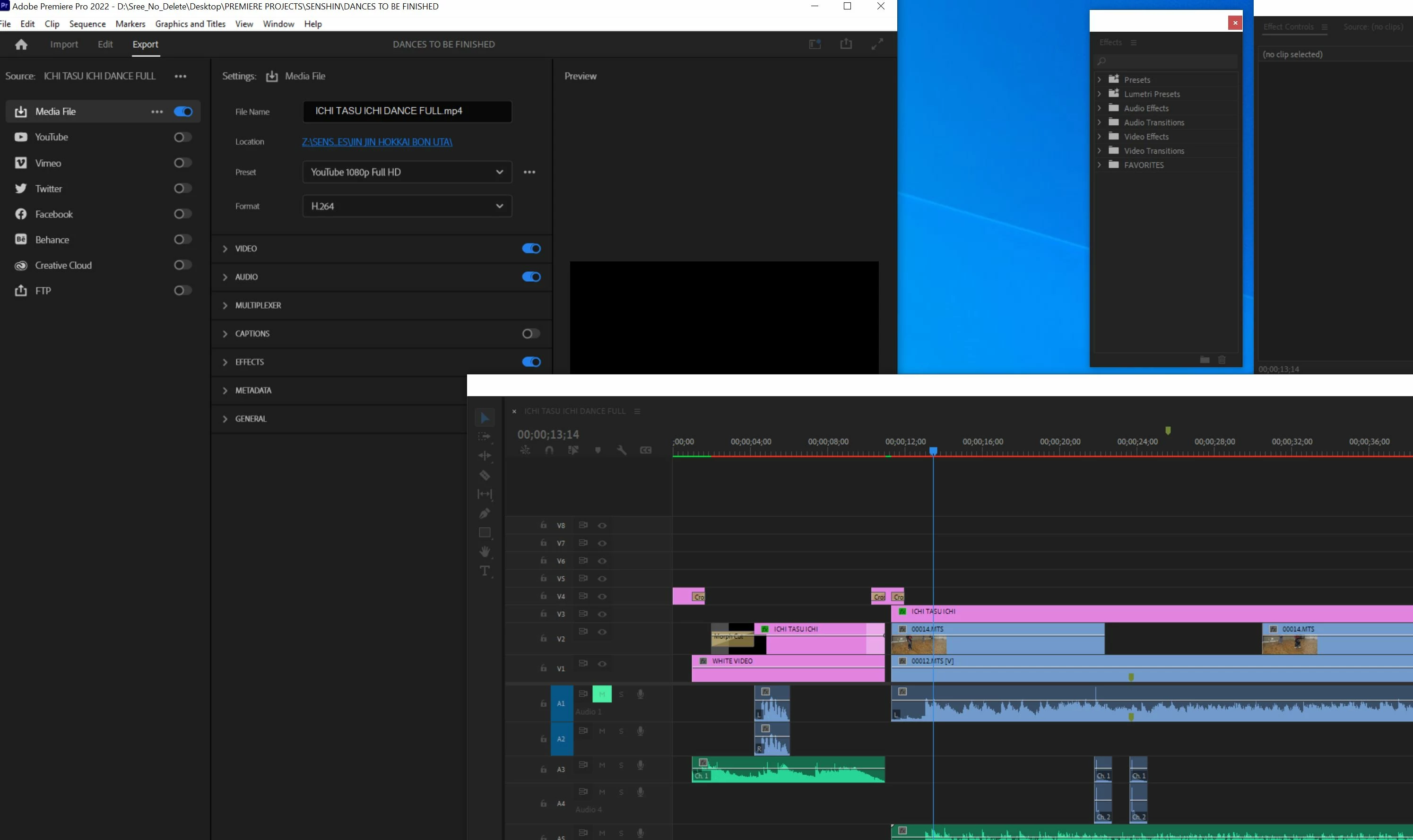
I upgraded my Premiere Pro with latest update that has the new Import/Export window. Love it, BUT that window always opens BEHIND any floating window I may have open; so I cannot see all of the Export window.  Also, in the "import" or "export" mode, all other windows become incaccessible, so I cannot move the floating window out of the way. I have to click on "Edit," move the floating window out of the way, then click on "Import" or "Export" to expand it. Attached below, a pix of what I'm talking about.Capture.JPG
TOPICS
User interface or workspaces
376
Translate
Report
Community guidelines
Be kind and respectful, give credit to the original source of content, and search for duplicates before posting. Learn more
community guidelines
Community Expert ,
Apr 22, 2022 Apr 22, 2022

Only solution is to un-float your panels.

Translate
Report
Community guidelines
Be kind and respectful, give credit to the original source of content, and search for duplicates before posting. Learn more
community guidelines
Explorer ,
Apr 22, 2022 Apr 22, 2022

That's frustrating...basic protocol on any windows app is the ability to click on a window to the bring it to the front. Oh, well, hopefully Adobe will fix this, because sometimes one has to float windows so as to access one the back easily with a click to avoid going to "Window" to activate and hide different functions everry time.

Translate
Report
Community guidelines
Be kind and respectful, give credit to the original source of content, and search for duplicates before posting. Learn more
community guidelines
Community Expert ,
Apr 22, 2022 Apr 22, 2022
LATEST

In all honesty, I have never used floating panels.

Translate
Report
Community guidelines
Be kind and respectful, give credit to the original source of content, and search for duplicates before posting. Learn more
community guidelines