


Participant
July 5, 2021
Answered

Zooming in timeline problem (Mac OS and Logitech MX Master 3)

  • July 5, 2021
  • 7 replies
  • 9799 views

I'm using the Logitech MX Master 3 on a MacBook Air M1.


I have mainly 2 problems...


1 - When I zoom in a timeline with the Alt+Vertical Scroll, the timeline zoom all the way without any issues, at any speed. But when I try to zoom out fast, it goes all the way out and sudently goes all the way in very fast at the zoom. It's very annoying because when I wanna see all the project by zooming out, I have to do it very slowly. (In the video: 00:00 - 00:13)


2 When I use the the zoom in/out with the Alt+Horizontal Scroll of the MX Master 3, the "stops" are not quite smooth. Between one and another stop the change is too much abrupt... (In the video: 00:13 - final)


Any solutions for this problems?
Correct answer SCrompto

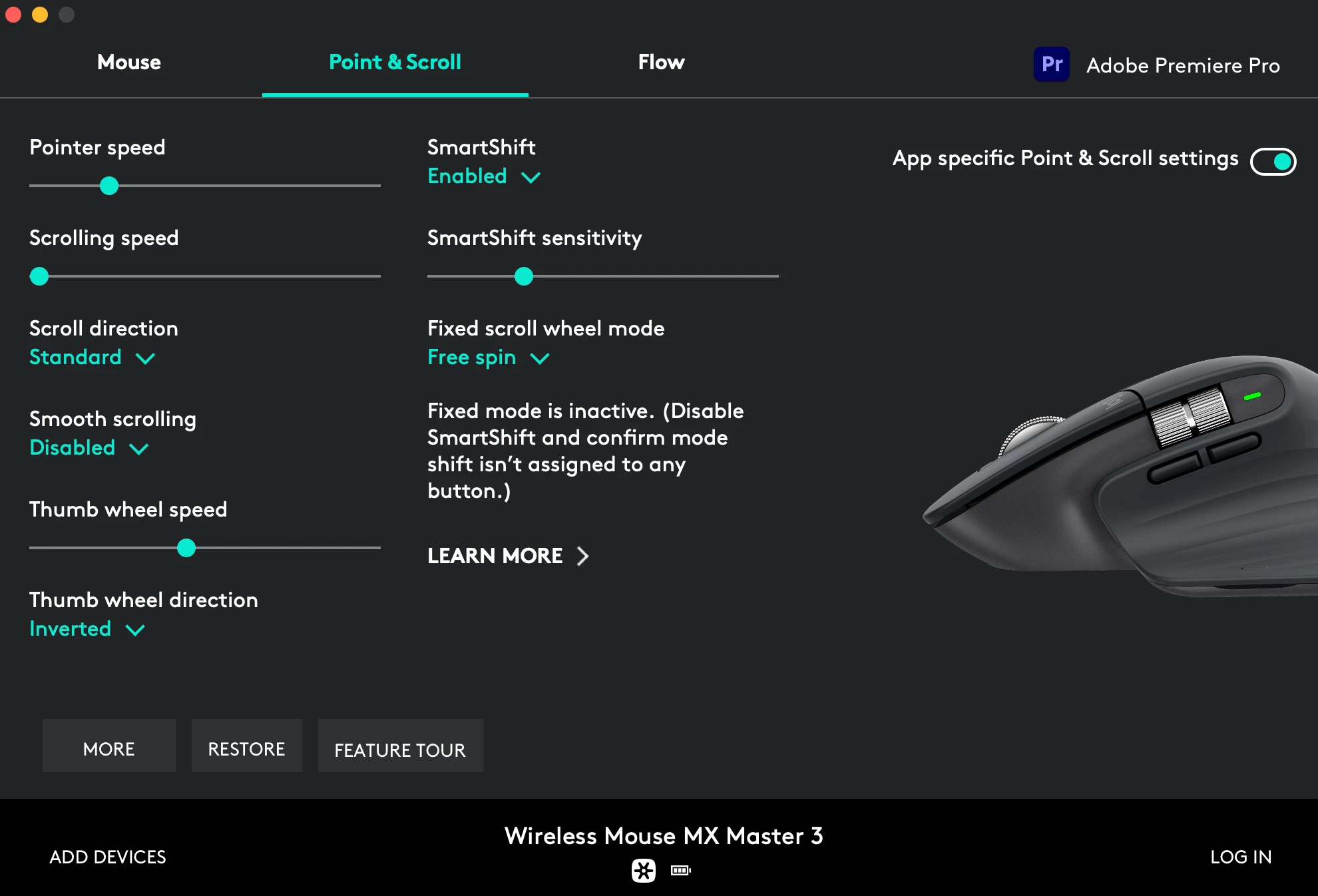
I had this issue on my 2020 iMac. I found that if I changed the scroll speed to the minimum for premiere pro it would fix that issue. 

 The main issue I'm having with this mouse is that now my timeline navigation doesn't work, but I'm pretty sure it's unrelated. It worked last week, but when I started working this monday I could no longer control the playhead with my thumbwheel, or use the side buttons to go frame by frame.

7 replies

Participant
July 14, 2024

I had this issue on my Macbook Air M1. Please look for scroll speed on your mouse controller application. In my case It was LinearMouse. Please change the scroll speed to the minimum. I was looking for a solution to this for 2 hours and just found it lmao don't waste time xD

Participant
December 1, 2023

It happens to me with MX Vertical and the lastest Logi Options+, it's very very annoying....

Participant
December 1, 2023

Just as a workarround you can install Smooze Pro and activate the smooth scroll for adobe premier with the following settings: vertical lines: 1.00, acceleration: 0.0, hold alt to divide lines by: 3, duration: 50

Participant
August 4, 2022

I had the same Issue on Windows 10.
Wasted a whole load of time trying different things.
I beleieve the issue started after I updated to the latest utility (Logi+), so I rolled back to a previous version (9.70.68) and all functionality has returned, thankfully.

traviss54220837
Participant
January 24, 2022

I have this same issue. I downloaded the new Logitech MX for mac BETA software and it fixed my issues. Recommended!

Warren Heaton
Community Expert
Community Expert
July 13, 2021

The Logitech Options application was recently updated for Big Sur.


On my M1 Mac Mini, my Logitech MX Anywhere 2 Mouse works as expected in a Premiere Pro with or without the drivers installed. 

Participant
July 13, 2021

I don't know if it was the update or the scroll speed, but now it's working much better, thanks!

SCromptoCorrect answer
Participant
July 8, 2021

I had this issue on my 2020 iMac. I found that if I changed the scroll speed to the minimum for premiere pro it would fix that issue. 

 The main issue I'm having with this mouse is that now my timeline navigation doesn't work, but I'm pretty sure it's unrelated. It worked last week, but when I started working this monday I could no longer control the playhead with my thumbwheel, or use the side buttons to go frame by frame.

Participant
July 13, 2021

That solved my problem apparently, now is much better, thanks for the help!


Inspiring
July 6, 2021

No solution, but as much as I like my MX mice, Logitechs Mac software/drivers are (in my opinion) not good.

Have they updated their software to support M1's? Or are they running in emulation mode ... that might be part of the problem.

Check to see if they have any updated software.

I can only suggest that you use the '+' & '-' keys for timeline zooming and the backslash key to return to full timeline width.

Not what you want but still a (alternate) fast way to navigate the timeline.

Participant
July 7, 2021

Everything is up to date, unfortunately...


Maybe is a problem with the M1, hope they fix it, Im using the timeline bar to navigate now, but it's a lot more time consuming