


Participating Frequently
August 16, 2024
Open for Voting

MOGRT Text: Can individual words / parts have separate text styling?

  • August 16, 2024
  • 18 replies
  • 2606 views

Hi, 


I am tired of having to put a layer of After Effects composition on my Premiere Pro timeline (via dynamic link) for adding basic text animations to my edit.


I have made a mogart that allows you to have simple text animation right inside Premiere Pro. 


But the thing that is breaking it for me is that the whole line of text can have only a single text style applied to it.  In contrast, when working with text inside After Effects, we have the ability to select certain segements of the text and give them a different styling (attached video link for reference).
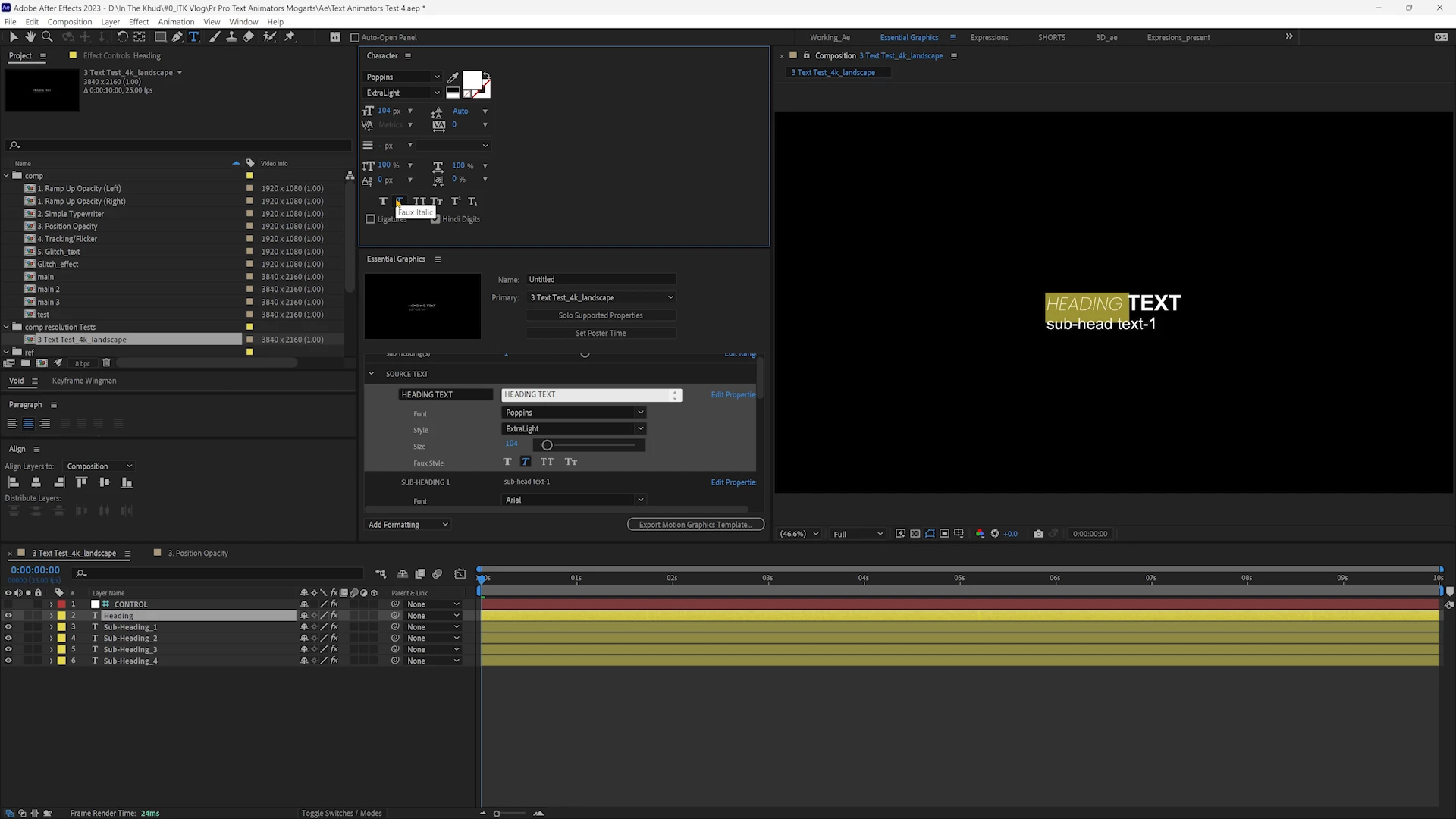
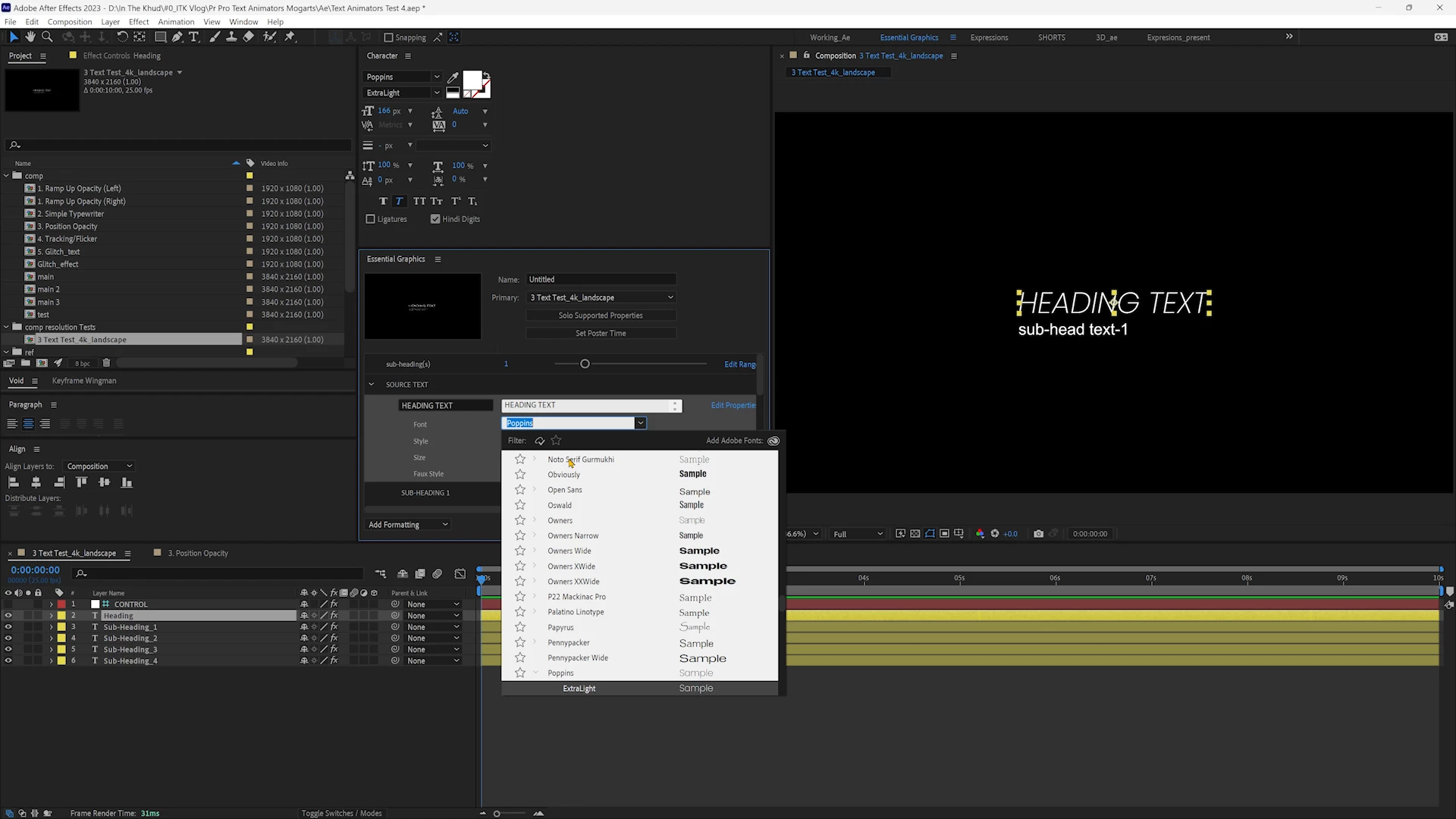


Video:

Ae vs Mogrt Text Styling 


This feature is extremely important since design and hierarchy with different styles is very essential to communicate your message.  Is this a feature being worked on by the MOGRT team?  Or is there a workaround that can be used when exporting from Ae Essential Graphics? 


The only workaround I can think of is having your line of text broken down into no. of words.  But that breaks the mogrt's original purpose of text animation completely.


Any help is appreciated.


Thanks.

18 replies

_nicdean
Community Expert
Community Expert
February 6, 2025

@rajmeetsingharora, here is a tutorial on the basics of Text Style expressions and the new per-character features in 2025. You can watch this tutorial to learn how to build mogrts with text styles, link text animators, and how to automatically style specific words:


https://www.youtube.com/watch?v=yG8UbiKKeYw

Participating Frequently
January 12, 2025

Hi @Roland Kahlenberg thank you for providing these links. They're useful 🙂

Roland Kahlenberg
Legend
January 12, 2025

Firecut.ai seems to be the best for captioning - stable, well-supported and it's been around the longest too - https://firecut.ai/

On Text Styling of AeMoGRTs, this is a decent tutorial - https://youtu.be/SpuYYGSbM7E

And this thread has some good examples - https://community.adobe.com/t5/after-effects-discussions/tutorial-bold-part-of-a-text-layer-using-expressions/m-p/14974435#M258224


I've used the new paragraphing feature in a recently released set of AeMoGRTs - https://broadcastgems.gumroad.com/l/ocejrf

For standard design/typography/layout requirements, you should be able to do a lot of what's usually required. It does get unusually busy in the Source Text property but the Styling Expressions are usually unrelated and shouldn't disaffect other code - just remember to be neat and tidy.  😄


Very Advanced After Effects Training | Adaptive & Responsive Toolkits | Intelligent Design Assets (IDAs) | MoGraph Design System DEV
Participating Frequently
January 12, 2025

@Stan Jones @_nicdean thank you for your inputs.

@Theresa Rostek @Roland Kahlenberg 

Any change you can go through this thread and the specific feature I am requesting here.  Thank you

Stan Jones
Community Expert
Community Expert
December 25, 2024

@rajmeetsingharora @Jarle Leirpoll 


See my post/update regarding other Ideas/feature requests for animated captions:

https://community.adobe.com/t5/premiere-pro-ideas/request-for-enhanced-animated-caption-options-and-...


Despite this Idea (re Mogrt text) being well articulated, it only has 2 votes.


@_nicdean,

Congrats on the extension for using mogrts to animate captions. I have not tested it, so I am not suggesting it yet. I hope some others who try it will review it.


Stan


_nicdean
Community Expert
Community Expert
September 16, 2024

@rajmeetsingharora 2 solutions for you.


  1. As discussed, per-character text style expressions are released in AE Beta
  2. To animate captions in Premiere Pro with .mogrts, you can use the Captioneer extension with your own .mogrts
Participating Frequently
August 17, 2024

Alright, thank you.

Legend
August 17, 2024

When you post via Help > Provide Feedback you're talking directly to the Adobe people. If it's MOGRT related, it will be read by the team responsible for MOGRTs. There's nothing you can write in an email that you can't write there.


Will they always answer all the posts? No. But if they have questions, they will ask. Even when they don't respond, your ideas may end up in the app. 

Participating Frequently
August 17, 2024

Thanks a ton for your inputs Stan!


I've been trying to search for an email address of someone who works in the Adobe Development team (Mogrts/Essential Graphics specifically).  Haven't found any success.  I feel I could explain the feature request in more detail that way.  Any suggestions?  Much thanks.

Stan Jones
Community Expert
Community Expert
August 16, 2024

@rajmeetsingharora,


> How can I add a feature request?

Like you posted in this PR forum, in the initial post, you have 3 options, to flag it as a Discussion, a Bug, or an Idea (Feature Request). In fact, this is already an Idea. There's a box in the upper left of your initial post, currently with zero in it. I upvoted, so now it has a one.


But your comments might lead staff to think it is a discussion. What, more specifically is the feature you want? This is tricky because the sky's the limit, and staff are in the best position (well, perhaps Jarle!) to help identify a roadmap to such a feature.


I think the general request might be to enhance the animation capabilities of mgrts on text of various types, including by character and by word.


There are a variety of discussions regarding animating PR captions, but I can't find any of the feature requests at the moment.


Stan